
Best Wi-Fi Mesh Systems for Large Homes in 2026
- ✓Every guide starts as a full comparison video — we compare the gadgets side by side before we write a word.
- ✓Every pick is checked against the manufacturer’s own listings — specs come from the maker, not from another roundup.
- ✓Clear winners for every budget — the pick is the pick, whether it costs the least or the most.
- ✓No paid placements — a brand cannot pay to be picked.
This article contains Amazon affiliate links. As an Amazon Associate we earn from qualifying purchases — it never changes our picks. #ad
Best Wi-Fi Mesh Systems for Large Homes in 2026

A large home does not need a stronger router. It needs more routers, working together, so that the bedroom at the far end gets the same signal as the room next to the modem. That is what a mesh system does: a main router and one or two satellites that talk to each other, handing your phone from one to the next as you walk through the house.
Start with the size of the problem. How many square feet, how many floors, and what is between the router and the far bedroom — thick walls, brick, concrete, a floor of steel? Then count the devices: phones, laptops, TVs, cameras, smart speakers and everything else that will share the network. A system rated for 100 devices will struggle in a home with 80 of them, so buy headroom, not the minimum.
Nothing here is presented as lab testing by us. Coverage, device counts, speeds and port specs are taken from the makers’ own pages, manuals and shop listings. Where a maker and a listing disagree, the maker’s figure is used. One point to remember: coverage figures are measured in open space, not through walls, so treat them as a maximum and add a satellite if your home has thick walls or more than one floor.
Top 3
- NETGEAR Orbi RBK863S — the best mesh for the largest homes A tri-band Wi-Fi 6 system with a dedicated backhaul, covering up to 8,000 square feet with a router and two satellites.
- TP-Link Deco XE75 — the best mesh for most large homes A tri-band Wi-Fi 6E system covering up to 7,200 square feet, with a 6 GHz band and a price that undercuts its rivals.
- Google Nest Wifi Pro — the best mesh for Google Home households A tri-band Wi-Fi 6E system that is simple to set up, with a clean design and deep Google Home integration.
How the Five Mesh Systems for Large Homes Compare
| System | Best For | Wi-Fi | Coverage (3-pack) | Devices |
|---|---|---|---|---|
| TP-Link Deco XE75 | Most large homes | Wi-Fi 6E tri-band | Up to 7,200 sq ft | 150+ |
| Amazon eero Pro 6E | Smart home | Wi-Fi 6E tri-band | Up to 6,000 sq ft | 100+ |
| Google Nest Wifi Pro | Google Home | Wi-Fi 6E tri-band | Up to 6,600 sq ft | 100+ |
| NETGEAR Orbi RBK863S | Largest homes | Wi-Fi 6 tri-band | Up to 8,000 sq ft | 100 |
| ASUS ZenWiFi AX6600 (XT8) | Power users | Wi-Fi 6 tri-band | Up to 5,500 sq ft | 100+ |
The Best Most Large Homes — TP-Link Deco XE75
TP-Link Deco XE75 — Best for Most Large Homes

The Deco XE75 is a tri-band Wi-Fi 6E mesh system, with a 2.4 GHz, a 5 GHz and a 6 GHz band, and the three-pack covers up to 7,200 square feet. It replaces a router and extenders, it uses AI-driven mesh to steer devices to the best node, and it works with all other Deco systems, so you can add a node later if you extend the house.
Its strength is value: it brings Wi-Fi 6E and a dedicated 6 GHz band to a large home for less than its rivals, and its app is straightforward. The trade-off is that its wired ports are gigabit, not multi-gig, so a home with a multi-gig internet plan will not get the full speed through a cable. For most large homes on a gigabit plan or slower, that does not matter.
Our Call
For most large homes, this is the pick. It brings Wi-Fi 6E to a big house for the least outlay, and it is easy to extend later.
Pros
- Tri-band Wi-Fi 6E with a 6 GHz band
- Covers up to 7,200 sq ft (3-pack)
- Works with all Deco systems
- AI-driven mesh steering
Cons
- Gigabit ports, not multi-gig
- No dedicated backhaul band — shares with devices
- App is simpler than Orbi or eero
- 6 GHz band needs compatible devices
The Best Smart Homes — Amazon eero Pro 6E
Amazon eero Pro 6E — Best for Smart Homes
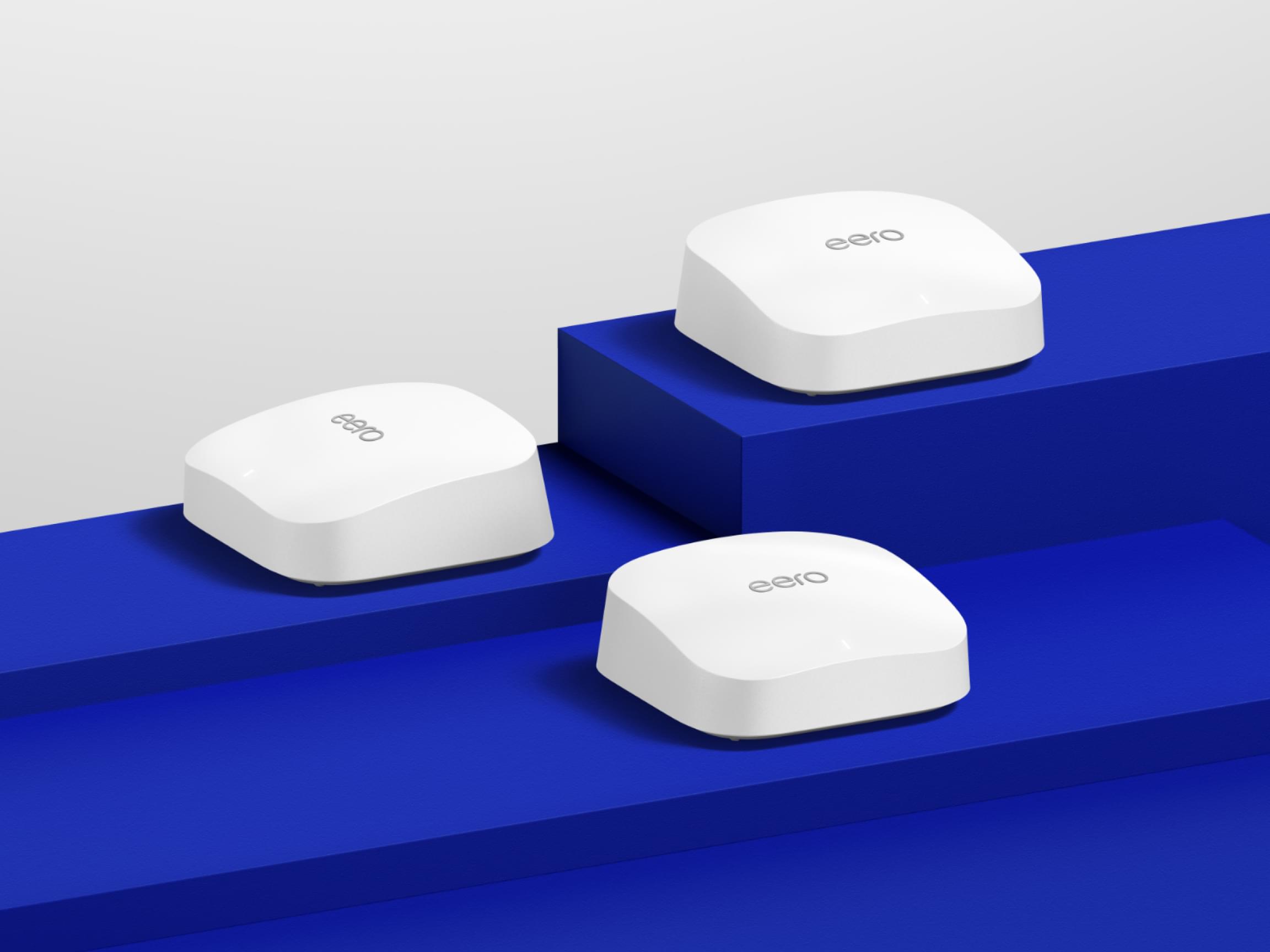
The eero Pro 6E is Amazon’s tri-band Wi-Fi 6E mesh system, with a built-in Zigbee smart home hub and a Thread border router, so it can run smart-home devices as well as Wi-Fi. The three-pack covers up to 6,000 square feet, it supports internet plans up to 2.5 Gbps, and it sets up in the eero app in minutes, with Alexa built in for voice control.
Its strength is the smart home: if your home already runs on Alexa, the eero Pro 6E is both the Wi-Fi and the hub, with no extra box. The trade-off is the subscription — advanced security and parental controls need eero Plus, a monthly plan, while the basic mesh works without it. For an Alexa household, that integration is worth the shortlist.
Our Call
For an Alexa smart home in a large house, this is the pick. It is the Wi-Fi and the hub in one box.
Pros
- Built-in Zigbee hub and Thread border router
- Tri-band Wi-Fi 6E, up to 2.5 Gbps plans
- Covers up to 6,000 sq ft (3-pack)
- Simple setup in the eero app
Cons
- Advanced security needs eero Plus
- Smaller coverage than Orbi or Deco
- No web interface — app only
- Fewer wired ports than rivals
The Best Google Home — Google Nest Wifi Pro
Google Nest Wifi Pro — Best for Google Home

The Nest Wifi Pro is Google’s tri-band Wi-Fi 6E mesh system, and it is the simplest mesh here to live with. The three-pack covers up to 6,600 square feet, each point covers about 2,200 square feet, and it sets up in the Google Home app alongside your other Google devices. It prioritises video calls, diagnoses its own problems, and looks like a piece of homeware rather than a router.
Its limitation is compatibility: it does not work with older Google Wifi or Nest Wifi systems, so you cannot mix it with what you already own. It also has fewer wired ports than its rivals, and no dedicated backhaul. For a Google Home household starting fresh, its simplicity is the reason to choose it.
Our Call
For a Google Home household starting fresh, this is the pick. It is the easiest mesh here to set up and live with.
Pros
- Simple setup in the Google Home app
- Tri-band Wi-Fi 6E
- Covers up to 6,600 sq ft (3-pack)
- Prioritises video calls
Cons
- Not compatible with older Google Wifi
- Fewer wired ports than rivals
- No dedicated backhaul band
- Design-led, not power-user focused
The Best Largest Homes — NETGEAR Orbi RBK863S
NETGEAR Orbi RBK863S — Best for the Largest Homes
The Orbi RBK863S is the most powerful mesh in this group, and the best for the largest homes. It is a tri-band Wi-Fi 6 system with a dedicated backhaul — a separate band that only the router and satellites use to talk to each other — so your devices never compete with the backhaul for airtime. The three-pack covers up to 8,000 square feet and 100 devices, with speeds up to 6 Gbps and a 10 Gig internet port.
Its trade-off is size and outlay: it is the biggest and dearest system here, and its satellites are large. It also includes a year of NETGEAR Armor security, after which the subscription continues if you want it. For a very large home, a home with thick walls, or a home with a multi-gig internet plan, its dedicated backhaul is the feature that justifies the cost.
Our Call
For the largest homes, this is the pick. Its dedicated backhaul is the difference between a mesh that works and a mesh that flies.
Pros
- Dedicated backhaul — devices never compete with it
- Covers up to 8,000 sq ft (3-pack)
- 10 Gig internet port
- Speeds up to 6 Gbps
Cons
- Largest and dearest system here
- Satellites are big and need space
- Armor security is a subscription after year one
- Overkill for a small or medium home
The Best Power Users — ASUS ZenWiFi AX6600 (XT8)
ASUS ZenWiFi AX6600 (XT8) — Best for Power Users
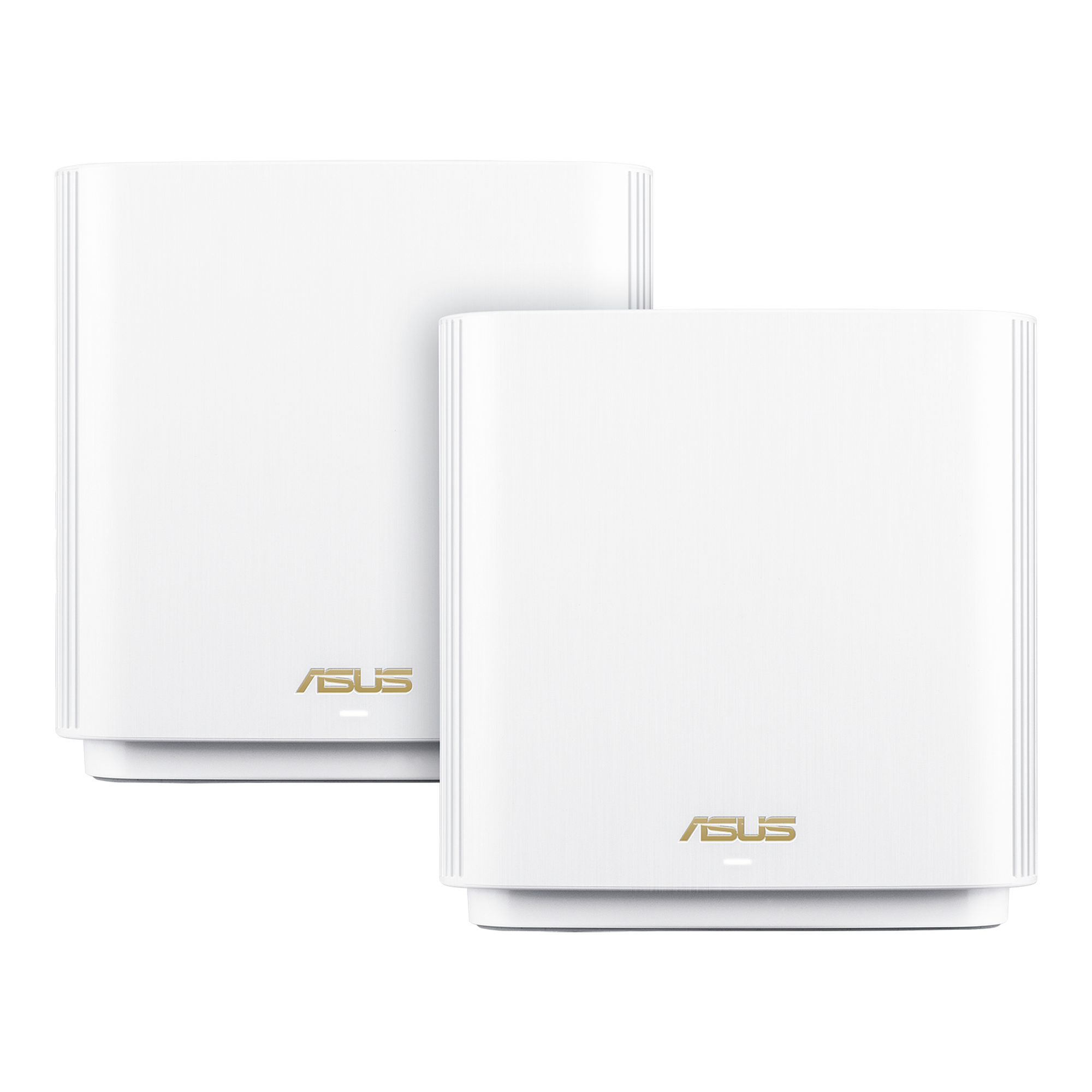
The ASUS ZenWiFi AX6600, known as the XT8, is a tri-band Wi-Fi 6 mesh system built for power users. It comes as a two-pack covering up to 5,500 square feet, with a dedicated backhaul, AiProtection security, parental controls and a full web interface for owners who want to tune every setting. It works with other AiMesh routers, so you can extend it with ASUS hardware you already own.
Its trade-off is that it is a two-pack, so a very large home will need a third node, and it is a Wi-Fi 6 system, not Wi-Fi 6E or Wi-Fi 7, so it has no 6 GHz band. For an owner who wants control — traffic prioritisation, VPN, detailed settings — it is the most flexible mesh here. No verified Amazon listing for this exact two-pack could be pinned down in this round of work, so this guide has no buy link for it; check ASUS’s own store and the listing before you buy.
Our Call
For power users who want to tune their network, this is the pick. For everyone else, the Deco or the Orbi is simpler.
Pros
- Dedicated backhaul
- Full web interface and deep settings
- AiProtection security included
- Works with AiMesh routers
Cons
- Two-pack covers up to 5,500 sq ft — large homes need a third node
- Wi-Fi 6, no 6 GHz band
- No verified Amazon listing found in this round
- Setup is more involved than Deco or Nest
A note on placement and wiring. A mesh system’s performance is decided by where you put the nodes and what they are plugged into. Place each satellite in the open, at about waist height, halfway between the router and the dead zone — not in the dead zone itself, and not inside a cabinet, behind a TV or on the floor. Where you can, wire a satellite to the router with an Ethernet cable: a wired backhaul is faster and more reliable than any wireless one, and it frees the wireless bands for your devices. Test the speed in each room after setup, and move a node a few feet if a room is still slow.
Buying Guide
Count square feet, then add a node. Coverage figures are measured in open space, not through walls. A home with brick, concrete or more than one floor will get far less than the headline figure, so buy the three-pack if you are near the limit, and place the satellites halfway between the router and the dead zone — not in the dead zone itself.
Dedicated backhaul is the feature that matters. A tri-band system with a dedicated backhaul gives the router and satellites their own band to talk on, so your devices never compete with it. It is the single biggest difference between a mesh that feels fast everywhere and one that slows down at the far end of the house.
Match the system to your internet plan. A mesh with gigabit ports cannot deliver a multi-gig plan through a cable, and a mesh rated for a gigabit plan will not make a slower plan faster. Check your plan’s speed, then check the system’s ports and its maximum supported plan speed.
Count devices, not just rooms. A large home with 60 devices needs a system rated for 100 or more, because every camera, speaker, TV and smart plug counts. A system that is full will drop devices or slow down, so buy headroom.
Check the ecosystem before the spec sheet. eero belongs to Alexa, Nest Wifi Pro belongs to Google Home, and Orbi and Deco are neutral. If your home already runs on one assistant, buy the mesh that belongs to it — the integration will save you an app and a hub.
How many mesh nodes do I need for a large home?
A three-pack covers most large homes up to 6,000 to 8,000 square feet, depending on walls and floors. Start with the maker’s coverage figure, then add a node if you have thick walls, brick, concrete or more than one floor.
Is Wi-Fi 6E worth it for a mesh system?
Yes, if your devices support the 6 GHz band — it is faster and less congested. If your devices are older, Wi-Fi 6 with a dedicated backhaul, like the Orbi RBK863S, will serve you better.
What is a dedicated backhaul?
A separate Wi-Fi band that only the router and satellites use to talk to each other. Without it, your devices and the backhaul share the same airtime, which slows the far end of the house.
Can I mix mesh systems from different brands?
No, not as one mesh. A Deco node will not join an Orbi system. Buy all your nodes from the same family, and check that older nodes from the same maker are compatible before you mix generations.
Where should I place mesh satellites?
Halfway between the router and the dead zone, in the open, not inside a cabinet or behind a TV. A satellite in the dead zone itself has no good signal to share.
Conclusion
Start with the TP-Link Deco XE75 for most large homes, the NETGEAR Orbi RBK863S if your home is very large or has thick walls, and the eero Pro 6E or Nest Wifi Pro if you already live in Alexa’s or Google’s world. Buy the three-pack, place the satellites halfway to the dead zone, and check the dedicated backhaul — it is the feature that makes a mesh feel fast everywhere.