Best Gaming Monitors 2026
The best gaming monitors pair a fast refresh rate with low response time, sharp resolution, and a panel that suits your games. In our comparison of five leading gaming displays, the right pick depends on whether you play fast competitive shooters, story-driven titles, or a mix of games and work. This guide compares speed, picture, size, and value.
As an Amazon Associate I earn from qualifying purchases. #ad

Key Takeaways
- Refresh rate and response time matter most for competitive play; resolution matters most for story games.
- Panel type is a trade-off: fast IPS, deep-contrast VA, and vivid OLED each suit different players.
- Match the monitor to your graphics card, or you may pay for speed your PC cannot reach.
Top 3 Picks
- Best all-rounder: LG UltraGear 27GP850-B — fast, sharp, and versatile.
- Best competitive: ASUS ROG Swift PG279QM — very fast with low lag.
- Best immersive: Dell Alienware AW3423DWF — ultrawide OLED colour and contrast.
1. LG UltraGear 27GP850-B
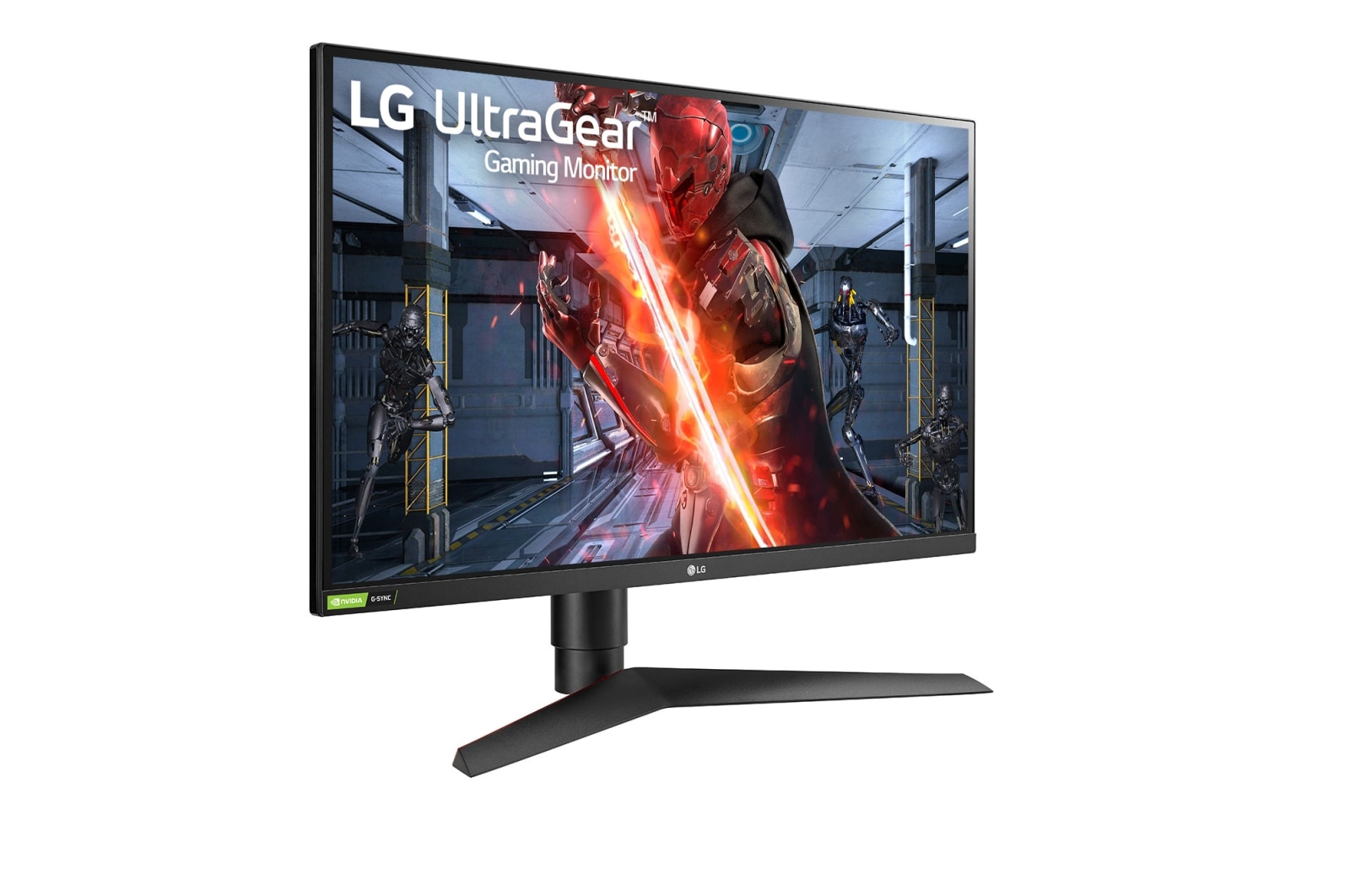
LG UltraGear 27GP850-B
In our comparison, the LG UltraGear 27GP850-B is the safest gaming monitor recommendation. Its 27-inch QHD screen is sharp without demanding flagship graphics power, the high…
In our comparison, the LG UltraGear 27GP850-B is the safest gaming monitor recommendation. Its 27-inch QHD screen is sharp without demanding flagship graphics power, the high refresh rate and fast response keep motion smooth in shooters and racers, and the IPS panel offers wide viewing angles and accurate colour for mixed gaming and work.
Contrast is typical IPS rather than OLED-deep, so dark scenes look greyer than on OLED rivals. For most gamers, though, its balance of speed, size, resolution, and value is excellent.
Pros:
- Fast refresh rate for smooth motion
- Sharp QHD resolution at 27 inches
- Wide viewing angles and good colour
- Well suited to gaming and work
- Strong value in its class
Cons:
- IPS contrast trails OLED
- Needs a capable PC for top frame rates
- Stand is large on small desks
- HDR impact is modest
- No ultrawide immersion
2. ASUS ROG Swift PG279QM

In our comparison, the ASUS ROG Swift PG279QM is the competitive player’s pick. Its very high refresh rate and low input lag give fast shooters a responsive feel, and the QHD IPS panel stays sharp and colour-accurate for everyday use. G-Sync support helps keep frames smooth when frame rates vary.
It costs more than mainstream gaming monitors and its 27-inch size will not satisfy players chasing ultrawide immersion. For ranked and competitive play, its speed is the point.
Pros:
- Very high refresh rate
- Low input lag for competitive play
- Sharp QHD IPS picture
- G-Sync for smooth variable frame rates
- Good colour for mixed use
Cons:
- Costs more than mainstream rivals
- 27-inch size, not ultrawide
- Needs a strong PC to use full speed
- Stand footprint is sizeable
- HDR is not its strength
3. Samsung Odyssey G7 32-inch
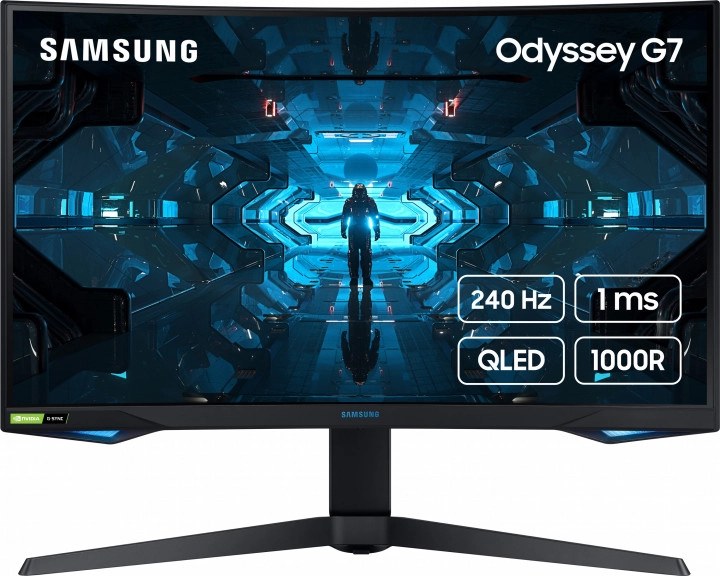
In our comparison, the Samsung Odyssey G7 32-inch is the curved immersion pick. Its 1000R curve wraps the screen around your view, the QHD resolution stays sharp at 32 inches, and the VA panel delivers deeper contrast than IPS for dark, atmospheric games. High refresh rates keep fast games smooth as well.
The aggressive curve does not suit everyone, especially for office work and photo editing, and VA panels can show some smearing in fast dark transitions. For immersive single-player gaming, it is a compelling choice.
Pros:
- Immersive 1000R curved screen
- Deep VA contrast for dark games
- Large 32-inch QHD display
- High refresh rate for fast games
- Strong for story-driven titles
Cons:
- Curve not ideal for office work
- VA smearing possible in dark motion
- Large footprint and weight
- Colour accuracy trails IPS for work
- Needs desk depth for comfortable viewing
4. Dell Alienware AW3423DWF

In our comparison, the Alienware AW3423DWF is the premium OLED ultrawide. Its quantum-dot OLED panel delivers vivid colour and near-instant response, the ultrawide format adds peripheral vision in racers and shooters, and dark scenes look truly black rather than grey. For players who want the best picture in this guide, it stands apart.
It is the costliest monitor here, ultrawide support varies by game, and OLED care (such as avoiding static images for very long periods) applies. For immersive, high-end gaming, it is worth the outlay.
Pros:
- Superb OLED colour and contrast
- Near-instant response time
- Ultrawide immersion
- True blacks in dark games
- Premium build and design
Cons:
- Highest cost in this guide
- Ultrawide support varies by game
- OLED needs sensible burn-in care
- Large desk footprint
- Overkill for casual players
5. Gigabyte M32U

In our comparison, the Gigabyte M32U is the 4K value pick. Its 32-inch 4K screen is crisp for games and excellent for work, it supports high refresh rates for its class, and HDMI 2.1 makes it a good match for current consoles as well as PCs. It is a smart choice for players who want one screen for gaming, streaming, and productivity.
Running games at 4K needs a strong graphics card, and its contrast is IPS-typical rather than OLED-deep. If your PC or console can drive 4K, its versatility is hard to beat at this level.
Pros:
- Crisp 4K resolution at 32 inches
- HDMI 2.1 for consoles and PCs
- Good for gaming and productivity
- High refresh rate for its class
- Versatile single-screen setup
Cons:
- Needs a strong PC for 4K gaming
- IPS contrast trails OLED
- Large size for small desks
- HDR impact is moderate
- Heavier than 27-inch monitors
Comparison Table
| Product | Size and resolution | Panel | Refresh focus | Best for |
|---|---|---|---|---|
| LG UltraGear 27GP850-B | 27-inch QHD | IPS | High | All-round gaming |
| ASUS ROG Swift PG279QM | 27-inch QHD | IPS | Very high | Competitive play |
| Samsung Odyssey G7 32-inch | 32-inch QHD curved | VA | High | Immersive games |
| Dell Alienware AW3423DWF | 34-inch ultrawide QD-OLED | QD-OLED | High | Premium immersion |
| Gigabyte M32U | 32-inch 4K | IPS | High for 4K | 4K gaming and work |
How to Choose
Start with your games. Competitive shooters reward the highest refresh rate and lowest lag, story games reward resolution and contrast, and mixed use rewards a balanced QHD IPS screen. Then match resolution to your graphics card: a 4K monitor is wasted on a PC that cannot reach smooth frame rates at 4K.
Panel choice comes next. IPS suits mixed gaming and work, VA suits dark atmospheric games, and OLED suits players who want the best contrast and response and will follow OLED care guidance. Check ports for your PC and console, desk depth for large or curved screens, and whether your games support ultrawide before choosing that format.
FAQs
Is a higher refresh rate always better?
For fast games, yes, up to the point your PC can deliver those frame rates. Beyond your PC’s capability, extra refresh headroom brings little benefit.
QHD or 4K for gaming?
QHD is easier for mid-range PCs to drive smoothly and still looks sharp at 27 inches. 4K suits larger screens and stronger PCs, plus productivity work.
Does OLED burn-in matter for gaming monitors?
Modern OLED monitors include care features, and varied gaming content reduces risk. Avoid leaving static images on screen for very long periods to be safe.
Can one monitor serve PC and console?
Yes, if it has HDMI 2.1 and the resolution and refresh rate your console supports. Check console compatibility before buying.
Conclusion
Pick the LG UltraGear 27GP850-B for the best all-round gaming monitor, the ASUS ROG Swift PG279QM for competitive speed, and the Alienware AW3423DWF for premium OLED immersion. The Samsung Odyssey G7 suits curved, atmospheric gaming, while the Gigabyte M32U is the versatile 4K pick for PC and console. Match refresh rate and resolution to your games and graphics card first.


