Matter Smart Home Explained: What to Buy in 2026 So Everything Works Together
- ✓Every guide starts as a full comparison video — we compare the gadgets side by side before we write a word.
- ✓Every pick is checked against the manufacturer’s own listings — specs come from the maker, not from another roundup.
- ✓Clear winners for every budget — the pick is the pick, whether it costs the least or the most.
- ✓No paid placements — a brand cannot pay to be picked.
This article contains Amazon affiliate links. As an Amazon Associate we earn from qualifying purchases — it never changes our picks. #ad
Matter Smart Home Explained: What to Buy in 2026 So Everything Works Together

Matter is the agreement that was supposed to end the smart-home wars. It is a standard, backed by Apple, Google, Amazon and Samsung, that lets a light, a lock, a plug or a sensor work with any of those ecosystems — so a bulb bought for Alexa can also be controlled from Apple Home, and a sensor bought for Google can trigger an automation in SmartThings. In 2026, it mostly works, and the parts where it does not are worth knowing before you buy.
Start with the three words that confuse everyone: Matter, Thread and Zigbee. Matter is the language devices speak to your app. Thread is the radio that Matter devices use to talk to each other — a low-power mesh, like a walkie-talkie network for your home. Zigbee is an older radio that many devices still use, and it needs a hub or a bridge to speak Matter. You do not need to memorise that, but you do need to know which one each device you buy uses, because it decides what hub you need.
Nothing here is presented as lab testing by us. Standards, compatibility and specs are taken from the makers’ own pages, manuals and shop listings, and the Matter standard itself is still evolving — check the maker’s Matter certification and the version it supports before you buy. The five products below are the building blocks of a Matter home in 2026: a hub, a speaker, a bridge, and the devices that prove it works.
Top 3
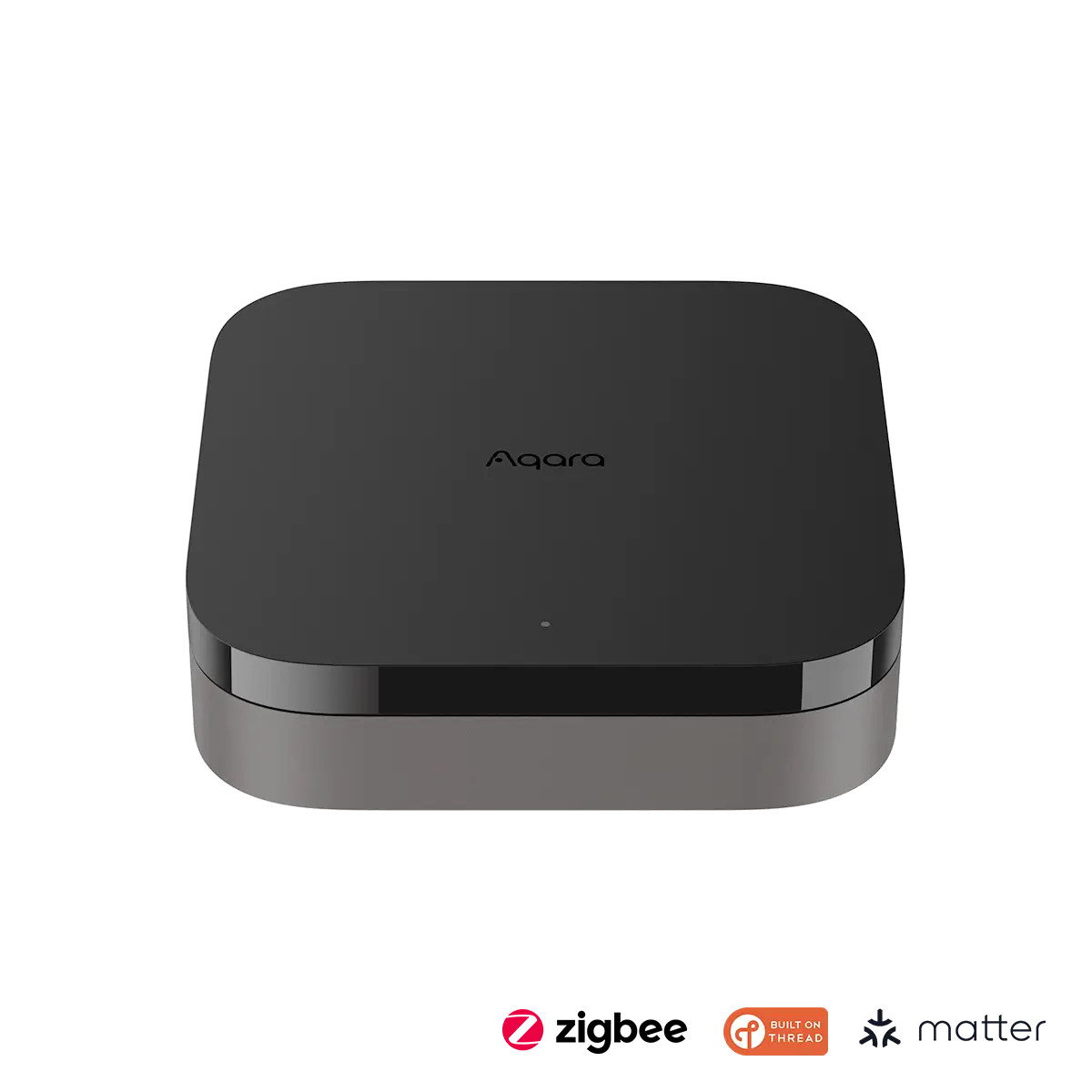
- Aqara Smart Hub M3 — the hub that ties it together A Matter controller, Thread border router and Zigbee bridge in one box, with PoE and an IR blaster.
- Apple HomePod mini — the easiest Matter hub for Apple homes A speaker, a Matter controller and a Thread border router in one small device.
- Philips Hue Bridge Pro — the bridge for the biggest lighting system The hub that brings a Hue lighting system into Matter, supporting more than 150 lights.
How the Five Matter Smart Home Buys Compare
| Product | Best For | What it does | Protocols | Needs |
|---|---|---|---|---|
| Aqara Smart Hub M3 | Multi-protocol hub | Matter controller + bridge | Matter, Thread, Zigbee, Wi-Fi | Nothing extra |
| Apple HomePod mini | Apple homes | Speaker + Matter controller | Matter, Thread, Wi-Fi | iPhone for setup |
| Philips Hue Bridge Pro | Hue lighting | Hue bridge for Matter | Zigbee, Matter, Wi-Fi | Hue lights |
| Eve Energy | Matter plug | Smart plug with energy monitoring | Matter over Thread | Thread border router |
| Nanoleaf Essentials A19 Bulb | Matter bulb | Colour smart bulb | Matter over Thread | Thread border router |
The Best Matter Hub — Aqara Smart Hub M3
Aqara Smart Hub M3 — Best Matter Hub
The Aqara Hub M3 is the most versatile hub in this guide, because it does three jobs at once. It is a Matter controller, so it can control Matter devices; a Thread border router, so it can run a Thread mesh; and a Matter bridge, so it can expose Aqara Zigbee devices to Apple Home, Google Home or Alexa as if they were Matter devices. It also has PoE, Wi-Fi, Bluetooth and a 360-degree IR blaster for air conditioners.
It supports up to 127 Aqara Zigbee devices and 127 Thread devices, and it carries Matter 1.4 certification. Its limitation is that its Zigbee radio works with Aqara Zigbee devices, not third-party Zigbee gear — so a Philips Hue or IKEA Zigbee device will not pair to it directly. If your home is built on Aqara sensors and you want them in Matter, the M3 is the hub to buy.
Our Call
For a Matter home built on Aqara sensors, this is the hub to buy. It is the most capable bridge in this guide.
Pros
- Matter controller, Thread router and Zigbee bridge in one
- Matter 1.4 certified
- PoE, Wi-Fi and IR blaster built in
- Supports up to 127 Zigbee and 127 Thread devices
Cons
- Zigbee works with Aqara devices, not third-party Zigbee
- No microphone or camera — hub only
- Bridge does not carry Aqara-only automations into Matter
- Setup needs the Aqara app first
The Best Apple Homes — Apple HomePod mini
Apple HomePod mini — Best for Apple Homes

The HomePod mini is the easiest Matter hub for an Apple household, because it is three things in one small speaker: a Matter controller, a Thread border router and an Apple Home hub. Put one in the room where your Thread devices live, and it will run the Thread mesh, control your Matter devices, and let you control them remotely and by voice with Siri. It also sounds good for its size, with room-filling audio from the Apple S5 chip.
Its limitation is the ecosystem: it is an Apple device, so setup needs an iPhone, and its voice assistant is Siri, not Alexa or Google. It has no Zigbee radio, so Zigbee devices need their own bridge. For an Apple Home household, though, it is the simplest way to get a Matter controller and a Thread border router — and you get a speaker in the bargain.
Our Call
For Apple homes, this is the easiest Matter hub to buy. Put one where your Thread devices live and it does the rest.
Pros
- Matter controller and Thread border router in one
- Apple Home hub for remote access
- Good sound for its size
- Simple setup with an iPhone
Cons
- Needs an iPhone for setup
- Siri only — no Alexa or Google
- No Zigbee radio
- One mini covers one area, not a whole large home
The Best Hue Lighting — Philips Hue Bridge Pro
Philips Hue Bridge Pro — Best for Hue Lighting
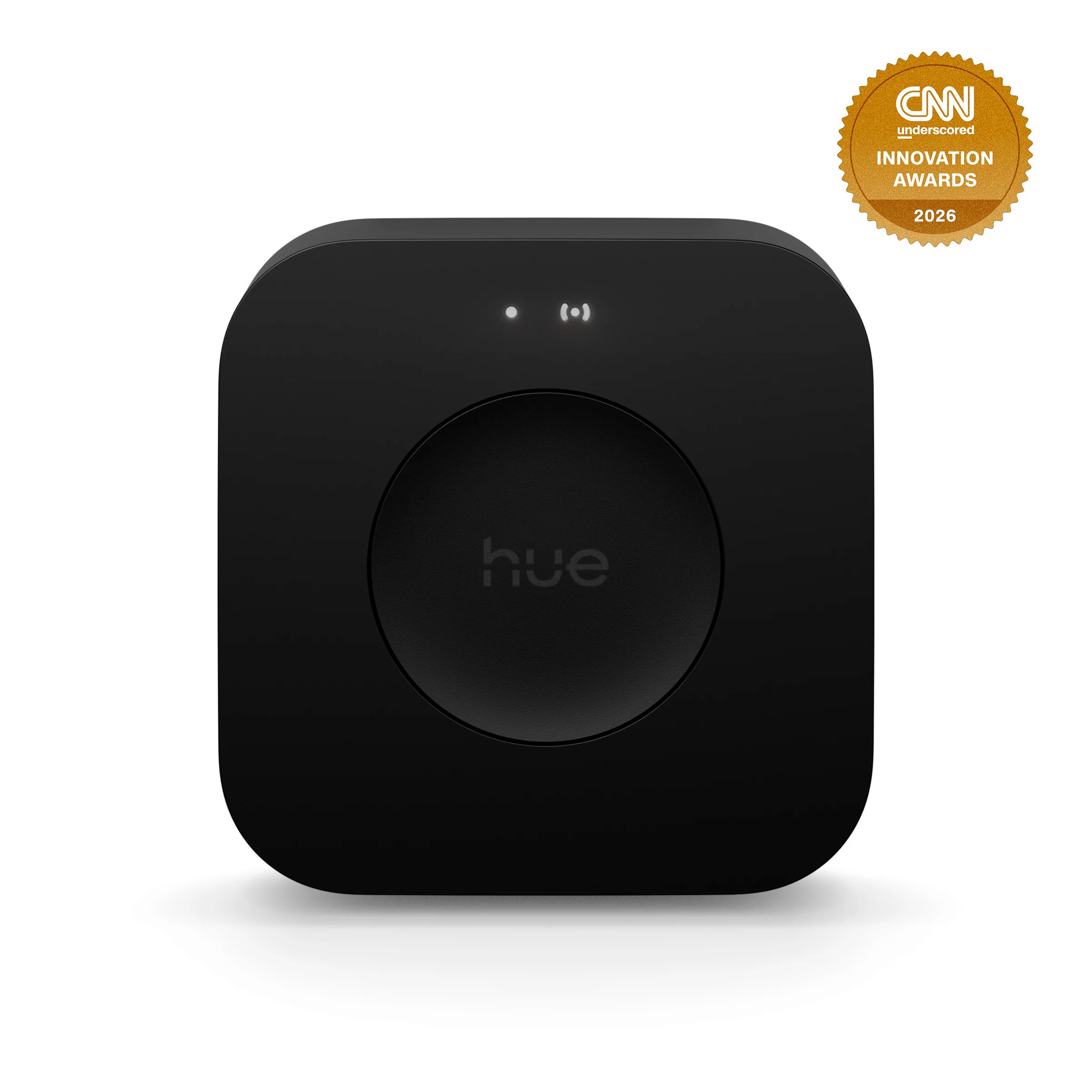
The Hue Bridge Pro is the hub that brings a Philips Hue lighting system into Matter. It connects Hue’s Zigbee lights to your home network, supports more than 150 lights and more than 50 accessories, and works with Apple Home, Alexa, Google and Samsung SmartThings. It has advanced encryption and a faster processor than the older Hue Bridge, and it is the way to keep a large Hue system working with Matter.
Its limitation is that it is a Hue hub, not a general Matter controller: it brings Hue lights into Matter, but it does not control other brands’ Matter devices. If you already own Hue lights, or you plan to build your lighting on Hue, the Bridge Pro is the hub that makes them work with everything else in your home.
Our Call
For a Hue lighting system, this is the hub to buy. It is the bridge that makes Hue work with the rest of your Matter home.
Pros
- Supports 150+ lights and 50+ accessories
- Brings Hue into Matter
- Works with Apple Home, Alexa, Google and SmartThings
- Advanced encryption
Cons
- Hue only — does not control other brands’ Matter devices
- Needs Hue lights to be useful
- Wired Ethernet connection needed
- More expensive than the older Hue Bridge
The Best Matter Plug — Eve Energy
Eve Energy — Best Matter Plug
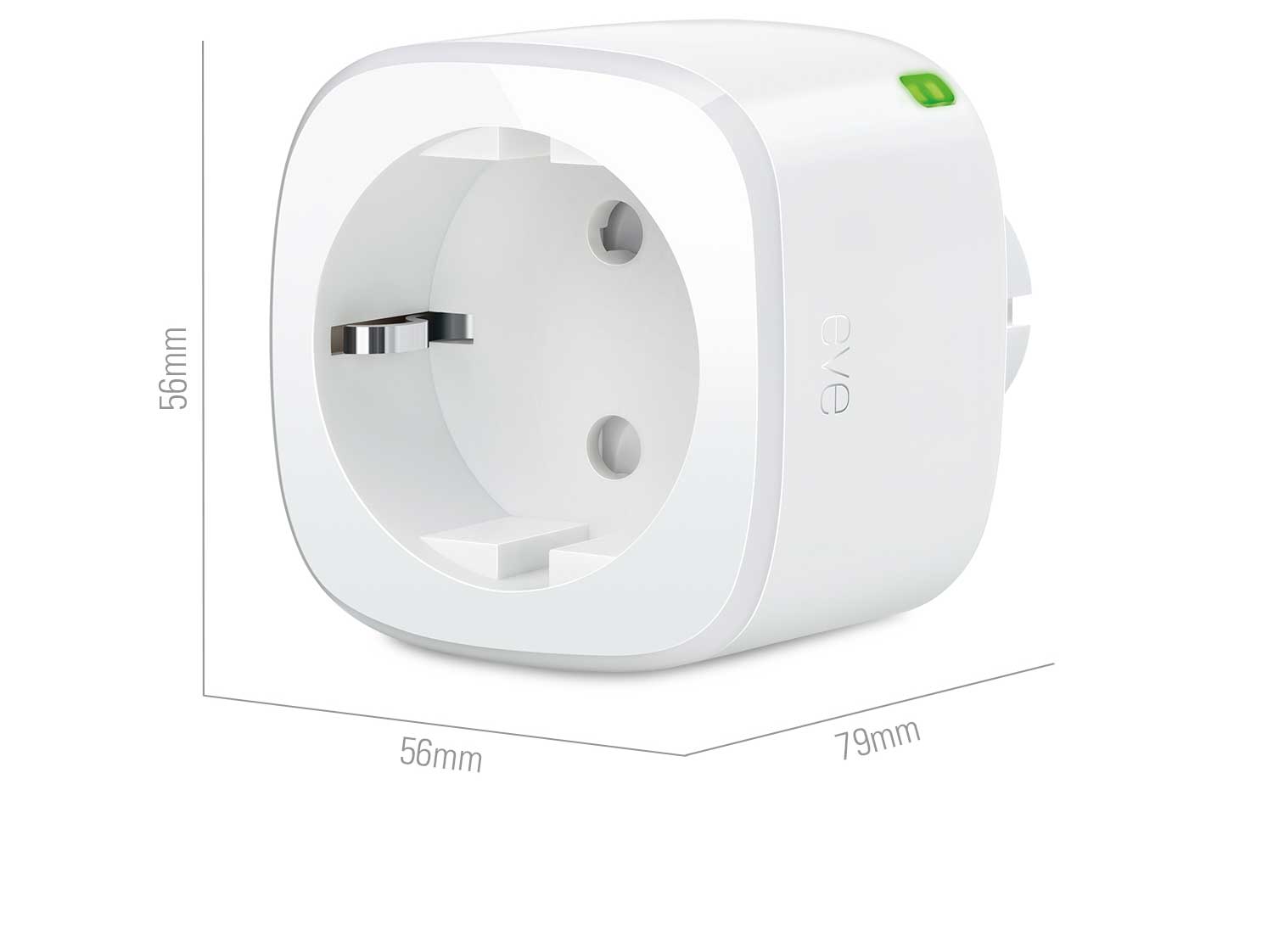
The Eve Energy is a Matter-over-Thread smart plug with energy monitoring, and it is the best first Matter device to buy because it proves the standard works. Plug it in, add it to Apple Home, Google Home or Alexa through Matter, and you can switch a lamp or a fan on and off, set schedules, and see how much energy it uses — all locally, with no cloud account and no hub of its own.
Its limitation is that it needs a Thread border router — a HomePod mini, an Apple TV 4K, an Aqara Hub M3 or an equivalent — sitting on your network. Without one, a Thread device pairs to nothing. That is the single most common Matter mistake, and it is worth repeating: buy the border router first, then the Thread devices. No verified Amazon listing for this exact model could be pinned down in this round of work, so this guide has no buy link for it; check Eve’s own store and the listing before you buy.
Our Call
For a first Matter device, this is the pick. Buy the border router first, then the plug — in that order.
Pros
- Matter over Thread, works with all major ecosystems
- Energy monitoring built in
- Fully local, no cloud account
- No hub of its own needed
Cons
- Needs a Thread border router
- No verified Amazon listing found in this round
- Thread range depends on your mesh
- More expensive than a Wi-Fi plug
The Best Matter Bulb — Nanoleaf Essentials A19 Bulb
Nanoleaf Essentials A19 Bulb — Best Matter Bulb
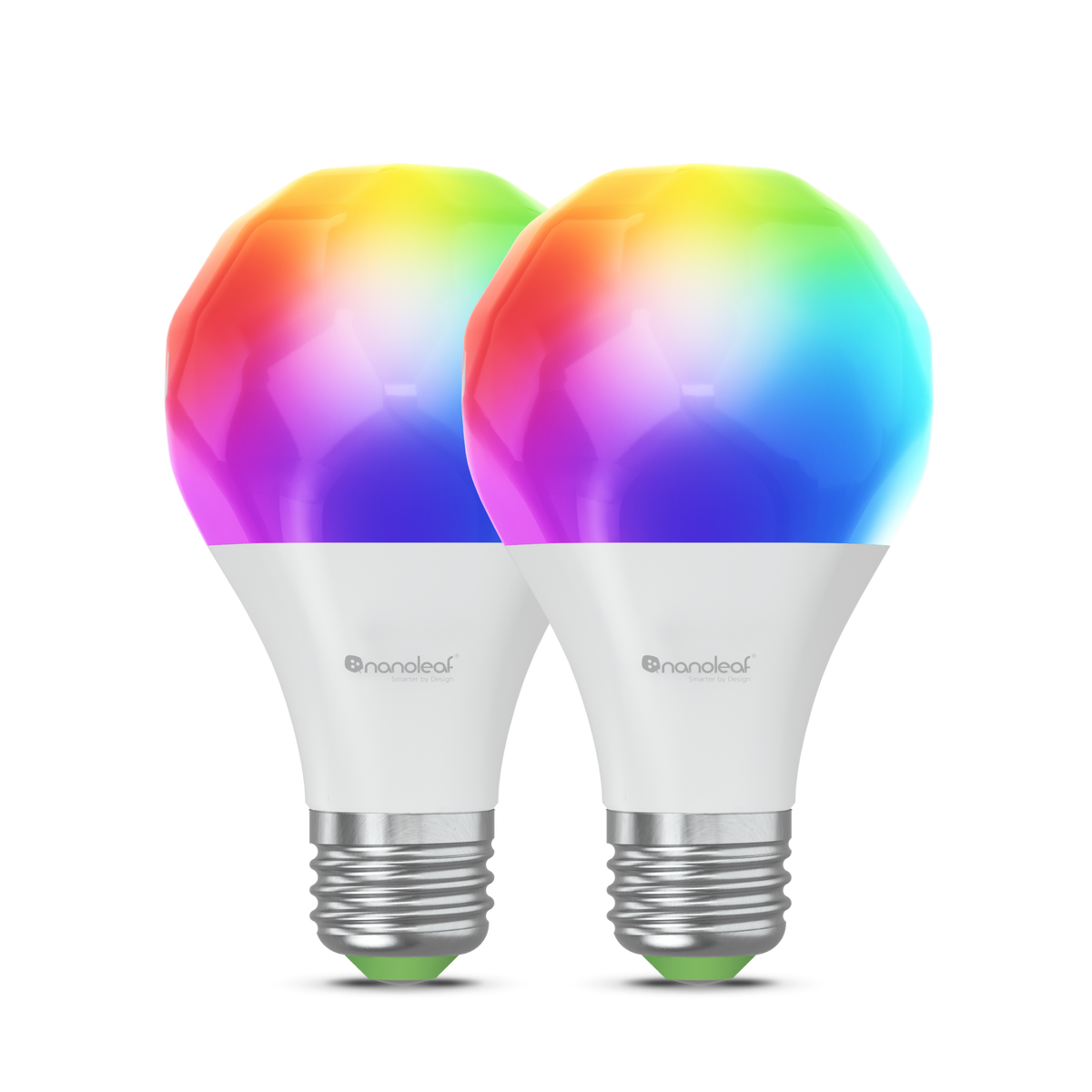
The Nanoleaf Essentials A19 is a Matter-over-Thread colour bulb, and it is the simplest way to see Matter working in a room. Screw it in, add it through Matter to Apple Home, Google Home or Alexa, and you get dimming, colour and schedules, with no Nanoleaf account and no hub of its own. It is a standard A19 bulb, so it fits any lamp you already own.
Its limitation is the same as the Eve plug’s: it needs a Thread border router on your network, and without one it will not pair. It is also a Thread device, so it needs a Thread mesh with enough devices nearby to relay its signal. No verified Amazon listing for this exact model could be pinned down in this round of work, so this guide has no buy link for it; check Nanoleaf’s own store and the listing before you buy.
Our Call
For a first Matter bulb, this is the pick. It is the cheapest way to light a room with Matter, once the border router is in place.
Pros
- Matter over Thread, works with all major ecosystems
- Colour and dimming, no account needed
- Standard A19 fit
- No hub of its own
Cons
- Needs a Thread border router
- No verified Amazon listing found in this round
- Thread mesh needs nearby devices to relay
- Colour accuracy varies by ecosystem
A note on starting small. The most common Matter mistake is buying a whole house of devices before the first one works. Buy the border router, then one plug or one bulb, and confirm it appears in your app, responds to voice control, and runs an automation before you buy a second. Check that the device’s firmware is up to date, and that your hub’s Matter version supports the features you want. A Matter home that works with one device will work with twenty; one that fails on the first device will fail on all of them, and it is far cheaper to learn that with a single bulb.
Buying Guide
Buy the border router first. A Thread device without a Thread border router pairs to nothing. A HomePod mini, an Apple TV 4K, an Aqara Hub M3 or a compatible Echo or Nest Hub can all be the border router — pick one, put it where your Thread devices live, and only then buy Thread bulbs, plugs and sensors.
Check the Matter version, not just the logo. Matter is still evolving, and a device certified for Matter 1.0 will not have the features of Matter 1.4. Check the version on the maker’s page, and check that your hub supports it too — a new device on an old hub will fall back to the older feature set.
Zigbee is not Matter, but a bridge can make it so. If you already own Zigbee devices — Hue lights, Aqara sensors, IKEA bulbs — you do not need to replace them. A bridge like the Hue Bridge Pro or the Aqara Hub M3 exposes them to Matter, so they appear in Apple Home or Google Home as if they were Matter devices.
One ecosystem to rule them, or all of them? Matter lets a device be controlled from Apple Home, Google Home, Alexa and SmartThings at the same time, but you still need one app to set it up and one place to build automations. Pick your main ecosystem, build your automations there, and use the others for voice control.
Start small, then extend. Buy the hub, then one plug or one bulb, and confirm it works in your app before you buy ten more. A Matter home that works with one device will work with twenty; a Matter home that fails on the first device will fail on all of them, and it is cheaper to learn that with one bulb than with a whole house.
What is Matter in a smart home?
Matter is a standard that lets smart-home devices from different brands work with Apple Home, Google Home, Alexa and SmartThings. A Matter device can be controlled from any of those ecosystems, instead of being locked to one.
Do I need a hub for Matter?
For Matter-over-Wi-Fi devices, no — they join your Wi-Fi directly. For Matter-over-Thread devices, yes — you need a Thread border router, such as a HomePod mini, an Apple TV 4K or an Aqara Hub M3, on your network.
What is the difference between Matter and Thread?
Matter is the language devices speak to your app. Thread is the radio they use to talk to each other. Matter can run over Wi-Fi or over Thread; Thread is the low-power mesh that battery devices use.
Will my old Zigbee devices work with Matter?
Through a bridge, yes. The Hue Bridge Pro brings Hue lights into Matter, and the Aqara Hub M3 brings Aqara Zigbee sensors into Matter. Without a bridge, a Zigbee device will not appear in a Matter app.
What should I buy first for a Matter smart home?
A Thread border router — a HomePod mini, an Apple TV 4K or an Aqara Hub M3 — then one Matter plug or bulb to prove it works. Buy the router first, then the devices, in that order.
Conclusion
Start with a Thread border router — a HomePod mini for Apple homes, or the Aqara Hub M3 if you have Aqara sensors — then add one Matter plug or bulb and confirm it works before you buy more. Matter is the standard that finally lets everything work together, but only if the border router is in place first. Buy that first, and the rest of the house will follow.


