
Best Indoor Security Cameras for Pets and Kids in 2026
- ✓Every guide starts as a full comparison video — we compare the gadgets side by side before we write a word.
- ✓Every pick is checked against the manufacturer’s own listings — specs come from the maker, not from another roundup.
- ✓Clear winners for every budget — the pick is the pick, whether it costs the least or the most.
- ✓No paid placements — a brand cannot pay to be picked.
This article contains Amazon affiliate links. As an Amazon Associate we earn from qualifying purchases — it never changes our picks. #ad
Best Indoor Security Cameras for Pets and Kids in 2026

An indoor camera for pets and kids is not a security camera in the usual sense. It is a way to check on a dog while you are at work, to see whether a child got home from school, or to watch a baby nap — and to talk back through the speaker when you need to. The cameras below all do that, and they differ mainly in what they charge you every month to keep the footage.
Start with the two questions that decide the purchase. First, what do you need to see: a pet moving around a room, a child in one spot, or a whole room at once? A pan-and-tilt camera follows a pet; a fixed camera watches a crib. Second, what happens to the footage: is it stored on a memory card in your home for free, or in the cloud for a monthly fee? That second question is the real cost of the camera.
Nothing here is presented as lab testing by us. Resolution, field of view, storage options and subscription terms are taken from the makers’ own pages, manuals and shop listings. Where a maker and a listing disagree, the maker’s figure is used. One point worth stressing: a camera in a child’s room or a pet’s space should have a clear privacy routine — tell everyone in the home it is there, and check the maker’s privacy settings before you switch it on.
Top 3
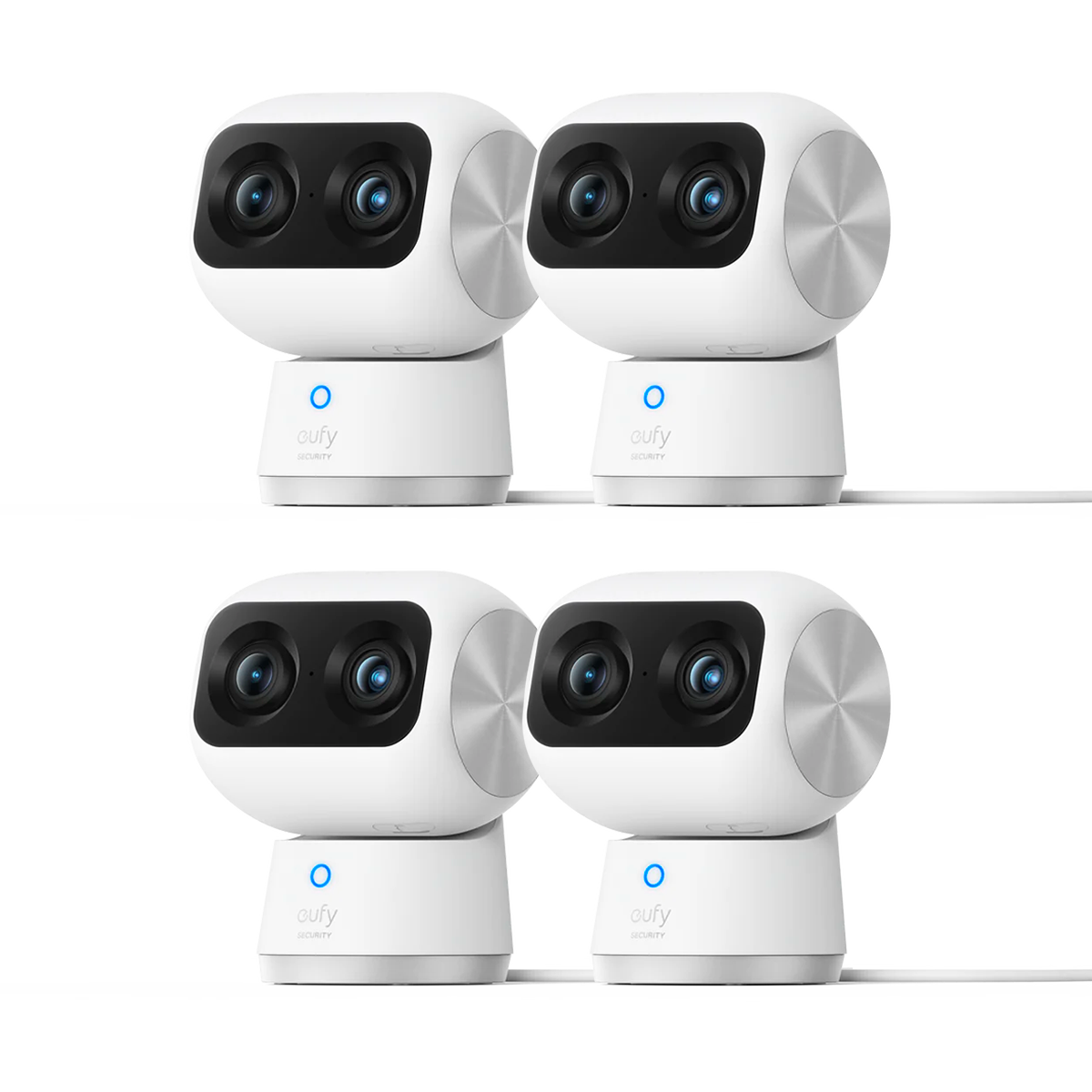
- eufy Indoor Cam S350 — the best indoor camera without a subscription Dual 4K cameras with 8x zoom and 360-degree pan and tilt, storing clips locally with no monthly fee.
- Wyze Cam Pan v4 — the best pan-and-tilt camera for pets 4K pan-and-tilt tracking that follows a pet around the room, with colour night vision and local storage.
- Ring Indoor Cam (2nd Gen) — the best for Ring households A compact 1080p camera that drops straight into a Ring and Alexa home, with two-way talk and colour night vision.
How the Five Indoor Cameras for Pets and Kids Compare
| Camera | Best For | Video | Pan / Tilt | Storage |
|---|---|---|---|---|
| Ring Indoor Cam (2nd Gen) | Ring households | 1080p HD | No | Cloud, Ring Protect |
| Wyze Cam Pan v4 | Following pets | 4K | 360° pan / tilt | microSD local, cloud optional |
| eufy Indoor Cam S350 | No subscription | 4K UHD dual | 360° pan / tilt | microSD local, HomeBase |
| Google Nest Cam (Indoor, wired) | Google Home | 1080p HD | No | Cloud, Nest Aware |
| Arlo Essential Indoor Camera | Arlo households | 1080p HD | No | Cloud, Arlo Secure |
The Best Ring Households — Ring Indoor Cam (2nd Gen)
Ring Indoor Cam (2nd Gen) — Best for Ring Households
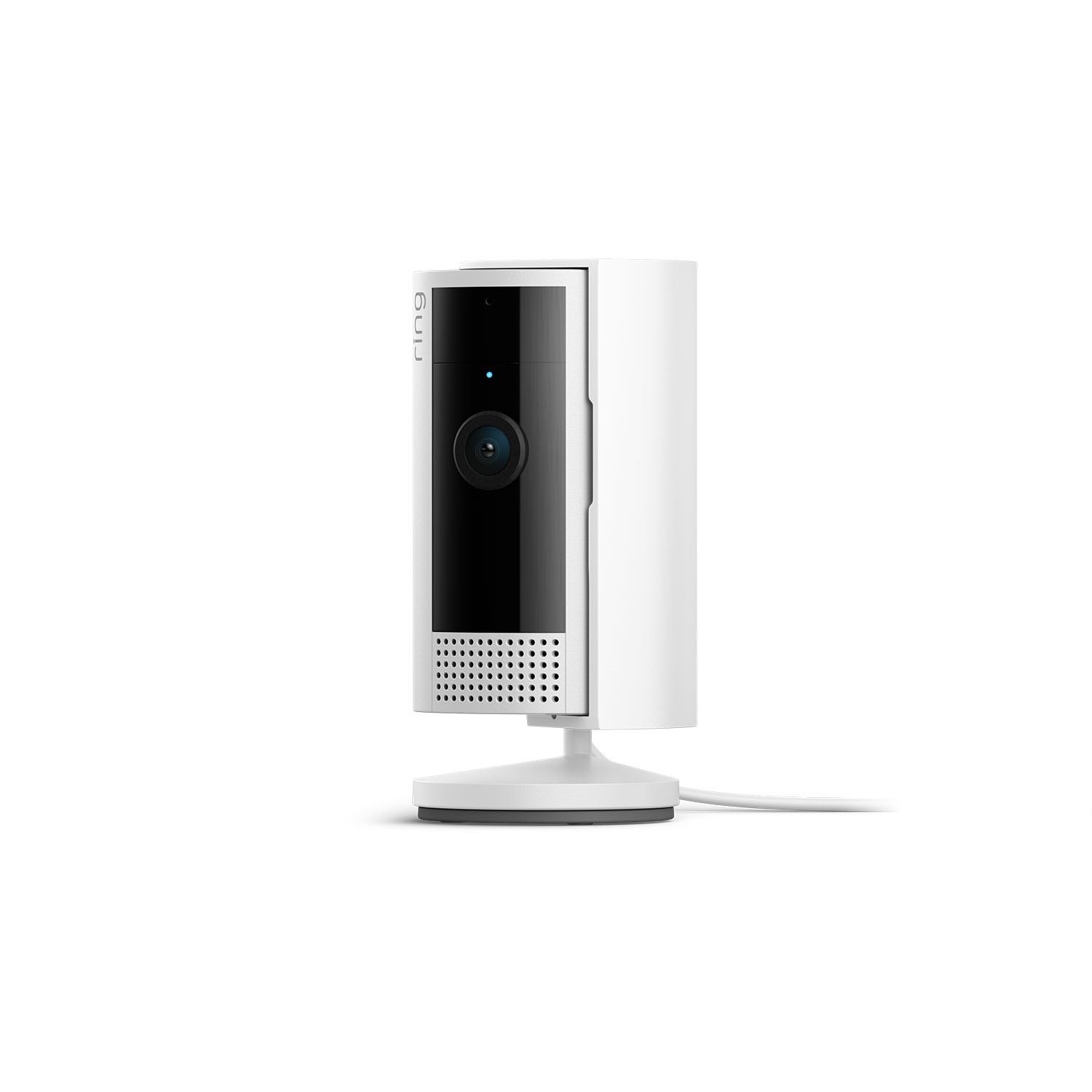
The Ring Indoor Cam (2nd Gen) is a small plug-in camera that records in 1080p HD with live view, colour night vision and two-way talk, and it is the most widely used indoor camera in this group. It sits on a shelf or mounts on a wall, and it drops straight into a Ring and Alexa home — you can pull up its feed on an Echo Show with a voice command, and its alerts sit alongside your doorbell and outdoor cameras in the same app.
Its limitation is storage: there is no local storage option at all, and recorded video history needs a paid Ring Protect plan. Live view is free, but if you want to replay what the dog did at noon, you need the plan. For a household already paying for Ring Protect, that is no extra cost; for anyone else, it is the camera’s real price.
Our Call
For a Ring household, this is the obvious indoor camera. For anyone else, the subscription is the price of admission.
Pros
- Compact, shelf-friendly design
- Works with Alexa and Echo Show
- Colour night vision and two-way talk
- Same app as Ring doorbells and outdoor cameras
Cons
- No local storage at all
- Clip history needs Ring Protect
- 1080p, not 2K or 4K
- No pan or tilt — fixed view only
The Best Pan-and-Tilt for Pets — Wyze Cam Pan v4
Wyze Cam Pan v4 — Best Pan-and-Tilt for Pets
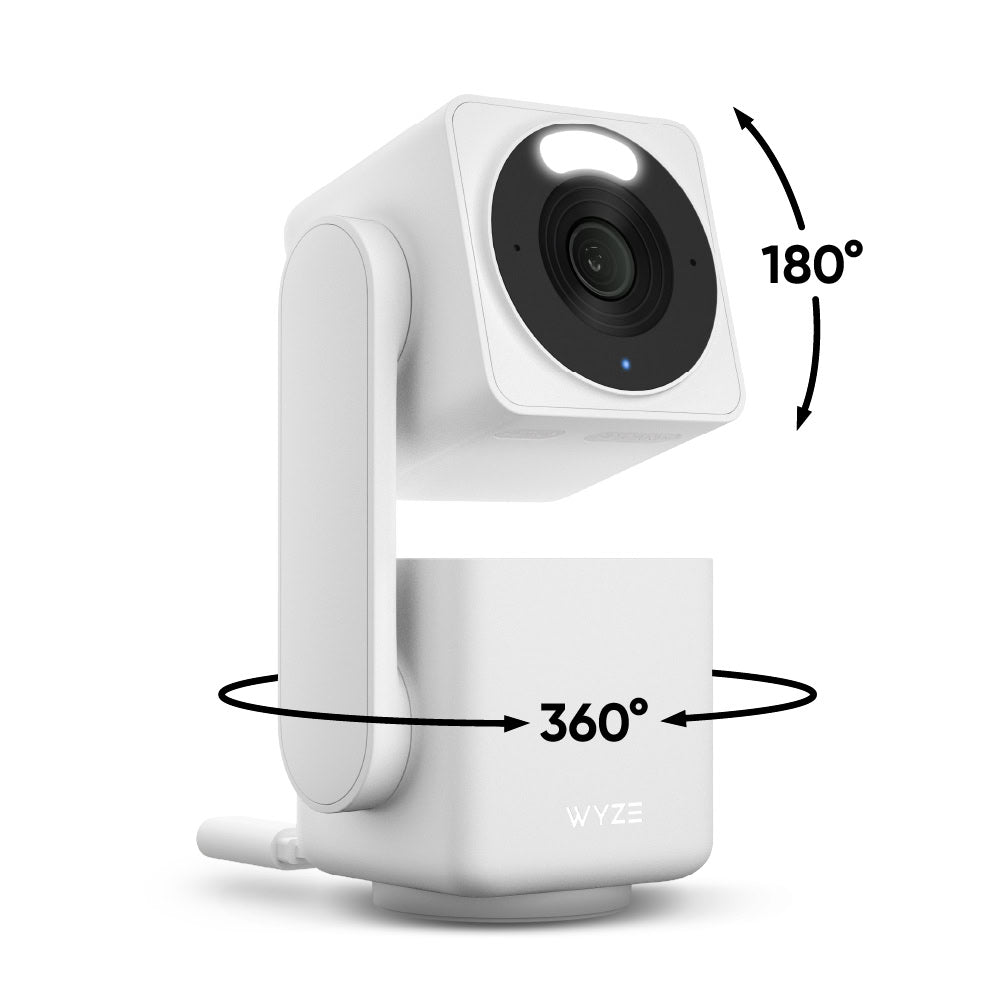
The Wyze Cam Pan v4 is a 4K pan-and-tilt camera that follows a pet around the room, with 360-degree pan, tilt and 8x digital zoom, colour night vision and two-way audio. It works indoors and outdoors, is IP65 rated, and connects on 2.4 GHz or 5 GHz Wi-Fi. For a dog that moves from the sofa to the door to the kitchen, a camera that follows is worth more than a sharper fixed one.
It records to a local microSD card with no subscription, and cloud backup is an optional paid add-on. Pet detection itself needs the Cam Plus plan, but continuous local recording is free — so the footage is there even if you never pay Wyze a monthly fee. That combination, a camera that follows and footage that costs nothing to keep, is why it is the pet pick here.
Our Call
For pets that move, this is the pick. A camera that follows the dog, with footage that costs nothing to keep, is hard to beat.
Pros
- 4K pan-and-tilt that follows a pet
- Local microSD recording with no fee
- Colour night vision
- Indoor and outdoor use, IP65 rated
Cons
- Pet detection needs Cam Plus
- No automatic offsite backup without the cloud plan
- A lost microSD card takes the footage with it
- Setup takes longer than a fixed camera
The Best Without a Subscription — eufy Indoor Cam S350
eufy Indoor Cam S350 — Best Without a Subscription
The eufy Indoor Cam S350 is the most capable indoor camera here, and the only one with two cameras: a 4K wide-angle camera and a telephoto camera with 8x zoom, on a 360-degree pan-and-tilt base. It tracks humans and pets with AI, follows them around the room, and records in 4K UHD with colour night vision. It works with HomeBase 3 and stores clips locally on a microSD card, with no subscription required.
It is the dearest camera in this group up front, and it is also the cheapest to own over two years, because there is no monthly fee. For a nursery or a multi-pet home, the dual cameras matter: the wide camera watches the room, the zoom camera watches the child or the pet. If you want the best indoor camera and no monthly bill, this is the one.
Our Call
For the best indoor camera with no monthly fee, this is the pick. It costs more on day one and less over two years.
Pros
- Dual 4K cameras with 8x zoom
- 360-degree pan and tilt with AI tracking
- Local storage, no subscription
- Human and pet detection built in
Cons
- Higher up-front cost than rivals
- Needs a microSD card for local storage
- Larger than a fixed camera
- Some features need HomeBase 3
The Best Google Home — Google Nest Cam (Indoor, wired)
Google Nest Cam (Indoor, wired) — Best for Google Home

The Google Nest Cam (Indoor, wired) is Google’s indoor camera, recording in 1080p HD with HDR, night vision and two-way talk, and it is the best indoor camera for a Google Home household. Its alerts can tell people, animals and vehicles apart, and its feed sits in the Google Home app alongside the Nest Doorbell and other Google devices. It is a wired camera, so it plugs in and stays on.
Its limitation is the same as the Nest Doorbell’s: clip history needs a Nest Aware subscription, and there is no local storage. Live view and smart alerts work without a fee, but replaying what happened needs the plan. No verified Amazon listing for this exact wired indoor model could be pinned down in this round of work, so this guide has no buy link for it; check Google’s own store and the listing before you buy.
Our Call
For a Google Home household, this is the natural indoor camera. Budget for Nest Aware if you want to replay clips.
Pros
- Smart alerts for people and animals
- Works in the Google Home app
- HDR video with night vision
- Wired, so always on
Cons
- Clip history needs Nest Aware
- No local storage
- 1080p, not 2K or 4K
- No pan or tilt
The Best Arlo Households — Arlo Essential Indoor Camera
Arlo Essential Indoor Camera — Best for Arlo Households
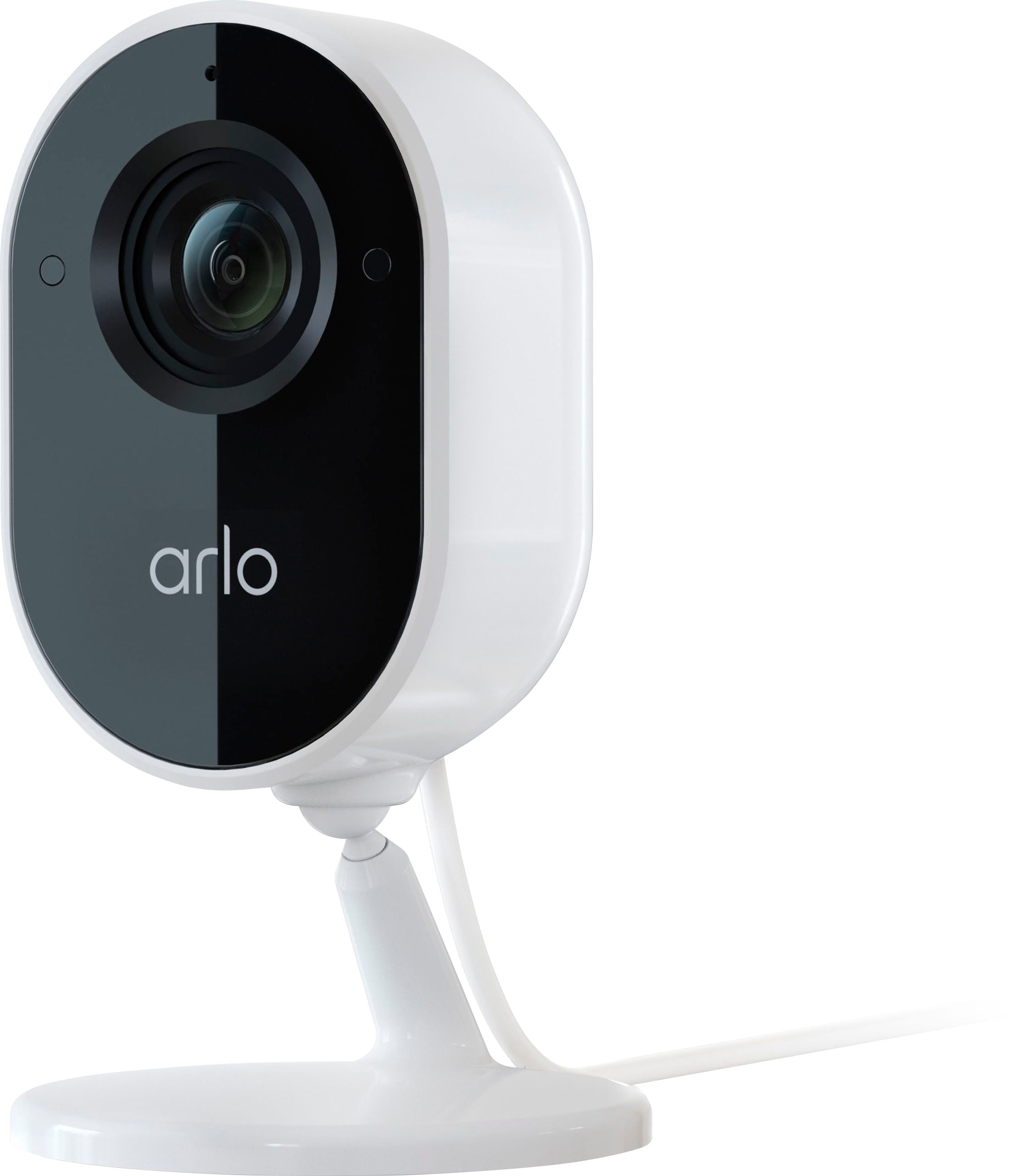
The Arlo Essential Indoor Camera is Arlo’s plug-in indoor camera, recording in 1080p HD with a wide field of view, two-way audio and night vision, and it is the best indoor camera for a household already using Arlo outdoors. Its feed sits in the Arlo app alongside Arlo doorbells and outdoor cameras, and its motion alerts and smart detection match the rest of the Arlo system.
Its limitation is storage: clip history needs an Arlo Secure plan, and there is no local storage without a hub. It is also a fixed camera, with no pan or tilt, so it watches one view well and nothing else. No verified Amazon listing for this exact model could be pinned down in this round of work, so this guide has no buy link for it; check Arlo’s own store and the listing before you buy.
Our Call
For an Arlo household, this is the natural indoor camera. For anyone else, a camera with local storage will cost less to own.
Pros
- Fits an existing Arlo system
- 1080p HD with a wide field of view
- Two-way audio and night vision
- Simple plug-in setup
Cons
- Clip history needs Arlo Secure
- No local storage without a hub
- Fixed view, no pan or tilt
- 1080p, not 2K or 4K
A note on placement and privacy. An indoor camera’s view is decided by where you put it, and its privacy is decided by what you agree at home. Place it where it can see the pet’s bed or the child’s desk without pointing at a bed, a bathroom door or a changing area. Tell everyone in the home it is there, agree when it records and when it is off, and use the maker’s privacy mode or physical shutter when the room is in use. A camera that everyone in the home is comfortable with will stay switched on; one that feels like surveillance will be unplugged within a week.
Buying Guide
Pan-and-tilt for pets, fixed for kids. A pet moves around a room, so a camera that follows is worth paying for. A child in a crib or at a desk stays in one place, so a fixed camera with a good wide view is enough. Match the camera’s movement to the subject, not to the spec sheet.
Count the subscription before you buy. A camera that costs little up front can cost more over two years than a dearer camera with local storage. Ring, Nest and Arlo all need a plan for clip history; Wyze and eufy store clips locally for free. Add 24 months of the plan to the camera’s cost and compare that total.
Put the camera where the action is. A camera on a high shelf sees the whole room but not a pet on the floor; a camera at pet height sees the pet but not the door. Test the view in the app before you fix the mount, and check the night-vision view too — most pet check-ins happen after dark.
Two-way talk is a feature, not a gimmick. Being able to tell a dog to get off the sofa, or to reassure a child who has just got home, is the feature owners use most. Check that the speaker is loud enough to be heard across the room, and that the microphone picks up a child’s voice, not just an adult’s.
Privacy is part of the setup. Tell everyone in the home the camera is there, agree where it points and where it does not, and check the maker’s privacy settings — including any physical shutter or off switch — before you switch it on. A camera in a bedroom or a child’s room deserves that conversation first.
Do indoor cameras need a subscription?
For clip history, most do: Ring, Nest and Arlo need a plan to save and replay footage. Wyze and eufy store clips locally on a memory card with no fee, so their cameras work fully without a subscription.
Which indoor camera is best for pets?
The Wyze Cam Pan v4, because it follows a pet around the room with pan and tilt, and the eufy Indoor Cam S350, because its dual cameras and AI tracking watch both the room and the pet.
Can I watch my pet camera without paying monthly?
Yes, with a camera that records locally. The Wyze and eufy cameras here record to a microSD card for free; live view is also free on Ring, Nest and Arlo, but replaying clips needs their plans.
Is a pan-and-tilt camera worth it indoors?
For pets, yes — a pet moves, and a fixed camera will miss half the room. For a child in one spot, a fixed camera with a wide view is usually enough.
Where should I put an indoor camera for kids?
Where you can see the child clearly without pointing at a bed or a changing area, and where the camera’s speaker can be heard. Agree the placement with everyone in the home first.
Conclusion
Start with the eufy Indoor Cam S350 if you want the best camera with no monthly fee, the Wyze Cam Pan v4 if your pet moves around the room, and the Ring Indoor Cam if you already live in Ring’s world. Add the subscription to the cost before you choose — over two years, the camera with local storage is usually the cheapest one to own.


