
Best Cheap Smartwatch for Kids and Teens in 2026

- ✓Every guide starts as a full comparison video — we compare the gadgets side by side before we write a word.
- ✓Every pick is checked against the manufacturer’s own listings — specs come from the maker, not from another roundup.
- ✓Clear winners for every budget — the pick is the pick, whether it costs the least or the most.
- ✓No paid placements — a brand cannot pay to be picked.
This article contains Amazon affiliate links. As an Amazon Associate we earn from qualifying purchases — it never changes our picks. #ad
Best Cheap Smartwatch for Kids and Teens in 2026
A kids’ smartwatch is not a smaller adult watch. It is a safety device with a screen: a way for a child to call home, for a parent to see where they are, and for a family to agree on what the watch is allowed to do. The watches below all do that job, and they do it without handing a child the open internet.
Start with the questions that actually decide the purchase. How old is the child, and what do they need the watch for — walking to school alone, after-school clubs, or just calling a parent? Does the watch need its own cellular plan, or will it piggyback on a parent’s phone? And what is banned: no camera, no games, no browser, no social media? Every watch below answers those questions differently, and the cheapest one is only cheap if its monthly plan fits your budget too.
Nothing here is dressed up as lab testing by us. Specs, ages, plan requirements and parental controls are taken from the makers’ own pages, manuals and shop listings. Where a maker and a listing disagree — most often on battery life or plan cost — the maker’s figure is the one used, and the disagreement is noted. Add the monthly plan to the watch’s cost before you compare, because a cheap watch on a dear plan is not cheap at all.
Top 3
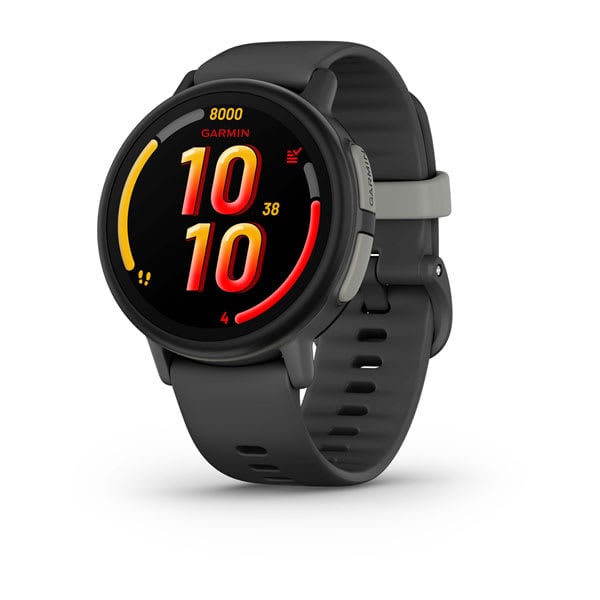
- Garmin Bounce 2 — the best all-round kids watch Calling, messaging, live location and activity tracking, with a parent app that controls who can contact the child.
- Fitbit Ace LTE — the most fun kids watch Games that reward movement, calling and GPS, built for children aged 7 to 12, with a required Ace Pass plan.
- TickTalk 5 — the best for younger children Video calling, GPS with safe zones, SOS and more than 40 parental controls, for ages 3 to 12.
How the Five Cheap Kids and Teen Smartwatches Compare
| Watch | Best For | Ages | Cellular | Plan needed |
|---|---|---|---|---|
| Garmin Bounce 2 | All-round | Kids and teens | LTE | Yes, Garmin plan |
| Fitbit Ace LTE | Fun and fitness | 7–12 | 4G LTE | Yes, Ace Pass |
| TickTalk 5 | Younger children | 3–12 | 4G LTE | Yes, TickTalk or BYO SIM |
| Xplora X6Play | School and customising | 5–12 | 4G LTE | Yes, Xplora Connect |
| Gabb Watch 3e | Distraction-free | 5–12 | LTE | Yes, Gabb plan |
The Best All-Round — Garmin Bounce 2
Garmin Bounce 2 — Best All-Round
The Bounce 2 is Garmin’s kids watch, and it is the most complete all-rounder in this group. It offers two-way calling and messaging with approved contacts only, live location tracking, and activity and sleep tracking in the Garmin Jr. app, where a parent controls contacts, sets chores and rewards, and sees where the child is. The watch itself is light, water-resistant and built to survive a school day.
Garmin’s approach is deliberately restrained: there is no open internet, no social media and no app store to wander into. The trade-off is the plan — the Bounce 2 needs a Garmin cellular plan to call and track away from Wi-Fi — so add that monthly cost to the watch before you decide. For a parent who wants a watch that does the safety job well and nothing else, that restraint is the point.
Our Call
For most families, this is the safest all-round buy. It does calling, location and activity well, and it keeps the internet out.
Pros
- Calling and messaging with approved contacts only
- Live location tracking in the parent app
- Activity, sleep and chore tracking
- No open internet or social media
Cons
- Needs a paid Garmin plan for cellular features
- Screen is small for older teens
- No video calling
- Monthly plan adds to the total cost
The Best Fun and Fitness — Fitbit Ace LTE
Fitbit Ace LTE — Best for Fun and Fitness

The Ace LTE is Google’s kids watch, aimed at children aged 7 to 12, and it is the most playful watch here. Its games reward movement: the more a child moves, the more they unlock in the watch’s activity games. It also offers calling, messaging, GPS location and activity tracking, with a parent app that controls contacts and settings.
The catch is the plan. The Ace LTE needs an Ace Pass data plan to work as a phone, and it needs a Google account and the Fitbit Ace app. Its battery is rated at 328 mAh, which means daily charging is part of the routine. If your child is motivated by games and you are happy with the plan, it is the most engaging watch in this list; if you want a watch that simply calls and tracks, a simpler one will do.
Our Call
For a child who needs a nudge to move more, this is the most fun pick. Budget for the Ace Pass plan as part of the cost.
Pros
- Movement-based games motivate active play
- Calling, messaging and GPS location
- Parent-controlled contacts and settings
- Bright, friendly design children actually wear
Cons
- Ace Pass plan is required
- Daily charging is the norm
- Aimed at ages 7–12, less suited to teens
- Needs a Google account and the Fitbit Ace app
The Best Younger Children — TickTalk 5
TickTalk 5 — Best for Younger Children
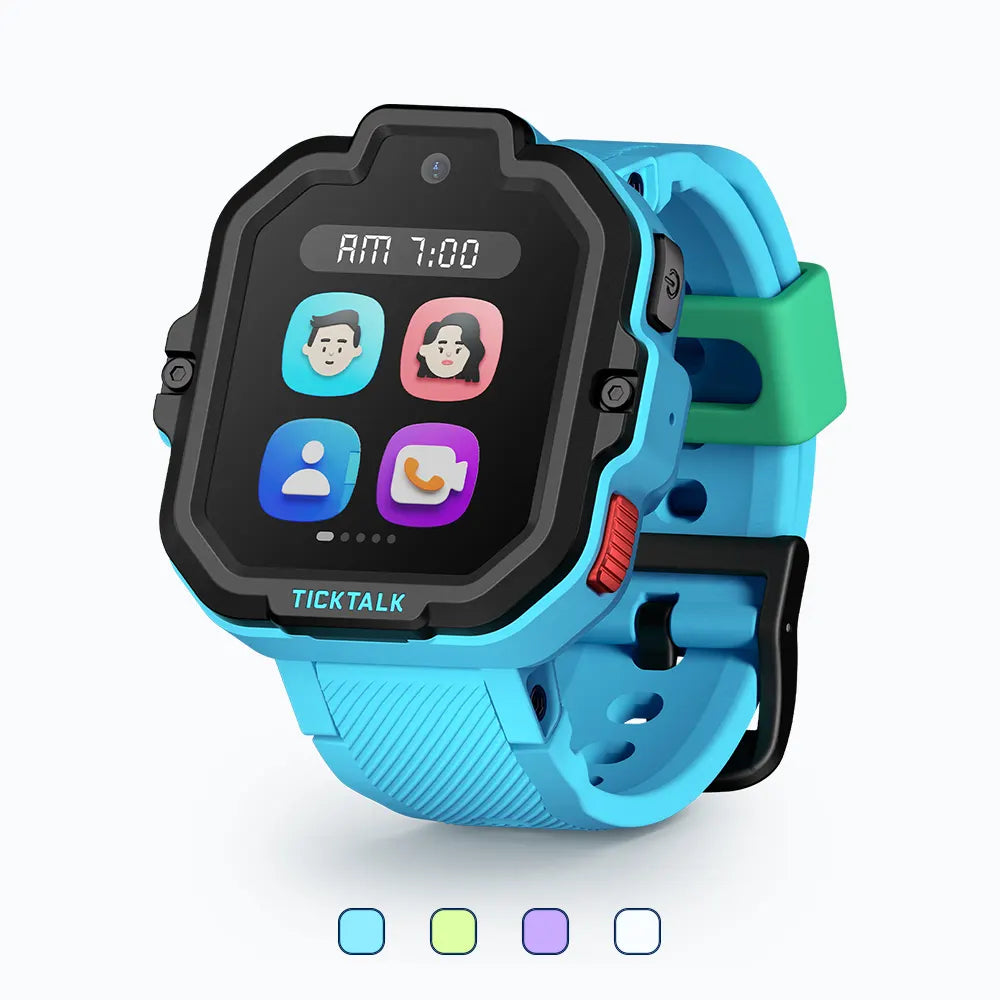
The TickTalk 5 is built for younger children, aged 3 to 12, and it is the most parent-controlled watch here. It offers voice and video calling through a 5MP camera, texting, GPS with safe zones, an SOS button, reminders and a school mode that locks the watch down during lessons. The maker lists more than 40 parental controls in its app.
It runs on 4G LTE with a nano-SIM, so you can bring your own AT&T or T-Mobile plan or use TickTalk’s own plan, which the maker lists from a monthly figure with no contract. Battery life is rated at up to 48 hours. Its successor, the TickTalk 6, has since launched, so stock of the 5 may be limited — check the listing before you count on it.
Our Call
For younger children who need video calls and tight parental control, this is the strongest pick — while stock lasts.
Pros
- Video calling and a 5MP camera
- GPS with safe zones and SOS
- More than 40 parental controls
- Bring-your-own-SIM flexibility
Cons
- Successor model has launched, so stock may be limited
- Monthly plan cost on top of the watch
- Screen and menus feel busy for the youngest users
- Video calling needs a good signal
The Best School and Customising — Xplora X6Play
Xplora X6Play — Best for School and Customising
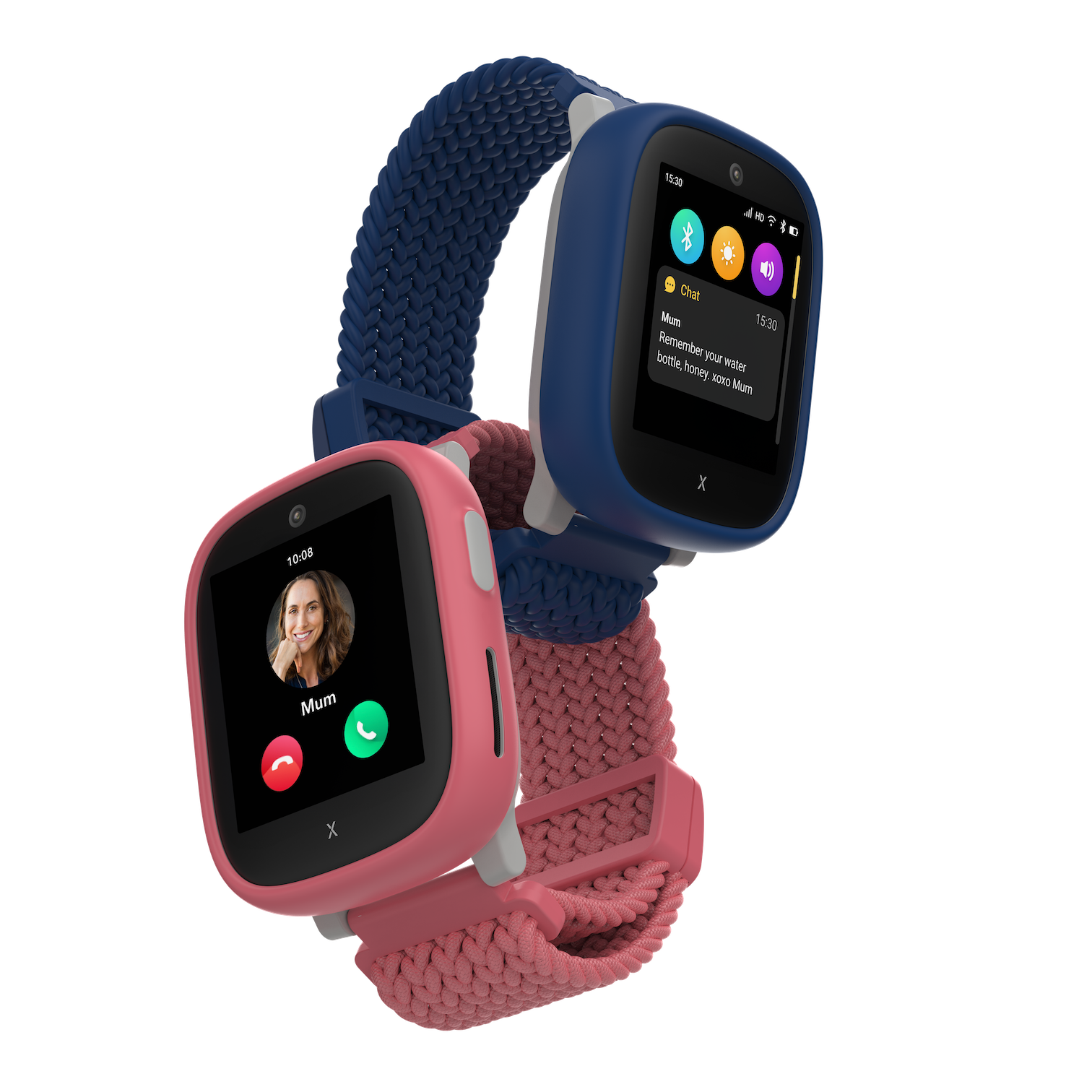
The X6Play is Xplora’s kids watch phone, for ages 4 to 12, and it stands out in two ways: its school mode is among the best in the category, and its customisation is unmatched, with thousands of band and case combinations. It offers calls, messages, GPS location with safe zones, a 5MP camera, video calling, an SOS function and a pedometer, with no internet or social media.
It runs on 4G with a pre-installed Xplora Connect SIM on AT&T or T-Mobile, and it will also take a third-party GSM nano-SIM, which gives parents more choice over the plan. It is IP68 rated for water and dust. The screen is large and sharp for a kids watch, which helps younger children read it, though it also makes the watch bigger on small wrists.
Our Call
For school use and for a child who wants a watch that looks like theirs, this is the pick. The school mode alone is worth the shortlist.
Pros
- Excellent school mode
- Thousands of colour combinations
- GPS, video calling and 5MP camera
- Works with its own SIM or a third-party SIM
Cons
- Monthly plan required
- Large screen for very small wrists
- No internet, by design — older teens may outgrow it
- Battery life depends heavily on calling use
The Best Distraction-Free — Gabb Watch 3e
Gabb Watch 3e — Best Distraction-Free

The Gabb Watch 3e is the simplest watch in this group, and that is deliberate. It has no camera, no browser, no social media and no third-party apps. What it does offer is calling and texting with up to 100 contacts a parent approves, GPS location, and an SOS button that calls a parent. For ages 5 to 12, that is the whole job, done without distractions.
It runs on Gabb’s own plan, and it is built to be a first watch rather than a gadget: tough, simple, and easy for a young child to use. The trade-off is obvious — a child who wants games, a camera or video calling will outgrow it fast — but for a first watch, or for a family that wants the phone features without the screen-time battles, its simplicity is the feature. No verified Amazon listing for this exact model could be pinned down in this round of work, so this guide has no buy link for it; check Gabb’s own store for the current model.
Our Call
For a first watch where distraction-free is the priority, this is the pick. Buy it for what it leaves out, not what it adds.
Pros
- No camera, browser, games or social media
- Calling and texting with approved contacts only
- GPS location and SOS button
- Simple enough for a first watch
Cons
- No camera or video calling
- No games or apps, by design
- Needs a Gabb plan
- Older children may outgrow it quickly
A note on total cost. A kids watch is never just the watch. Add the monthly plan, multiply it by twelve, and add any activation fee the carrier charges. Over a year, a watch with a low plan can cost less than a cheaper watch with a dear plan, and a watch with no plan at all — there is none in this group, because every cellular kids watch needs one — would be the cheapest of all. Check whether the plan has a contract, what happens if you cancel early, and whether the watch still works on Wi-Fi alone if the plan lapses. Those answers matter more than a small difference in the watch’s own cost.
Buying Guide
Age first, features second. A watch for a 6-year-old needs big buttons, a simple screen and a parent in control of everything. A watch for a 13-year-old needs to look like a real watch and handle group chats. Match the age range the maker gives — most here are 3 to 12 or 7 to 12 — to your child, not to the feature list.
Add the plan before you compare. Every cellular kids watch here needs a monthly plan, and the plan is often the bigger cost over a year. Check what the plan includes, whether there is a contract, and whether you can bring your own SIM. A watch with a cheaper plan can beat a cheaper watch with a dear plan.
Decide what is banned, then filter. If you do not want a camera, a browser or games, say so before you shop and remove every watch that has them. The distraction-free watches in this list are distraction-free on purpose, and that is a feature, not a missing spec.
Check the school rules. Many schools ban phones but allow a watch in school mode, which locks the watch to the time and emergency calls during lessons. If school use matters, school mode is a must-have, not a nice extra — and the Xplora and TickTalk school modes are the strongest here.
Size and battery are practical, not cosmetic. A big screen is easier to read but heavier on a small wrist, and a watch that needs daily charging will be dead on the school run if a child forgets. Look at weight, water resistance and the charging routine, and pick the one your child will actually wear every day.
Does a kids smartwatch need a monthly plan?
Most cellular kids watches do: the plan pays for calls, texts and GPS tracking away from Wi-Fi. A few features work on Wi-Fi alone, but the safety features that matter — live location and calling — need the plan.
What age is right for a first smartwatch?
Makers in this guide target ages 3 to 12, with the Fitbit Ace LTE aimed at 7 to 12. A first watch for a younger child should be simple, with parent-controlled contacts; older children can handle more features.
Can parents control who contacts their child?
Yes, on every watch here. Parents approve contacts in the companion app, and unknown numbers cannot call or message the watch. Check the app’s controls before you buy.
Is a camera on a kids watch a good idea?
It depends on the family. A camera enables video calling, which younger children love, but it also adds a feature some parents would rather not have. The Gabb Watch 3e has no camera at all, by design.
Which kids watch is best for school?
The Xplora X6Play and the TickTalk 5 have the strongest school modes, locking the watch down to time and emergency calls during lessons. Check your school’s own rules as well, since they vary.
Conclusion
Start with the Garmin Bounce 2 for most families, the Fitbit Ace LTE if movement-based games will motivate your child, and the Gabb Watch 3e if distraction-free is the priority. Add the monthly plan to the watch’s cost before you choose, and check the school rules — the right watch is the one your child will wear every day, not the one with the longest feature list.


