
Self-Empty Robot Vacuum Docks Explained: Worth It?
This self empty robot vacuum docks explainer gives a conditional answer: a self-empty dock is worth it if you run your robot daily or have pets, turning a daily chore into an occasional one. It is less compelling if you run the robot rarely, have very limited floor space, or dislike consumable costs.
Nearly every mid-range and premium robot vacuum now comes with a dock station, and even budget models are getting self-empty bases. But what does the dock actually do, what does it cost you in space and consumables, and is it worth it? This explainer breaks down how these stations work and the honest trade-offs, using two models from our comparison — one budget, one flagship — as reference points. That is the question behind every robot vacuum with docking station search — not whether the dock exists, but what it actually takes over and what it still leaves to you.
Key Takeaways
- How it works: the robot cleans, returns to the dock, and the dock pulls the contents of the robot’s small dustbin into a much larger reservoir — usually with a short, loud burst of suction — and the robot also charges at the dock.
- Three levels: a self-empty base (Shark Matrix Plus UR2650WS, budget buyers who run the robot often), a mop-washing dock (Roborock Qrevo line, hard-floor homes that mop a lot), and a full flagship dock station (Roborock Saros 20, buyers who want the fullest hands-off routine).
- Higher tiers add more of the routine: dock lines like Roborock’s Qrevo rinse the mop pads as part of the cycle, so you are not hand-washing dirty pads after every mopping run.
- Trade-offs, honestly: bagged docks add an ongoing bag cost while bagless docks need periodic cleaning; a dock needs a permanent spot with clearance in front; the emptying burst is brief but loud.
- Bottom line: “self-empty” does not mean “maintenance-free” — skip the dock only if you run a robot rarely in a small space and a quick bin empty does not bother you.
Watch the full comparison:
At a Glance
When we lined the dock types up in our comparison, they fell into three levels. The higher you go, the more of the routine the dock takes over — and the more space and upkeep it asks for in return.
| Dock type | Example from our comparison | Best for | What it does | Shop |
|---|---|---|---|---|
| Self-empty base | Shark Matrix Plus UR2650WS | Budget buyers who run the robot often | Pulls the robot bin into a larger reservoir; robot charges at the base | View on Amazon |
| Mop-washing dock | Roborock Qrevo line | Hard-floor homes that mop a lot | Self-emptying plus rinsing the mop pads as part of the cycle | — |
| Full flagship dock station | Roborock Saros 20 | Buyers who want the fullest hands-off routine | The fullest version of the dock-centered approach in our comparison | View on Amazon |
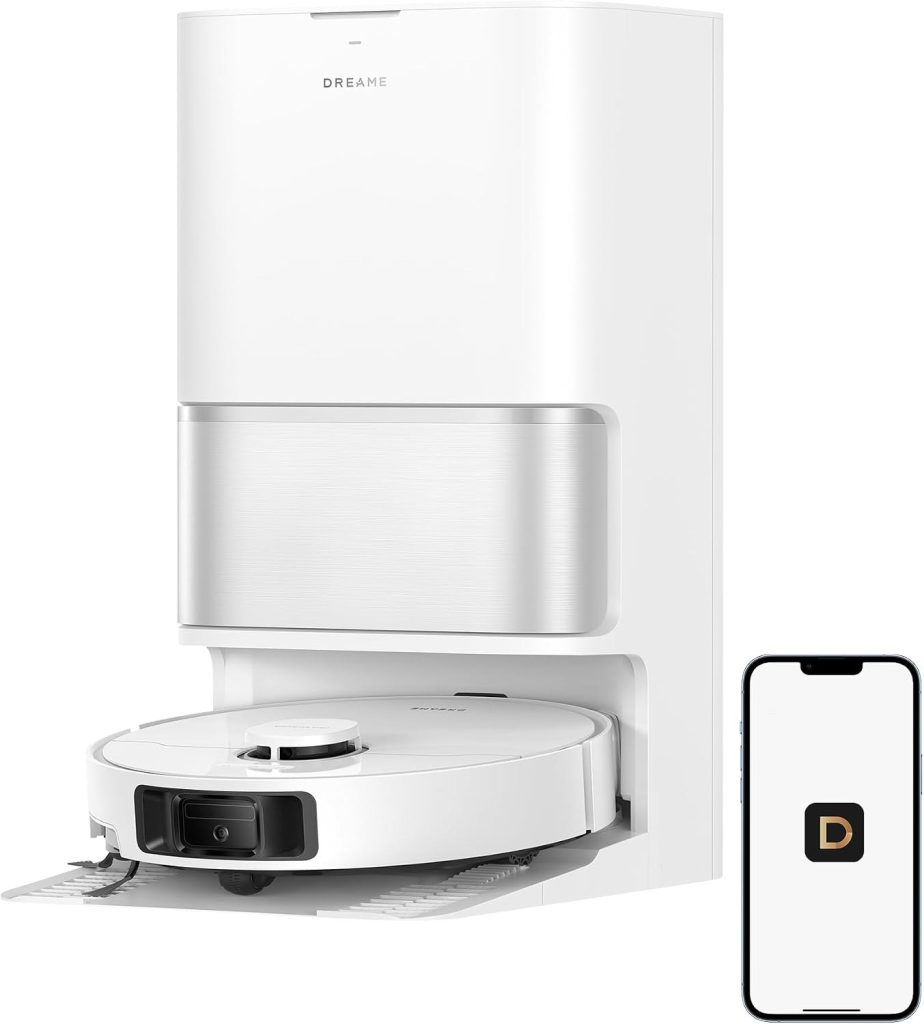
How a Self-Empty Dock Works
The basic cycle is simple. The robot cleans, returns to the dock, and the dock pulls the contents of the robot’s small dustbin into a much larger reservoir in the station — usually with a short, loud burst of suction. Instead of emptying a bin after every run or two, you deal with the dock’s reservoir occasionally. The robot also charges at the dock, so the station becomes its permanent home base. That cycle is the core test for any robot vacuum with auto empty dock — the dock should take over bin emptying completely, not just move the chore from the robot to the station.
Self-Empty Docks — Pros and Cons
Pros
- No bin emptying after every run — you deal with the dock reservoir occasionally instead.
- The dock doubles as the charging base, so the robot has one permanent home.
- Daily runners and pet homes feel the benefit most, since their bins fill fastest.
Cons
- The emptying burst is brief but loud.
- The dock needs a permanent spot with clearance in front so the robot can dock reliably.
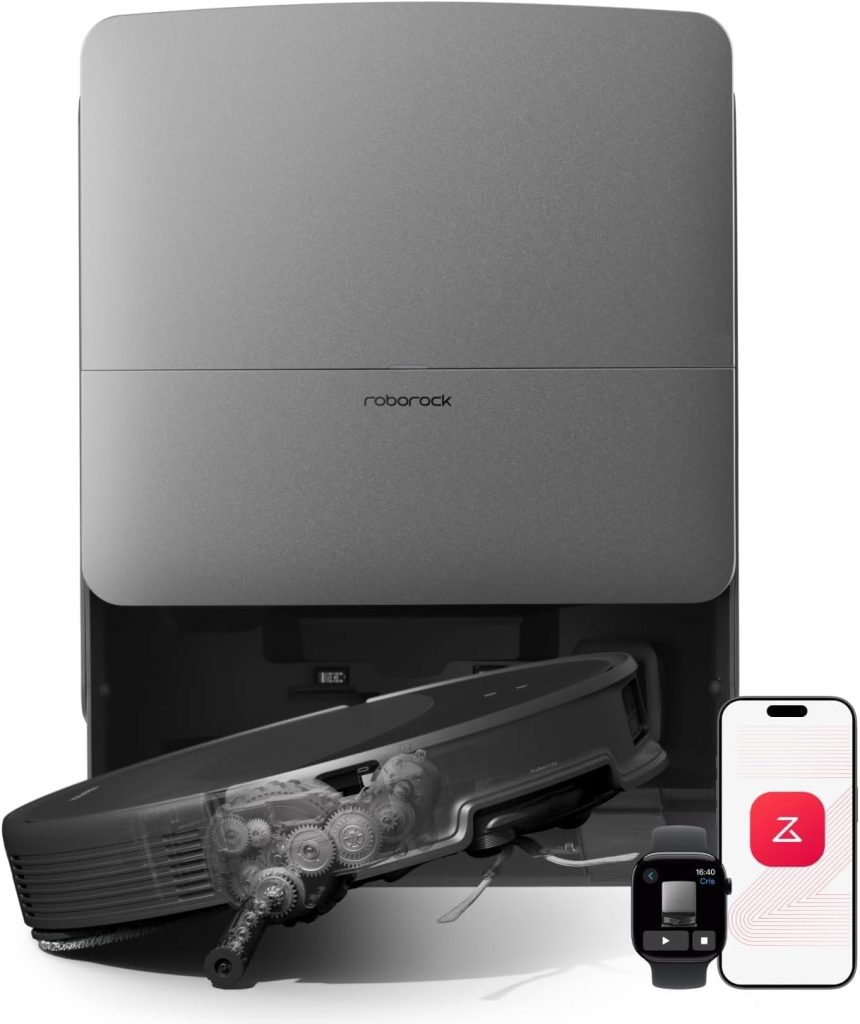
Beyond Emptying: What Bigger Docks Add
Higher-tier stations add more of the routine. Dock lines like Roborock’s Qrevo are positioned around mop washing — the dock rinses the mop pads as part of the cycle, so you are not hand-washing dirty pads after every mopping run. Flagship systems such as the Roborock Saros 20 represent the fullest version of this dock-centered approach, while the Shark Matrix Plus UR2650WS shows the other end: a self-empty base delivering the core benefit — no daily bin emptying — at a budget price. That range is what robot vacuum self emptying really means in practice — from a base that only empties the bin to a station that takes over the mop routine as well.
Budget Base vs. Bigger Dock Stations — Pros and Cons
Budget self-empty base (Shark Matrix Plus UR2650WS)
- Pro: delivers the core benefit — no daily bin emptying — at a budget price.
- Pro: a smaller ask on floor space than a full station.
- Con: the base covers emptying; the wider dock routine of higher tiers is not part of it.
Mop-washing and flagship stations (Qrevo line, Saros 20)
- Pro: the dock rinses mop pads as part of the cycle, so you are not hand-washing dirty pads after every mopping run.
- Pro: the fullest hands-off routine in our comparison sits at this level.
- Con: bigger stations take more permanent floor space.
- Con: more of the routine in the dock still means consumables and periodic upkeep — self-empty never means maintenance-free.
What stood out in our comparison was the gap between those two ends. The budget base solves the bin problem on its own, while the flagship stations try to take over the mop routine as well. That gap is the whole decision for any auto empty robot vacuum — a base that solves the bin problem, or a station that takes over the mop routine too.
The Trade-Offs, Honestly
- Consumables: Bagged docks seal dust neatly but bags are an ongoing purchase. Bagless docks avoid bags but need their filters and chambers cleaned periodically. Either way, “self-empty” does not mean “maintenance-free.”
- Space: A dock is furniture. It needs a permanent spot with clearance in front so the robot can dock reliably — a real consideration in small apartments.
- Noise: The emptying burst is brief but loud. If the dock lives near a bedroom and the robot runs at night, you will hear it.
- Cost: Dock models cost more upfront than dockless robots, though self-emptying now reaches down to the ~$200 class.
What to Know Before You Buy
Ask three questions. How often will the robot run? Daily runners — especially pet homes — gain the most from a dock. How much floor space can the dock permanently occupy? And which consumable system do you prefer, bagged or bagless, knowing both involve some upkeep? Answer those, and the dock decision makes itself: the convenience is real, it is just not free of trade-offs. Those three questions are the fastest screen for any robot vacuum auto empty search — run frequency first, floor space second, bagged or bagless third.
Emptying Intervals and Capacities: Competitor-Reported Ranges, Not Promises
This guide says you deal with the dock reservoir occasionally, and other guides put numbers on that word — but the numbers disagree with each other, which is itself the lesson. Some guides report base stations that go 30 to 60 days between emptying, or two to three months of capacity, while others cite up to 90 to 100 days for specific models. Bag and bin figures vary the same way: one maker guide cites a 3-litre bag, another cites 4.2-litre and 3.2-litre volumes, and a bagless dock example carries a 1.6-litre dustbin. Treat every one of these as a model-dependent figure from another guide or maker, not a claim about any dock in this guide: check the listing for your exact model, and judge the interval against how often your robot runs and how much hair and dust your home produces. No interval or capacity figure is stated here for any model in this guide.
Allergy Angle: Sealed Systems and Allergen-Certified Bags
For allergy homes, the dock question is not just convenience — it is containment. Makers and guides describe sealed dock systems that trap pollen and pet dander inside the station instead of puffing it back into the room, with some makers claiming their sealed systems trap 99.9 percent of pollen and pet dander, and allergen-certified bags sold for that purpose. Those are maker and guide claims, not measured results from this guide, and they vary by model and bag type. If allergies drive your purchase, check the listing for sealed-system wording and bag certification for your exact model rather than assuming every dock seals equally well. No allergy or filtration result is claimed here for any model in this guide.
Hot-Water Mop Washing and Heated-Air Drying
On mop-washing stations, the wash itself is part of the hygiene story. Competitor and maker guides report hot-water wash temperatures from about 104 to 176 degrees Fahrenheit, and heated-air drying temperatures from about 113 to 145 degrees Fahrenheit, with the stated rationale that hot water cleans pads better and heated air dries them so they do not grow bacteria or smell between runs. Those temperature ranges come from other guides and makers for their own models, not from this guide, and they vary by model and setting. If mop hygiene matters to you, check the wash and drying temperatures on the listing for your exact model, and confirm whether the station dries pads with heated air or just leaves them to air-dry. No temperature or hygiene result is claimed here for any model in this guide.
Top-Tier Dock Automation: Detergent Dispensing and Plumbing Hookup
Above mop washing, the automation ladder keeps climbing, and it is worth knowing what the top rungs look like before you pay for them. Some guides describe stations that dispense cleaning solution automatically instead of asking you to dose it by hand, and a few describe direct-to-plumbing hookups that connect the dock to your water supply and drain so you stop filling and emptying water tanks altogether. Those are top-tier features from other guides, not features of every dock, and plumbing hookup in particular depends on your home layout and installation options. Check the listing for your exact model to see which rung its station actually reaches. No automation claim is made here for any model in this guide.
Dock Maintenance Beyond Bag Swaps
Self-emptying does not mean maintenance-free, and the maintenance list is longer than bag changes. Maker guides list washing and drying mop pads so they do not smell, cleaning the dock base itself, and watching app notifications that flag a full dustbin or a part due for replacement. Manufacturer maintenance schedules vary by model, and pet homes need every item on the list more often than quiet apartments. Before you buy, check the manual for your exact model for its maintenance schedule, and treat any station that promises zero upkeep as marketing rather than a fact. No maintenance interval is stated here as a fact for any model in this guide.
Filter Systems: Multi-Layer Filtration and Air Quality
Filters are the quiet recurring cost inside the dock story. Maker guides describe multi-layer filter systems in the station, with an air-quality angle — the dock filters what it pulls out of the robot bin — and cleaning or replacing those filters as a regular task with its own cost over time. Bagged and bagless designs handle this differently: bagged systems seal dust in the bag, while bagless systems put more of the job on washable or replaceable filters and chambers you clean by hand. Check the listing for your exact model for its filter type and replacement routine, and budget filters alongside bags and brushes. No filtration result or filter cost is claimed here for any model in this guide.
Dock Problems and Troubleshooting: Clogs, Odors, and Missed Docks
Docks fail in a handful of familiar ways, and knowing them before you buy beats discovering them after. Other guides and support posts list clogs in the emptying path, odors from damp pads or a full chamber, sensor glitches that misread a full bin, and the classic case of a robot that fails to find its dock at all. Generic first checks cover most of these: clear the emptying path, clean the chamber and pads, wipe the sensors, and give the dock a clear approach with nothing blocking its front. No defect, failure rate, or reliability claim is made here about any model in this guide — these are first checks for any dock-based robot, and the manual for your exact model is the document that counts.
Dust-Compaction Bins: A Dock Alternative Worth Knowing
Not every answer to the bin problem is a dock. Some newer onboard bins compress dust inside the robot itself, stretching the time between manual empties without a station at all — the Roomba 205 DustCompactor is one such design, framed by its maker as going up to 60 days without emptying, and the Narwal Freo X Plus is a similar compacting design. Those two appear here by name only, so you know the alternative exists — neither is a reviewed product in this guide, and no specification is claimed for either. If floor space rules out a station entirely, a compacting onboard bin is the option to compare against a small self-empty base — check the listing for the exact claim on any model you consider. No compaction result is claimed here for any model in this guide.
How the Robot Finds Its Dock: Navigation and the Docking Sequence
Finding the dock reliably is a feature in its own right, and it runs on the same navigation the robot uses to clean. Guides describe robots returning on LiDAR or camera-based maps, then running a short docking sequence: align with the station, empty the bin, and charge. If the dock sits in a tight corner, behind furniture, or at the end of a cluttered approach, that sequence is where failures show up first — which is why placement and navigation belong in the same buying check. Check the listing for your exact model for how it navigates home, and run the first returns while you are home to see it work. No navigation claim is made here for any model in this guide.
Dock Placement Specifics: Fixing, Clearance, and Hiding the Dock
This guide already says to treat the dock as furniture and measure the spot before ordering — here is the concrete version other guides suggest. Some guides recommend fixing or securing the dock against a wall so the robot cannot nudge it out of position over time, keeping clear space around the station so the robot can approach and dock reliably, and placing it near a power socket rather than stretching a cable across a walkway. Hiding the dock inside a cabinet or nook comes up in buyer questions too, but an enclosed spot can block the approach and trap heat, so check the manual for your exact model before boxing a station in. No clearance figure is stated here for any model in this guide, since manuals differ.
Floor-Type Suitability: Hardwood, Tile, Vinyl, and Low-Pile Carpet
Dock value changes with floor type, and guides break it down the same way this guide breaks down mopping. Hardwood, tile, and vinyl floors reward mop-washing stations most, since the dock takes over pad washing as well as bin emptying. Low- to medium-pile carpet still benefits from self-emptying, but the mop side of an expensive station goes mostly unused there — which is why carpet-heavy homes often land on a simpler self-empty base instead. Check the listing for your exact model for how its station behaves on your dominant floor type, and weigh the station against the floors you actually have. No floor-type performance result is claimed here for any model in this guide.
Quantified Benefits, As Makers Frame Them
Makers and guides quantify the dock payoff in three numbers that are worth hearing with their attribution attached. One maker guide frames the time saving at 35 minutes or more per week versus manual bin emptying. Dock suction figures run as high as 20,000 Pa in maker descriptions of the emptying burst — a station figure, not a cleaning figure, and not comparable to the robot’s own suction. Airtight seals on the station and bag are the third claim, pitched as keeping dust inside during and after emptying. All three are maker or guide framings for their own models, not measured results from this guide, and they vary by model. Treat them as the marketing case to test during the return window, not as facts about any dock here.
Maintenance and Recurring Cost as Comparison Criteria
Review guides that score robots formally now treat maintenance and recurring cost as criteria in their own right, and buyers should do the same. The recurring-cost list for a dock household is bags for bagged systems, filters for both systems, brushes, and mop pads on washing stations — each on its own replacement rhythm, each varying by model. No price is stated here for any of those consumables, since prices shift and vary by retailer, but the honest comparison is total cost over a year of use, not the station price alone. Check the listing and manual for your exact model for its consumable list, and add that list to your shortlist comparison before you pay.
Brand-Longevity Risk: What Happens If the Maker Fails
A dock ties you to its maker more than a charge-only robot does, because bags, filters, and app features are model-specific. Other guides raise the brand-longevity question directly: if a maker fails or drops support, app features, replacement bags, and parts for that exact station can dry up with it. That is a buyer check, not a prediction about any brand in this guide — check how long the maker has sold the line, whether bags and filters are widely stocked by third parties, and whether the robot keeps basic functions without the app. A station from a maker with a long parts history is a safer long-term bet than one whose consumables exist in a single store.
Continuous Cleaning: Mid-Job Emptying and Every Run Starting Fresh
One benefit guides name that this guide only implies is continuous cleaning: a robot that empties itself mid-job and resumes without stopping can finish a large home in one run instead of quitting on a full bin, and every run then starts with an empty bin and, on washing stations, fresh pads. That framing — every run starting fresh — is how makers pitch the daily-run habit, and it is the real payoff for large homes and pet homes, where a small onboard bin would otherwise cut runs short. Check the listing for your exact model for mid-job emptying and resume behaviour rather than assuming every dock does it. No runtime or coverage claim is made here for any model in this guide.
Market Trend: 2026 as the Year of the Dock
The dock is no longer a premium extra, and the trend explains why. Guides frame 2026 as the year the auto-empty dock went mainstream, with the rationale that onboard bins were always tiny and the robot has to dock to charge anyway — so adding emptying to a stop the robot already makes was the natural step, and the feature has since spread from flagship stations down to budget bases and even toward stick vacuums. That trend is context, not a buying instruction: it explains why docks now appear at every tier, and why comparing stations matters more than comparing robots alone. No market-share, sales, or adoption claim is asserted here as a measured fact.
Noise Framing: Brief Burst Versus Dishwasher Comparisons
Guides do not all describe dock noise the same way, and buyers should hear both framings. This guide calls the emptying burst short and loud, and its noise FAQ says the same: brief but loud, audible at night near a bedroom, avoidable with daytime schedules. Another guide softens that picture, comparing newer models during emptying to a dishwasher. Both framings describe the same event — a burst louder than the cleaning run itself — and the difference is emphasis, not a factual dispute. If noise matters in your home, run the first empties while you are home and judge the burst yourself during the return window. No decibel figure is claimed here for any model in this guide.
Who It’s For
Self-empty docks suit busy households, pet owners, and anyone who abandoned a previous robot because of bin fatigue. If you vacuum a small space once a week and do not mind a quick bin empty, a simpler setup can still make sense — but for most buyers comparing current models, the dock is the feature that turns a gadget into an appliance. That split is the practical filter for any robot vacuum cleaner with docking station — daily runners and pet homes gain the most, rare runners gain the least.
FAQ
How does a self-empty dock actually work?
The robot cleans, returns to the dock, and the dock pulls the contents of the small dustbin into a much larger reservoir in the station, usually with a short, loud burst of suction. The robot also charges at the dock.
Is a self-empty dock worth it?
For daily runners and pet homes, yes — it turns a daily chore into an occasional one. It is less compelling if you run the robot rarely, have very limited floor space, or dislike consumable costs.
Bagged or bagless?
Bagged docks seal dust neatly but bags are an ongoing purchase. Bagless docks avoid bags but need their filters and chambers cleaned periodically. Either way, self-empty does not mean maintenance-free.
How much space does a dock need?
Treat it as furniture. It needs a permanent spot with clearance in front so the robot can dock reliably. Measure the spot before you order, especially in a small apartment.
Are docks loud?
The emptying burst is brief but loud. If the dock lives near a bedroom and the robot runs at night, you will hear it. Daytime schedules dodge the issue for most homes.
Do self-emptying vacuums need bags?
Only bagged docks do. A bagged station seals dust into a replaceable bag you swap when full, while a bagless station empties into a chamber you clean by hand and puts more of the job on its filters. Neither design is maintenance-free either way — bags are an ongoing purchase, bagless chambers need periodic cleaning — so the choice is which kind of upkeep you prefer, not whether upkeep exists. Check the listing for your exact model to confirm which system its station uses before you buy.
How often do I need to empty the base station?
It depends on the model, how often the robot runs, and how much hair and dust your home produces — guides report ranges from 30 to 60 days up to 90 to 100 days for specific models, and those ranges disagree precisely because they describe different models. Treat any single day figure as a maker or guide framing for one model, not a promise about yours. The honest check is the listing for your exact model plus your own run frequency: daily runners and pet homes fill a station fastest, rare runners slowest. No day interval is stated here as a fact for any model in this guide.
Where is the best place to dock my robot vacuum?
On a hard, flat floor against a wall, with a clear approach in front, near a power socket, and with the station secured so the robot cannot nudge it out of position over time. Avoid tight corners, enclosed cabinets, and spots where the cable crosses a walkway — all three are common causes of missed docks. This guide already says to measure the spot before ordering; the manual for your exact model may ask for specific clearances, so check it before you commit to a location. No clearance figure is stated here for any model in this guide.
Should you leave your robot vacuum plugged in all the time?
Yes, in the normal case — the dock is designed as the robot’s home base, and the robot lives on it between runs, charging and waiting for its next schedule. That is how scheduled runs and mid-job resume work at all. If you will be away for a long stretch, check the manual for your exact model for its long-absence guidance rather than assuming one rule fits every station. No battery or charging claim is made here for any model in this guide.
What is the average lifespan of a robot vacuum?
There is no single honest number, because lifespan depends on run frequency, pet hair load, maintenance habits, and parts availability — and guides do not agree on one figure. The useful version of the question is about the parts that wear: brushes, filters, batteries, and mop pads all have replacement rhythms in the manual for your exact model, and a model whose parts stay stocked is a longer-lived purchase than one whose parts do not. Check the manual and parts availability for your exact model, and judge lifespan by maintainability rather than by any advertised year count. No lifespan figure is stated here for any model in this guide.
How These Picks Were Chosen
These picks come from our own Smart Tech & Gadget Finds video comparison of the models in this series, weighed against published manufacturer specifications. No lab test scores, test hours, or units-tested figures are claimed here, because none were run for this guide. Dock claims quoted in the guide are manufacturer-advertised descriptions, and the guide says so wherever they appear, so check the current listing for the model you want.
Final Verdict
For most buyers, a self-empty dock is worth it. It is the feature that turns a robot vacuum from a gadget into an appliance, and it now reaches down to the budget class, as the Shark Matrix Plus UR2650WS shows in our comparison. Step up to a mop-washing or flagship station if hard floors and mop upkeep are your main chore. Skip the dock only if you run a robot rarely in a small space and a quick bin empty does not bother you. That is the short version of this guide for any best self emptying robot vacuum search — judge the dock by how much routine it takes over, not by the size of the station alone.
Affiliate Disclosure: This article contains Amazon affiliate links. As an Amazon Associate, Smart Tech & Gadget Finds earns from qualifying purchases at no extra cost to you. #ad
