
Robot Vacuum Buying Guide 2026: How to Choose
This robot vacuum buying guide says decide your tier first: around $200 gets the basics including self-emptying, around $500 is the sweet spot for most homes, and the $1,600 flagship tier is for buyers who want the top of the range. Then choose your dock and mopping style based on your floors.
Buying a robot vacuum in 2026 is less about finding a “good” one — most established brands clean competently — and more about matching the right tier and dock style to your home. This guide is grounded in our channel’s five-model comparison, which spans roughly $200 to $1,600, and it covers the decisions that actually matter: budget tier, self-empty docks, mopping style, mapping, and pet hair. That is how to choose a robot vacuum in practice — start from your floors and your tolerance for bin emptying, not from a single headline feature.
Key Takeaways
- Step 1 — tier first: roughly $200 (Shark Matrix Plus UR2650WS, 2-in-1 vacuuming and mopping with a self-empty base), roughly $450–$550 (ECOVACS DEEBOT T50 MAX PRO OMNI, Dreame L40 Ultra Gen 2, roborock Qrevo S Pro), roughly $1,600 (Roborock Saros 20, flagship).
- Step 2 — dock: a self-empty dock changes ownership more than almost any other feature, but bagged docks add an ongoing bag cost while bagless designs need periodic cleaning.
- Step 3 — mopping style: the standard Saros 20 uses dual spinning mops, while the separate Saros 20 Sonic uses a vibrating mopping pad — different models, different approaches; dock-based mop washing, the positioning of Roborock’s Qrevo line, removes hand-rinsing pads.
- Step 4 — mapping and pet hair: maps enable room-by-room scheduling and no-go zones, and pet homes fill bins and wrap brushes faster than any spec sheet admits.
- Most readers should start in the middle tier, with the Dreame L40 Ultra Gen 2 as the balance point and the roborock Qrevo S Pro if hard floors and mop washing lead the list.
Watch the full comparison:
At a Glance
When we compared these five side by side for our Smart Tech & Gadget Finds video, the split was clear: the budget pick covers the basics with self-emptying, the middle tier adds full dock stations, and the flagship sits in a class of its own. Here is the lineup in one place. Read each robot vacuum mop in that lineup by the same test — dock routine first, floor mix second, flagship extras last.
| Product | Best for | Key spec(s) | Shop |
|---|---|---|---|
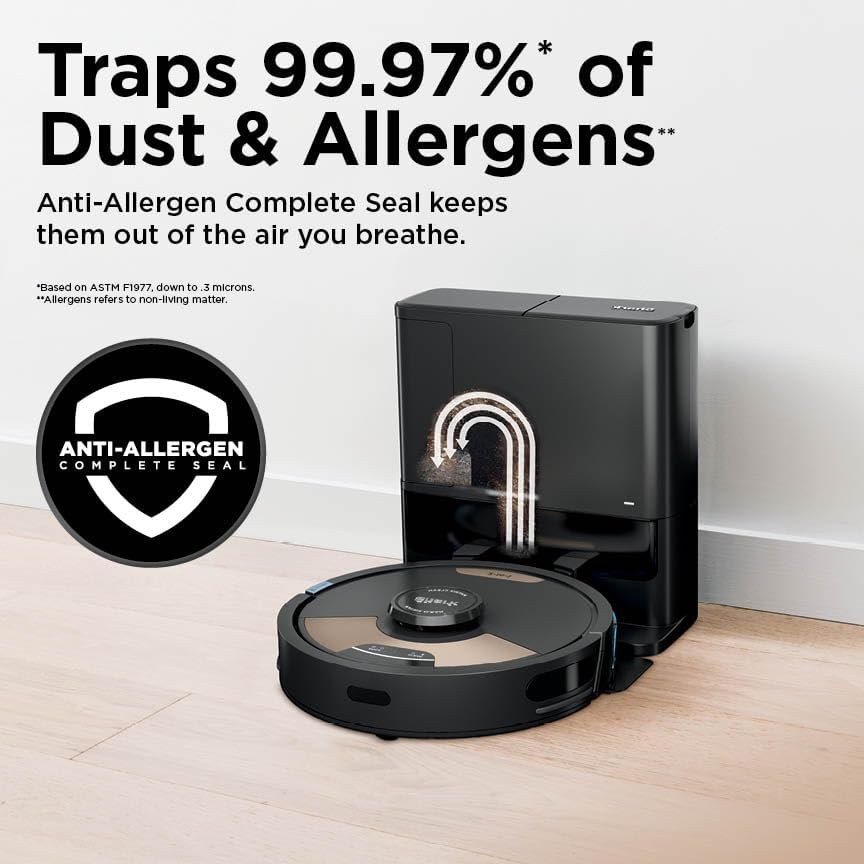
| Shark Matrix Plus UR2650WS | Budget buyers who still want self-emptying | 2-in-1 vacuuming and mopping; self-empty base | View on Amazon |
| ECOVACS DEEBOT T50 MAX PRO OMNI | Hands-off routines in the middle tier | OMNI dock-station positioning; dock handles emptying and servicing | View on Amazon |
| roborock Qrevo S Pro | Hard-floor homes where mopping matters | Dock-based mop washing in the Qrevo line | View on Amazon |
| Dreame L40 Ultra Gen 2 | Most homes; the middle-tier sweet spot | Full dock-station positioning; flagship-style feature set | View on Amazon |
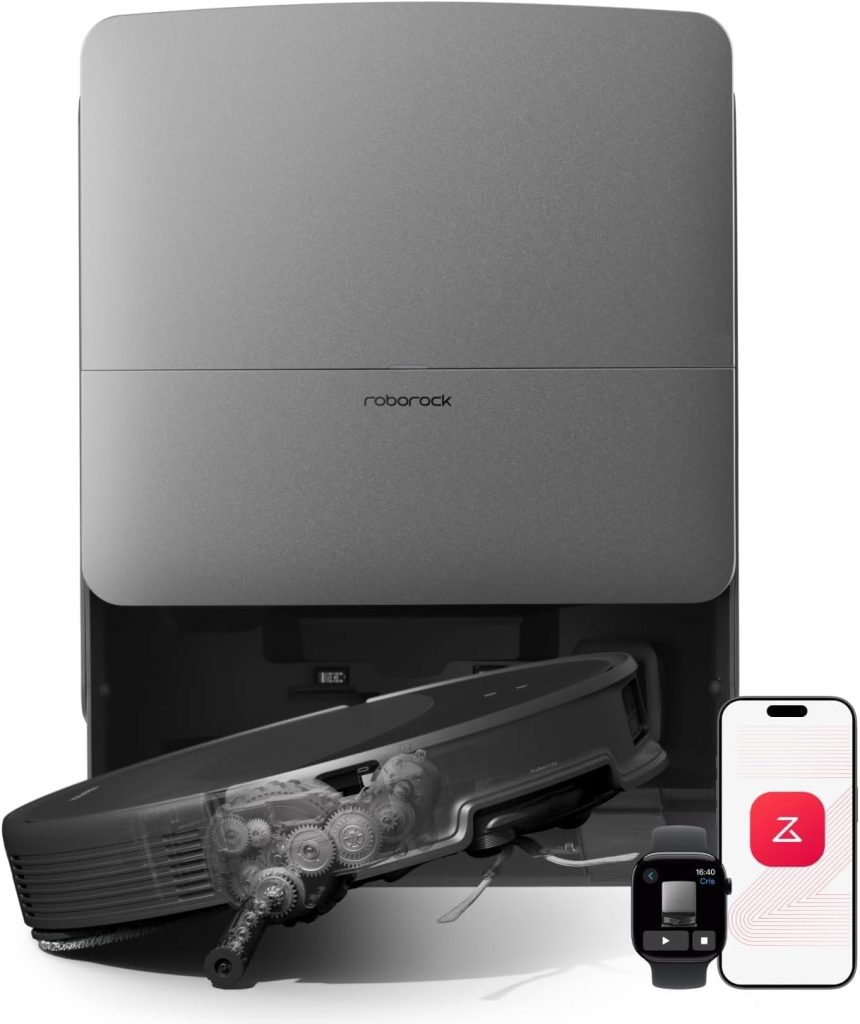
| Roborock Saros 20 | Buyers who want the top of the range | Dual spinning mops; flagship model (the Saros 20 Sonic is a separate model) | View on Amazon |
Top 3 Picks
Dreame L40 Ultra Gen 2 — Best for Most Homes. The middle-tier balance point: full dock-station positioning with a flagship-style feature set, and the model the guide would shortlist first for a typical family home.
roborock Qrevo S Pro — Best for Hard Floors. The mop-washing pick: dock-based mop washing in the Qrevo line, for hard-floor homes where mopping matters as much as vacuuming.
Shark Matrix Plus UR2650WS — Best Budget. The tight-budget answer that still gives you self-emptying, the feature that changes ownership the most, with 2-in-1 vacuuming and mopping.
ECOVACS DEEBOT T50 MAX PRO OMNI (hands-off middle tier) and Roborock Saros 20 (flagship, dual spinning mops) remain in the full guide below.
Step 1: Pick Your Price Tier
The tiers in our comparison tell the story. At roughly $200, the Shark Matrix Plus UR2650WS offers 2-in-1 vacuuming and mopping with a self-empty base — the essentials, automated. At roughly $450–$550, models like the ECOVACS DEEBOT T50 MAX PRO OMNI, the Dreame L40 Ultra Gen 2, and the roborock Qrevo S Pro bring full dock-station positioning and more advanced feature sets. At roughly $1,600, the Roborock Saros 20 is the flagship. Most households land happily in the middle tier. That middle-tier landing is where most self emptying robot vacuum searches end up — full dock-station positioning without flagship money.
Shark Matrix Plus UR2650WS — Pros and Cons
Pros
- Self-empty base at the budget end of this comparison — a feature that used to sit in higher tiers.
- 2-in-1 vacuuming and mopping covers the essentials in one machine.
- The simplest ownership routine in this group: the robot empties itself, you service the base now and then.
Cons
- The base covers emptying, not the fuller mop-care routine that bigger dock stations handle.
- It is the basics tier by design, so the advanced feature sets of the middle and flagship models are not here.
ECOVACS DEEBOT T50 MAX PRO OMNI — Pros and Cons
Pros
- The OMNI dock is the hub for emptying and servicing, which keeps day-to-day involvement low.
- A middle step up from the budget tier without jumping to flagship money.
- Full dock-station positioning rather than a plain charging base.
Cons
- The dock needs permanent floor space with clearance, like every station in this guide.
- Dock ownership still means consumables — bags, filters, and pads add to the running cost.
roborock Qrevo S Pro — Pros and Cons
Pros
- Dock-based mop washing removes the chore of rinsing pads by hand.
- Aimed at hard-floor homes where mopping matters as much as vacuuming.
- Self-empty dock convenience on top of the mop care.
Cons
- Carpet-heavy homes get less value from a mop-focused dock.
- Same dock trade-offs as the rest of the tier: floor space, emptying noise, and consumables.
Dreame L40 Ultra Gen 2 — Pros and Cons
Pros
- Flagship-style positioning in the middle tier — the balance point in our comparison.
- Full dock-station setup for a hands-off routine.
- The model we point to first when a buyer is unsure where to land in this lineup.
Cons
- It costs a clear step more than the budget pick, so the extra features have to matter to you.
- Dock space and consumables apply here too — budget for both.
Roborock Saros 20 — Pros and Cons
Pros
- The flagship of this group, with dual spinning mops on the standard model.
- The fullest version of the dock-centered approach in this comparison.
- Suits buyers who want the top of the range and are not shopping on a tight budget.
Cons
- It sits in the highest tier here, well above what most households need to spend.
- The name is easy to mix up: the Saros 20 Sonic is a different model with a vibrating mopping pad. Check the exact name on the listing.
Step 2: Decide on a Self-Empty Dock
A self-empty dock changes ownership more than almost any other feature: instead of emptying a small bin after every run, the robot empties into the dock, and you service the dock occasionally. The trade-offs are floor space, some emptying noise, and consumables — bagged docks add an ongoing bag cost, while bagless designs avoid it but need periodic cleaning. If your main frustration with a previous robot was constant bin emptying, prioritize a dock model.
Bagged docks — pros: dust is sealed away neatly when you swap the bag. Cons: bags are an ongoing purchase.
Bagless docks — pros: no bags to buy. Cons: the chamber and filters need periodic cleaning by hand.
In our comparison, what stood out was how much this one choice shapes daily life with the robot. Pick the dock first and the model shortlist gets short fast. That dock-first logic is the same test for any robot vacuum and mop combo — pick the dock routine that fits your floors, and the shortlist narrows itself.
Step 3: Match the Mopping Style to Your Floors
Mopping systems differ in kind, not just quality. The standard Saros 20 uses dual spinning mops, while the separate Saros 20 Sonic uses a vibrating mopping pad — different models, different approaches. Dock-based mop washing, the positioning of Roborock’s Qrevo line, removes the chore of rinsing pads by hand. Hard-floor-heavy homes benefit most from mop-focused models; carpet-heavy homes should weight vacuuming and dock convenience instead. If you are comparing the best robot vacuum for hard floors lists, weigh them by mop washing and dock routine first, since that is where hard-floor homes gain the most.
Step 4: Mapping and Pet Hair
Modern robots build maps of your home, which enables room-by-room scheduling and no-go zones — worth having in any tier, and especially useful in multi-room homes. For pet hair, look for the combination of strong pickup positioning, a dock that means hair is not sitting in a small bin, and a maintenance routine you will actually keep up with: pet homes fill bins and wrap brushes faster than any spec sheet admits. A self-empty dock paired with scheduled daily runs is the practical pet-hair formula.
What to Know Before You Buy
- Total cost includes consumables — bags, filters, mop pads — not just the purchase price.
- Docks need a permanent spot with clearance; measure before ordering.
- Model names within brands are confusingly similar (Saros 20 vs Saros 20 Sonic) — verify the exact name on the listing.
- Prices shift constantly with promotions; a mid-tier model on sale often beats a budget model at full price.
Floor Type First: Carpet or Hard Floor?
Floor mix is the first filter, before brand or tier. Hard floors reward mop washing and dock routines, while carpet-heavy homes should judge by vacuuming and dock convenience instead. On carpet, check how the mop behaves: pads that lift or fold away from carpet, and suction that ramps up on carpet, keep a mopping robot from wetting rugs it should only vacuum. Budget models can also snag on tassels and rug fringes, so run the first cleans while you are home and move anything the robot catches on. No floor-type performance result is claimed here — your own mix of carpet and hard floor decides which side of this guide matters most to you.
Dustbin Capacity: The Small Number That Matters
Onboard dustbin size decides how often the robot needs its dock or your attention. Buying guides commonly suggest around 400ml as a workable minimum for a full run, and treat bins under 300ml as small for pet homes, where hair fills a bin fast. A self-empty dock softens this a lot, since the robot empties itself between runs — but the dock bag or chamber still sets the real interval. If your shortlist leans toward a small-bin model, check the listing for the exact bin figure and plan on more frequent runs or dock servicing. No bin figure for any model in this guide is stated here, since those vary by listing.
Wi-Fi and App Compatibility: Check Before You Buy
Most mapping, scheduling, and no-go-zone features live in the app, so app compatibility is a buying check, not an afterthought. Check whether your exact model needs a 2.4GHz network, since some robots do not join 5GHz-only setups, and check what the robot can still do without the app — physical buttons, if any, and what they control. If the app ever stops working or the maker stops supporting it, app-only features go with it, so buyers who want a fallback should confirm the button controls on the listing before ordering. No app feature or compatibility claim is made here for any model in this guide.
Brush-Roll Design and Pet Hair: Buyer Check
Brush design is where pet-hair advice splits, so treat it as a buyer check rather than a settled fact. One major guide argues bristles agitate carpet fibres better than all-rubber brushes for pet hair, while another argues rubbery brushrolls are easier to maintain for pet hair — both points are about trade-offs, not a winner. Anti-tangle systems also vary by model and are worth checking on the listing for your exact model. This guide makes no brush or anti-tangle claim for any model in it: check the brush type on the listing, and judge it during the return window against the hair your own pets actually shed.
Suction Power: What the Number Does and Does Not Tell You
Suction figures are brand claims, not a shared cleaning score, and one major guide warns outright that advertised suction is not comparable across brands — so treat any suction figure as rough positioning between tiers, not a cleaning score. As generic guidance only, one guide frames the mid-range around 6,000 to 9,000 Pa, figures below 6,000 Pa as weaker, and 6,000 Pa and above as the range to look at for pet hair. No suction figure is attached here to any model in this guide, and no measured output is claimed: pickup also depends on the brushroll, airflow, how the robot moves, and whether it makes repeated passes. At any tier, dock work, edge reach, and run frequency matter at least as much as a single suction figure.
Dock Types: Charging-Only, Auto-Empty, and Full-Service
Docks come in three broad kinds, and the kind shapes ownership more than the robot alone. A charging-only dock just charges. An auto-empty dock adds dust emptying into a bag or chamber. A full-service dock adds mop washing and drying, and sometimes water refill, on top of emptying. Bagged docks seal dust neatly but add an ongoing bag cost; bagless docks skip the bags but need periodic cleaning of the chamber and filters by hand. This guide already covers the self-empty choice in Step 2 — use this spectrum to place any model you are comparing, and check the listing for which dock kind your exact model actually ships with.
Navigation: LiDAR, VSLAM, and Multi-Floor Maps
Navigation decides how well the robot covers your home, and it is a separate question from obstacle avoidance. LiDAR-based navigation builds maps with a laser sensor, while VSLAM builds them with cameras — both approaches appear across tiers, and efficiency of coverage matters more than the sensor name alone. If your home has more than one floor, check whether your exact model and app version support saved maps per floor before you buy, since multi-floor handling varies by model and app version. No navigation claim is made here for any model in this guide; the listing and the manual for your exact model are the documents that count.
Obstacle Avoidance: What Sensors Can and Cannot Do
Obstacle avoidance is the feature that decides whether a run finishes without a rescue. Dedicated sensors and camera-based identification help a robot steer around cables, shoes, and pet toys, and some systems claim pet-waste avoidance — but no system is foolproof, and guides agree the honest test is your own clutter during the return window. A quick tidy before a run still helps any robot, whatever its sensor list says. This guide makes no avoidance claim for any model in it: check the sensor and camera setup on the listing for your exact model, and judge it against the clutter your home actually has.
Battery and Recharge-and-Resume
Battery size alone is a weak way to compare robots, because recharge-and-resume changes what a battery figure means: a robot that returns to its dock, charges, and picks up where it stopped can cover a large home on a modest battery, while a robot without that behaviour stops where it runs out. Self-charging matters for the same reason — a robot that cannot find its dock reliably is a robot you will keep rescuing. Check the listing for recharge-and-resume support on your exact model rather than comparing battery figures alone, and treat any runtime figure as a listing claim, not a measured result. No battery or runtime figure is stated here for any model in this guide.
Robot Height, Furniture Clearance, and Thresholds
Two measurements decide whether a robot fits your home: the robot’s own height, which decides what furniture it can clean under, and the thresholds it can climb between rooms. Competitor guides report a typical robot height around 4 inches (about 102mm), with the shortest models around 3.14 inches (about 80mm), and a typical threshold limit around 20mm — but shape and wheel design also matter, so these are typical figures from other guides, not claims about any model in this guide. Measure your lowest furniture clearance and your highest threshold, then check the listing figures for your exact model against them before ordering.
Dock Placement Clearances
This guide already says docks need a permanent spot with clearance and to measure before ordering — here is the concrete version other guides suggest. One major guide recommends about 3 feet of clearance on each side of the dock, about 4 feet clear in front of it, and a spot near a power socket so the dock is not stretched across a walkway. Those are competitor-guide clearances, not figures for any model in this guide, and your exact model’s manual may ask for different spacing — but a dock squeezed into a tight corner is the most common placement mistake, and the return window is the time to catch it.
Expectation-Setting: What a Robot Vacuum Cannot Replace
A robot vacuum is a maintenance cleaner, not a full replacement for an upright or manual vacuum. Three major guides agree on this point: stairs, furniture surfaces, and deep carpet cleaning still need a manual vacuum, and embedded grit in carpet is the hardest case for any robot. That is not a flaw in the category — it is the job description. Buy a robot for the daily and weekly upkeep it genuinely removes, and keep a manual vacuum for the rest. No cleaning-performance claim is made here for any model in this guide.
Maintenance Schedules and Daily Runs
Ownership does not end at the purchase, and the manual for your exact model gives the schedule that counts: brushroll checks, filter cleaning, pad replacement, and dock servicing all recur, and pet homes need them more often than quiet apartments. The most useful habit is also the simplest — scheduled daily runs keep hair and dust from building up to the point where any robot struggles, and a self-empty dock turns that habit from a chore into a background routine. No service interval is stated here as a fact, since those vary by model and by how dirty your home gets.
Preparing the House Before the First Run
The first runs go better on a prepared floor. Remove socks, cords, and small toys before the robot maps, since those are the usual rescue triggers, and give the first mapping run a clear floor so the map it learns is the right one. Two edge cases from other guides are worth knowing: floor-to-ceiling mirrors can confuse camera-based navigation, and very dark carpets can read as drop-offs to cliff sensors on some models — if either applies to your home, check the listing and run the first cleans while you are home. No sensor or navigation claim is made here for any model in this guide.
Mopping Systems in Detail
Mopping systems differ in kind, and the kind should match your floors. The three broad types other guides describe are flat pads, dual spinning pads, and roller-track mops; on top of that, some models lift their mops on carpet, some remove them automatically, some extend a pad out to edges, and water flow may be adjustable per room. This guide already covers the key distinction in Step 3 — the standard Saros 20’s dual spinning mops versus the separate Saros 20 Sonic’s vibrating pad versus the Qrevo line’s dock-based mop washing — so use this section as the checklist for any model you compare: pad type, carpet behaviour, edge reach, and water control, all confirmed on the listing for your exact model.
Price Bands Differ Between Guides: Check the Listing
Other buying guides frame price bands differently from this one, and that difference is worth knowing rather than hiding. This guide’s own bands stand exactly as written and are not restated here. By contrast, one major guide frames premium self-emptying bases as starting from about $500, and another frames the strongest value in the $600 to $1,000 low-mid range. Those are other guides’ framings, not new prices for any model here, and listings shift constantly with promotions — so treat every band as a starting point and check the current listing for the model you actually want.
FAQ
Which tier should most people buy?
The middle tier. In our comparison it brought full dock-station positioning and more advanced feature sets, and most households land happily there. Go budget if you mainly want the basics automated, and go flagship only if you want the top of the range.
Is a self-empty dock worth it?
Yes if bin emptying was your main frustration with a previous robot, or if you run the robot daily. The dock turns a per-run chore into an occasional one. The costs are floor space, a short burst of emptying noise, and consumables.
Bagged or bagless dock?
Bagged seals dust neatly but adds an ongoing bag cost. Bagless skips the bags but needs periodic cleaning of the chamber and filters. Neither one is maintenance-free.
What matters most for pet hair?
A self-empty dock paired with scheduled daily runs. Pet homes fill bins and wrap brushes faster than any spec sheet admits, so the dock plus a maintenance routine you will actually keep is the practical formula.
Does mopping style really differ between models?
Yes, in kind and not just quality. The standard Saros 20 uses dual spinning mops, the separate Saros 20 Sonic uses a vibrating pad, and the Qrevo line is positioned around dock-based mop washing. Match the style to your floors: hard floors reward mop-focused models, carpet-heavy homes should weight vacuuming and dock convenience. That same floor-first logic applies when you compare any best robot vacuum for carpets list — carpet-heavy homes should judge by vacuuming and dock convenience, not by mop features they will rarely use.
Do I need Wi-Fi or an app to run a robot vacuum?
Most mapping, scheduling, and no-go-zone features live in the app, so check compatibility before you buy. Some models need a 2.4GHz network and will not join a 5GHz-only setup, and what the robot can do without the app — physical buttons, if any, and what they control — varies by model. If app support ever ends, app-only features go with it, so buyers who want a fallback should confirm the button controls on the listing for their exact model. No app or compatibility claim is made here for any model in this guide.
How much maintenance does a robot vacuum actually need?
More than the purchase price suggests, less than a manual vacuum demands. The recurring list is brushroll checks, filter cleaning, pad replacement, and dock servicing, on the schedule in the manual for your exact model — and pet homes need all of it more often. The habit that pays off most is scheduled daily runs, since hair and dust that never build up never become a rescue call. A self-empty dock helps twice over: it stretches the emptying interval and makes the daily-run habit easy to keep. No service interval is stated here as a fact.
Can a robot vacuum replace my upright vacuum?
No — it replaces the daily and weekly upkeep, not the deep clean. Stairs, furniture surfaces, and embedded grit in carpet still need a manual vacuum, and every major buying guide agrees on that limit. That is the honest way to size the purchase: buy the robot for the routine cleaning it removes from your week, and keep the upright for the rest. No cleaning-performance claim is made here for any model in this guide.
How These Picks Were Chosen
These picks come from our own Smart Tech & Gadget Finds video comparison of the five models in this series, weighed against published manufacturer specifications. No lab test scores, test hours, or units-tested figures are claimed here, because none were run for this guide. Price bands and dock claims quoted in the guide are the guide’s own framing, and listings shift constantly with promotions, so check the current listing for the model you want.
Final Verdict
Decide your tier first, then your dock, then your mopping style. Most readers should start in the middle tier, with the Dreame L40 Ultra Gen 2 as the balance point and the roborock Qrevo S Pro if hard floors and mop washing lead your list. On a tight budget, the Shark Matrix Plus UR2650WS still gives you self-emptying, which is the feature that changes ownership the most. Skip the flagship tier unless you want the top of the range for its own sake — the middle of this lineup already covers what most homes need. That is the short version of this guide for any self-emptying robot vacuum search: tier first, dock second, mopping style third.
Affiliate Disclosure: This article contains Amazon affiliate links. As an Amazon Associate, Smart Tech & Gadget Finds earns from qualifying purchases at no extra cost to you. #ad

