Best Desk Accessories 2026
The best desk accessories make a workday smoother: better light, a better posture, a mouse that fits your hand, a tidy surface, and power within reach. In our comparison of five desk upgrades, each covers a different part of the desk, so the right pick depends on what frustrates you most about your current setup.
As an Amazon Associate I earn from qualifying purchases. #ad

Key Takeaways
- One accessory per desk problem beats a full desk makeover.
- Lighting and posture upgrades pay off daily; decorative items do not.
- Mouse fit matters more than extra buttons for most hands.
- Cable and charging clutter grows — plan power before adding gear.
- Measure your desk first: stands and lights need space to work.
Top 3 Picks
- Best lighting upgrade: BenQ ScreenBar — even, glare-free light across the desk without a lamp base.
- Best posture upgrade: Rain Design mStand — raises a laptop to eye level with a solid, stable base.
- Best mouse upgrade: Logitech MX Master 3S — a comfortable, precise mouse for long workdays.
1. BenQ ScreenBar
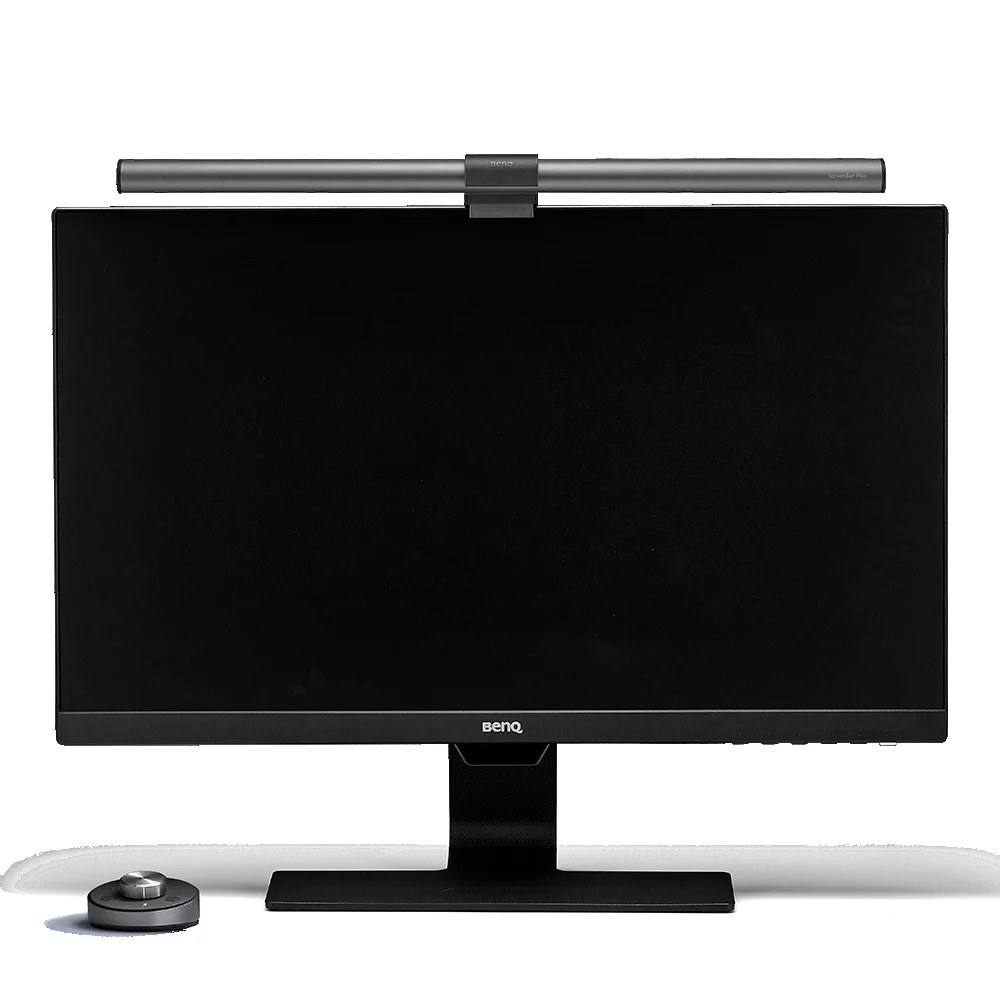
BenQ ScreenBar
In our comparison, the BenQ ScreenBar is the desk lighting upgrade that actually works. It clamps to the top of a monitor and throws even light across the desk and keyboard,…
In our comparison, the BenQ ScreenBar is the desk lighting upgrade that actually works. It clamps to the top of a monitor and throws even light across the desk and keyboard, with no lamp base eating desk space and no glare on the screen. Brightness and colour temperature adjust with a touch, so evening work feels easier on the eyes.
It suits monitors with a flat top edge best, and it needs a USB port for power. For anyone working late or in a dim room, it is the single most noticeable desk improvement here.
Pros:
- Even light with no screen glare
- No lamp base — saves desk space
- Adjustable brightness and colour temperature
- Simple clamp setup
- Auto-dimming on some models
Cons:
- Needs a monitor with a suitable top edge
- Requires USB power
- No good for laptop-only desks
- Premium cost over a desk lamp
- Light spread depends on monitor width
2. Rain Design mStand
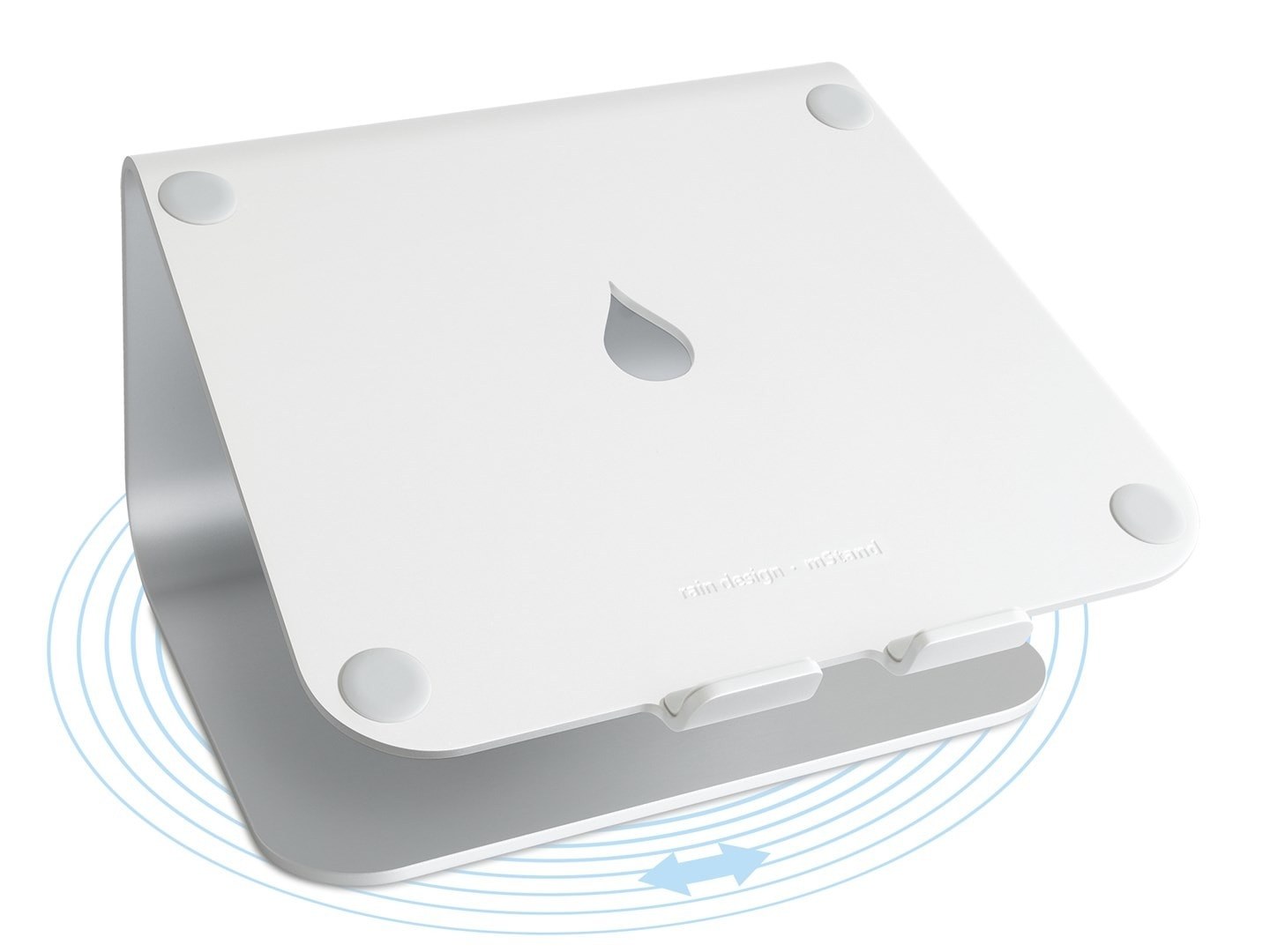
In our comparison, the Rain Design mStand is the posture fix for laptop users. A single piece of aluminium raises the laptop screen to eye level, which reduces neck strain during long sessions, and the open design lets air flow under the machine. The stand is heavy enough to stay put when you type, and it looks at home next to a monitor.
You will need an external keyboard and mouse to use it comfortably, since the laptop keyboard sits too high to type on. For a permanent desk setup, that trade is worth it; for a portable kit, a folding stand suits better.
Pros:
- Raises screen to eye level
- Solid aluminium — stays put
- Open design aids cooling
- Clean, minimal look
- Cable hole keeps things tidy
Cons:
- Needs an external keyboard and mouse
- Not portable — best for fixed desks
- No height adjustment
- Premium cost for a simple stand
- Laptop keyboard unusable at height
3. Logitech MX Master 3S

In our comparison, the Logitech MX Master 3S is the mouse for people who work at a computer all day. The shape fits medium and large hands, the scroll wheel glides or clicks through long documents, and the side buttons and gesture controls speed up common tasks. It connects to multiple devices and switches between them with a button.
It is a large mouse, so small hands may prefer a compact model, and the full feature set needs Logitech’s software. For productivity work — documents, spreadsheets, design tools — it is the most comfortable mouse here.
Pros:
- Comfortable shape for long days
- Excellent scroll wheel for documents
- Multi-device switching
- Quiet clicks
- Customisable buttons and gestures
Cons:
- Large for small hands
- Full features need Logitech software
- Heavier than travel mice
- Premium cost
- No gaming-grade sensor for fast games
4. Grovemade Wool Felt Desk Pad

In our comparison, the Grovemade Wool Felt Desk Pad is the desk surface upgrade. It protects the desk from scratches, gives the mouse a smooth tracking surface, and defines a tidy work zone that makes a cluttered desk feel calmer. The wool felt looks and feels premium, and it stays flat without curling.
Felt needs occasional cleaning and is not ideal for messy work like painting or soldering. Sizes vary, so measure your desk and your keyboard-and-mouse footprint before ordering.
Pros:
- Protects desk from scratches
- Smooth mouse tracking surface
- Defines a tidy work zone
- Premium wool felt feel
- Stays flat without curling
Cons:
- Needs occasional cleaning
- Not for messy craft work
- Sizes vary — measure first
- Premium cost for a mat
- Adds a layer to thin laptop setups
5. Anker 737 GaNPrime Charger

In our comparison, the Anker 737 GaNPrime Charger is the desk power upgrade. It charges a laptop, a phone, and a second device from one compact block, replacing a tangle of chargers with a single outlet. Gallium nitride tech keeps it smaller and cooler than older multi-port chargers, and power is shared sensibly when several devices plug in.
Total power is shared across ports, so charging three devices at once is slower per device than charging one. For a desk with a laptop, phone, and earbuds, though, one charger beats three.
Pros:
- Charges laptop, phone, and more from one block
- Compact gallium nitride design
- Replaces multiple chargers
- Sensible power sharing
- Reliable brand track record
Cons:
- Power shared across ports
- Slower per device with three plugged in
- Needs your own cables
- Premium cost over single chargers
- Block size suits desks more than pockets
Comparison Table
| Product | Desk problem | Space needed | Needs | Best for |
|---|---|---|---|---|
| BenQ ScreenBar | Poor lighting | Monitor top edge | USB power | Late workers |
| Rain Design mStand | Low laptop screen | Desk footprint | External keyboard | Posture |
| Logitech MX Master 3S | Uncomfortable mouse | Mouse area | Logitech software | All-day workers |
| Grovemade Wool Felt Desk Pad | Messy desk surface | Desk area | Measuring first | Tidy desks |
| Anker 737 GaNPrime Charger | Charger clutter | One outlet | Cables | Multi-device desks |
How to Choose
Find your biggest daily friction first: eye strain, neck ache, a cramped mouse hand, a messy surface, or charger clutter. Fix that one thing before buying anything else.
Measure your desk and monitor before ordering stands and lights. A stand that overhangs the desk or a light that does not fit your monitor is a return, not an upgrade.
Plan power early. A multi-port charger simplifies everything else, but count your devices and cables before choosing port count.
Keep the desk you have: accessories should improve a setup you already use, not force a new desk, a new monitor, or a new workflow.
FAQs
What is the single best desk accessory?
In our comparison, the BenQ ScreenBar makes the most visible daily difference for late workers, while the mStand matters most for laptop users with neck strain. Pick by your biggest friction.
Do I need an external keyboard with a laptop stand?
Yes, for comfortable typing. A stand raises the screen to eye level, which puts the laptop keyboard too high to type on — pair it with a separate keyboard and mouse.
Is a desk pad worth it?
If your desk scratches easily or your mouse tracks poorly, yes. A pad protects the surface and gives a consistent tracking area, and it visually tidies the workspace.
How many devices can one charger handle?
The Anker 737 handles a laptop plus smaller devices, but total power is shared. Charging three devices at once is slower per device than charging one alone.
Will these accessories fit a small desk?
The mouse, pad (in a smaller size), and charger suit small desks. The mStand and ScreenBar need a monitor or a fixed desk footprint — measure first.
Conclusion
Pick the BenQ ScreenBar if lighting is your problem, the Rain Design mStand if your neck aches, and the MX Master 3S if your mouse hand hurts. Add the Grovemade desk pad for a tidier surface and the Anker 737 to end charger clutter. Fix one friction at a time, and your desk will feel new without replacing it.


