Best Laptops 2026
The best laptops in 2026 are less about headline speed and more about the balance of display, keyboard, battery life, and weight for the work you actually do. In our comparison of five leading general-purpose laptops, the right pick depends on whether you prioritise portability, screen quality, or a keyboard you can type on all day.
As an Amazon Associate I earn from qualifying purchases. #ad

Key Takeaways
- Ultraportables win on weight and battery; larger laptops win on screen and cooling.
- Keyboard and trackpad quality matter daily — more than small speed differences.
- Display type affects reading, photo work, and outdoor use more than resolution alone.
- Memory and storage configurations vary by retailer and region — confirm before buying.
- General laptops here are not video-editing workstations; heavy editors should check the dedicated guide.
Top 3 Picks
- Best overall ultraportable: Apple MacBook Air 15-inch (M4) — a large screen in a light body with quiet, efficient performance.
- Best business laptop: Lenovo ThinkPad X1 Carbon — a superb keyboard and a tough, light design built for travel.
- Best display: Asus Zenbook 14 OLED — a vivid OLED screen in a slim, portable body.
1. Apple MacBook Air 15-inch (M4)
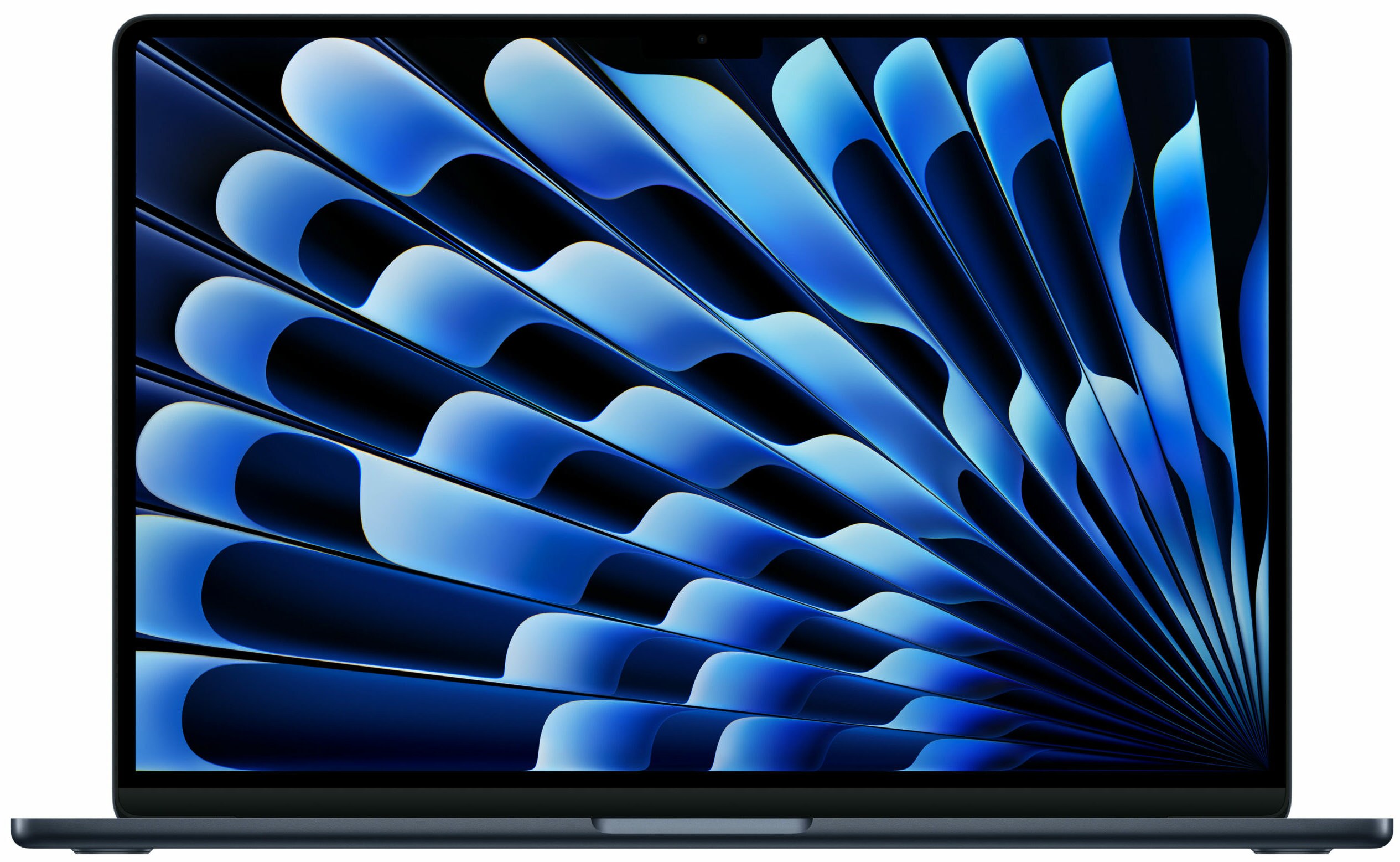
Apple MacBook Air 15-inch (M4)
In our comparison, the MacBook Air 15-inch is the laptop for people who want a big screen without a heavy bag. The display is bright and roomy for split-screen work,…
In our comparison, the MacBook Air 15-inch is the laptop for people who want a big screen without a heavy bag. The display is bright and roomy for split-screen work, performance is smooth and silent for everyday tasks, and battery life comfortably covers a workday. The fanless design means no noise in quiet rooms.
The trade-offs are the usual Apple ones: ports are limited, so dongles or a hub help, and memory and storage configurations vary by retailer and region. It is also the best fit for buyers already using an iPhone or iPad, though it works fine on its own.
Pros:
- Large, bright display in a light body
- Silent, efficient everyday performance
- Strong all-day battery life
- Excellent trackpad
- Slim, travel-friendly design
Cons:
- Limited ports — a hub helps
- Configurations vary by retailer and region
- No touchscreen option
- Not built for heavy sustained workloads
- Repairs and upgrades are limited
2. Dell XPS 14
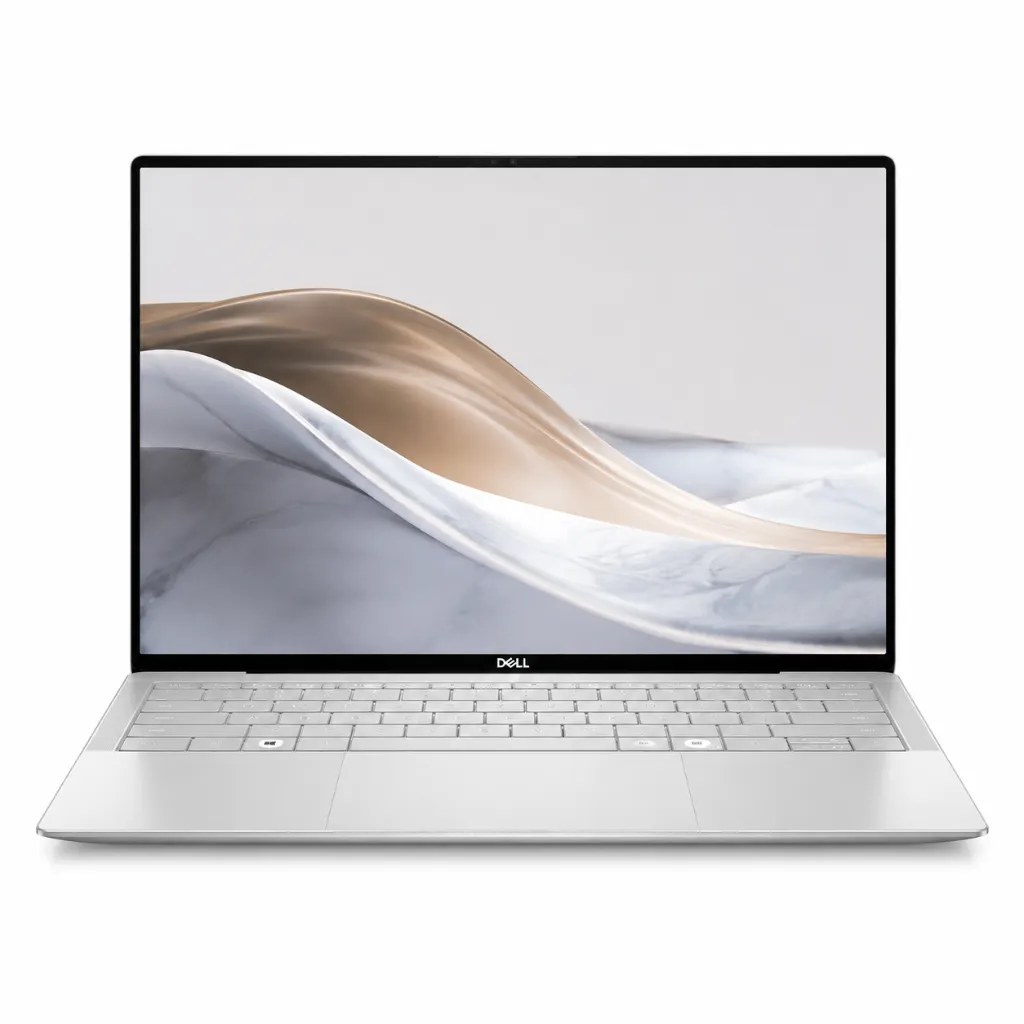
In our comparison, the Dell XPS 14 is the premium Windows all-rounder. The display is sharp and colour-rich, the build feels dense and precise, and performance handles office work, browsing, and light creative tasks with ease. The edge-to-edge keyboard and large trackpad give it a modern, minimal look.
It is heavier than the ultraportables here and the port selection is slim, so a hub is a sensible add-on. Buyers should confirm the exact display and configuration, since options vary by retailer and region.
Pros:
- Sharp, colour-rich display
- Premium, precise build
- Strong everyday and light creative performance
- Modern keyboard and large trackpad
- Good speakers for a laptop
Cons:
- Heavier than true ultraportables
- Slim port selection
- Configurations vary by retailer and region
- Can run warm under sustained load
- Higher cost than mainstream laptops
3. Lenovo ThinkPad X1 Carbon
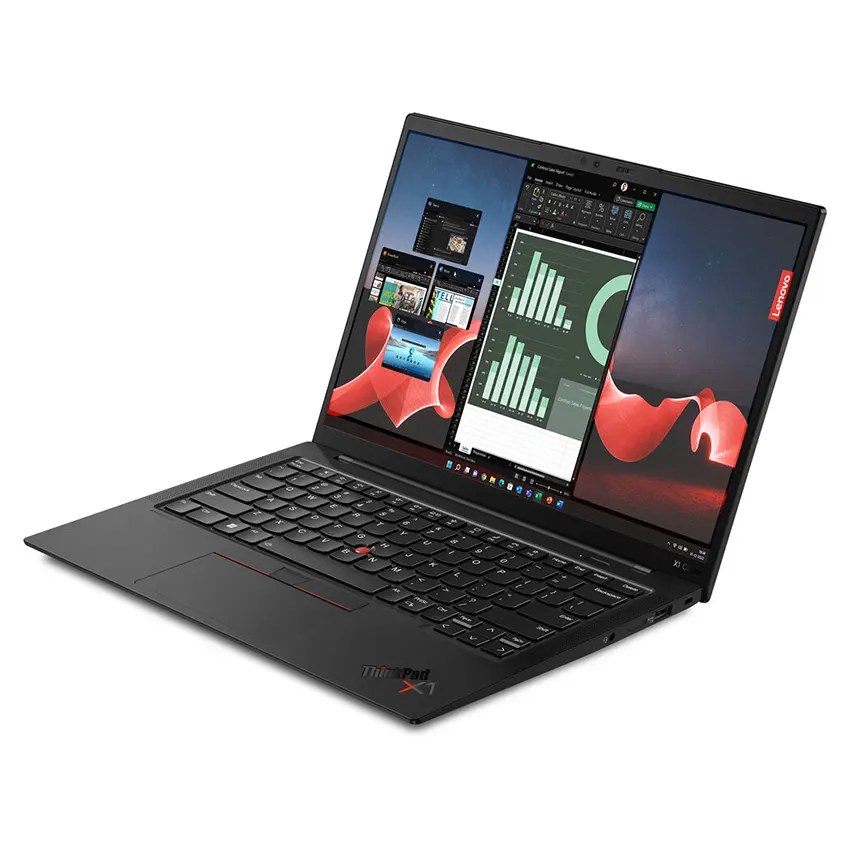
In our comparison, the ThinkPad X1 Carbon is the business traveller’s laptop. The keyboard is the best here — deep, precise, and comfortable for all-day typing — and the body is light, tough, and easy to carry. Security features and a bright display option make it a safe choice for work on the move.
The design is deliberately plain, and the display, while good, is less vivid than the OLED options here. Battery life is solid for a business laptop, and configurations vary by retailer and region, so check memory and storage before ordering.
Pros:
- Best-in-class keyboard for typing
- Light yet durable travel design
- Strong security features
- Bright display options
- Good connectivity for work
Cons:
- Plain, business-first styling
- Display less vivid than OLED rivals
- Premium cost
- Configurations vary by retailer and region
- Speakers are average
4. HP Spectre x360 14
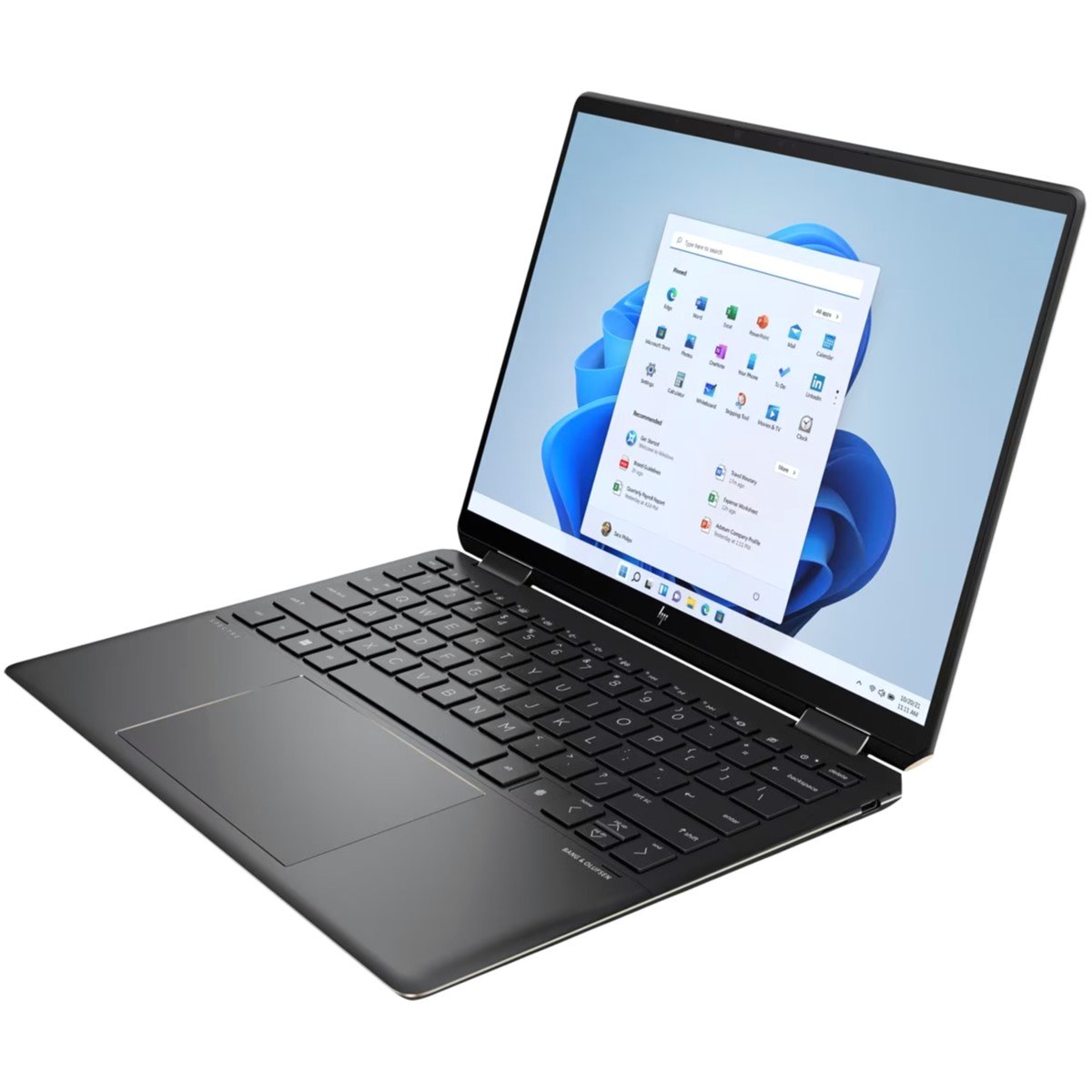
In our comparison, the HP Spectre x360 14 is the flexible pick. It folds into tablet and tent modes, supports pen input for notes and sketches, and pairs that flexibility with a sharp, bright display. For students and hybrid workers who present, annotate, and type in turn, the convertible design is genuinely useful.
Flexibility adds weight and cost versus a standard clamshell, and battery life in tablet mode drops faster. The keyboard is good rather than ThinkPad-class, and configurations vary by retailer and region.
Pros:
- Convertible design with pen support
- Sharp, bright display
- Useful for presenting and annotating
- Premium build and styling
- Good all-round performance
Cons:
- Heavier than clamshell ultraportables
- Battery drops faster in tablet mode
- Keyboard trails the ThinkPad
- Configurations vary by retailer and region
- Higher cost for the flexibility
5. Asus Zenbook 14 OLED
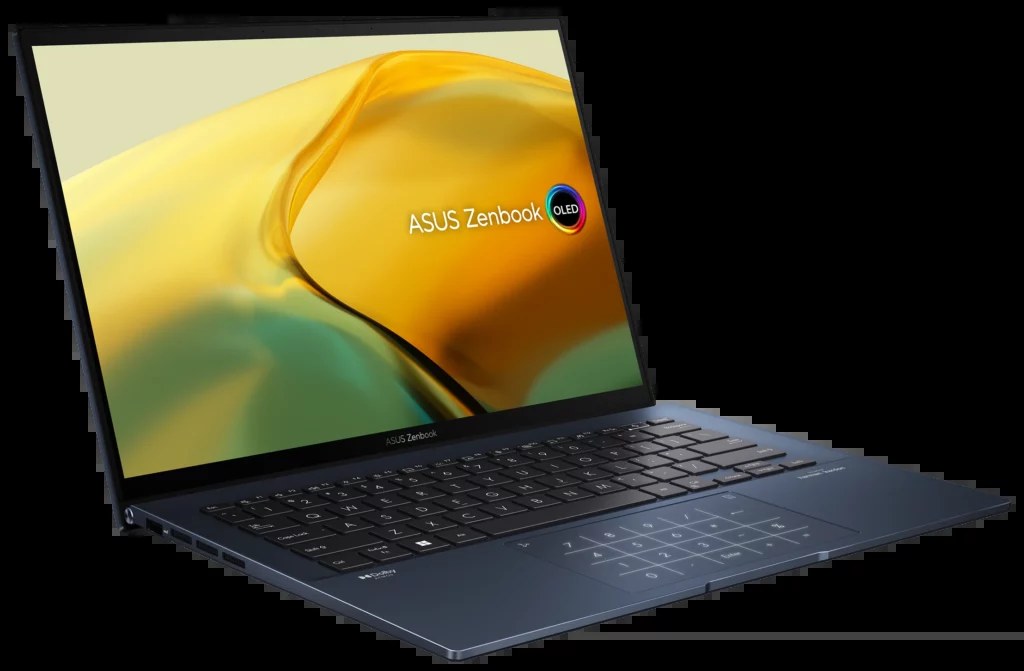
In our comparison, the Asus Zenbook 14 OLED is the display-first value pick. The OLED screen delivers deep blacks and vivid colour that make films, photos, and everyday browsing look richer than on standard displays. The body is slim and light, performance covers office and study work easily, and the cost undercuts several premium rivals.
Battery life is good but OLED brightness can trim it at high settings, and the keyboard, while comfortable, is not the best here. Buyers should confirm the exact configuration, since memory, storage, and display options vary by retailer and region.
Pros:
- Vivid OLED display with deep blacks
- Slim, light, portable body
- Strong value against premium rivals
- Good everyday performance
- Comfortable keyboard
Cons:
- OLED brightness can trim battery life
- Keyboard trails the ThinkPad
- Speakers are modest
- Configurations vary by retailer and region
- Fewer ports than larger laptops
Comparison Table
| Product | Display | Standout strength | Weight class | Best for |
|---|---|---|---|---|
| Apple MacBook Air 15-inch (M4) | Large, bright | Silent efficiency | Light for its size | Big-screen portability |
| Dell XPS 14 | Sharp, colour-rich | Premium all-rounder | Midweight | Windows buyers wanting quality |
| Lenovo ThinkPad X1 Carbon | Bright business | Keyboard and durability | Ultralight | Business travel |
| HP Spectre x360 14 | Sharp convertible | Flexibility and pen | Midweight | Students and hybrid workers |
| Asus Zenbook 14 OLED | Vivid OLED | Display value | Light | Films and photo viewing |
How to Choose
Start with screen size and weight. A 14-inch laptop travels best; a 15-inch screen suits split-screen work but adds bulk. Carry weight matters if the laptop leaves the house daily.
Test the keyboard in your mind, not just the spec sheet: key travel and layout affect comfort over a workday more than a small processor difference.
Choose memory and storage for the laptop’s lifespan, not just today’s needs, and confirm the exact configuration — options vary by retailer and region.
Remember this is a general-purpose guide. Heavy video editing, 3D work, and gaming need dedicated machines with stronger cooling and graphics.
FAQs
Which laptop is best for students?
In our comparison, the MacBook Air 15-inch and the Zenbook 14 OLED suit students best: light bodies, good battery life, and screens that handle reading and media well. The Spectre x360 adds pen notes.
Is a MacBook or Windows laptop better?
It depends on your other devices and software. MacBooks suit Apple households and quiet efficiency; Windows laptops suit buyers who need specific Windows software or a convertible design.
How much memory do I need?
For browsing, office work, and study, a mid-range configuration is enough. For heavier multitasking and photo work, more memory keeps the laptop smooth for longer — confirm the configuration before buying.
Are these laptops good for video editing?
They handle light editing fine, but heavy video work needs a dedicated editing laptop with stronger graphics and cooling. See the dedicated video-editing guide for that use.
Does display type really matter?
Yes. OLED screens show deeper blacks and richer colour, which flatters films and photos. Bright standard displays suit outdoor reading and office work well.
Conclusion
Pick the MacBook Air 15-inch for big-screen portability, the ThinkPad X1 Carbon for typing and travel, and the Zenbook 14 OLED for the richest display at a fair cost. The XPS 14 is the premium Windows all-rounder, and the Spectre x360 suits anyone who needs a convertible. Confirm your exact configuration, and buy for the work you do every day — not the work you imagine.


