Best Ergonomic Office Chairs 2026
Best Ergonomic Office Chairs 2026
The Steelcase Series 1 is the best ergonomic office chair for most home workers in our comparison, pairing a weight-activated recline mechanism with a flexible back and optional lumbar support and armrests. Home offices suit the Branch Ergonomic Chair, long-term fit suits the Herman Miller Aeron, value suits the SIHOO M57, and small spaces suit the Hbada Ergonomic Office Chair.
An ergonomic office chair is not about luxury — it is about staying comfortable through a full workday without back, neck, or shoulder strain. The key features are adjustable lumbar support, seat height and depth, armrests that move with you, and a back that supports your spine’s natural curve. In our comparison, we looked at adjustability, build quality, and how each chair fits different body types. These five span the range from premium long-term investments to strong mid-range options, and the right one depends less on brand prestige than on how it fits your body and your desk.
Fit is the idea that runs through every serious chair guide. A chair that does not fit your body cannot support it, however good its materials are. Seat height, seat depth, lumbar position, and armrest placement all interact: get one wrong and another adjustment has to compensate. That is why the comparison below weighs adjustment range and sizing alongside comfort, and why the buying guide spends as much time on setup as on shopping.
Key Takeaways

- Best overall: the Steelcase Series 1 — a weight-activated mechanism that adjusts recline tension automatically, a flexible back, and optional lumbar support and armrests; assembles in minutes with almost no tools.
- Home offices: the Branch Ergonomic Chair — a mesh back, adjustable lumbar support, seat depth adjustment, and armrests that move in several directions.
- Premium investment: the Herman Miller Aeron — pellicle mesh, a smooth and precise tilt mechanism, and three sizes so the fit is right rather than approximate.
- Value: the SIHOO M57 — adjustable lumbar support, a headrest, multi-direction armrests, a breathable mesh back, and a wide seat.
- Compact pick: the Hbada Ergonomic Office Chair — a compact footprint, flip-up armrests that let it slide under a desk, and adjustable lumbar support.
- The adjustment checklist from the article: lumbar support, seat height and depth, armrests that move with you, and a back that supports your spine’s natural curve.
- Fit decides the pick: check sizing and seat depth against your build before ordering, and set the chair up properly once it arrives — even the best chair fails if it is adjusted wrong.
Top 3 Picks
- Steelcase Series 1 — Best Overall. The right balance of adjustability, build quality, and ease of setup for most home workers, with a weight-activated recline mechanism and a flexible back.
- Branch Ergonomic Chair — Best for Home Offices. Built for remote workers: a mesh back, adjustable lumbar support, seat depth adjustment, and armrests that move in several directions, in a clean, home-friendly design.
- Herman Miller Aeron — Best Premium Investment. The chair other ergonomic chairs are measured against: pellicle mesh without pressure points, a superb tilt mechanism, and three sizes.
SIHOO M57 (value) and Hbada (compact pick) remain in the full comparison below.
Comparison Table
| Chair | Best For | Back | Seat Depth Adjust | Headrest |
|---|---|---|---|---|
| Steelcase Series 1 | Overall | Mesh | No | Optional |
| Branch Ergonomic | Home offices | Mesh | Yes | No |
| Herman Miller Aeron | Premium | Pellicle mesh | No | No |
| SIHOO M57 | Value | Mesh | Yes | Yes |
| Hbada | Compact spaces | Mesh | No | No |
| Image | Product | Features | Price |
|---|---|---|---|
 | Check Price | ||
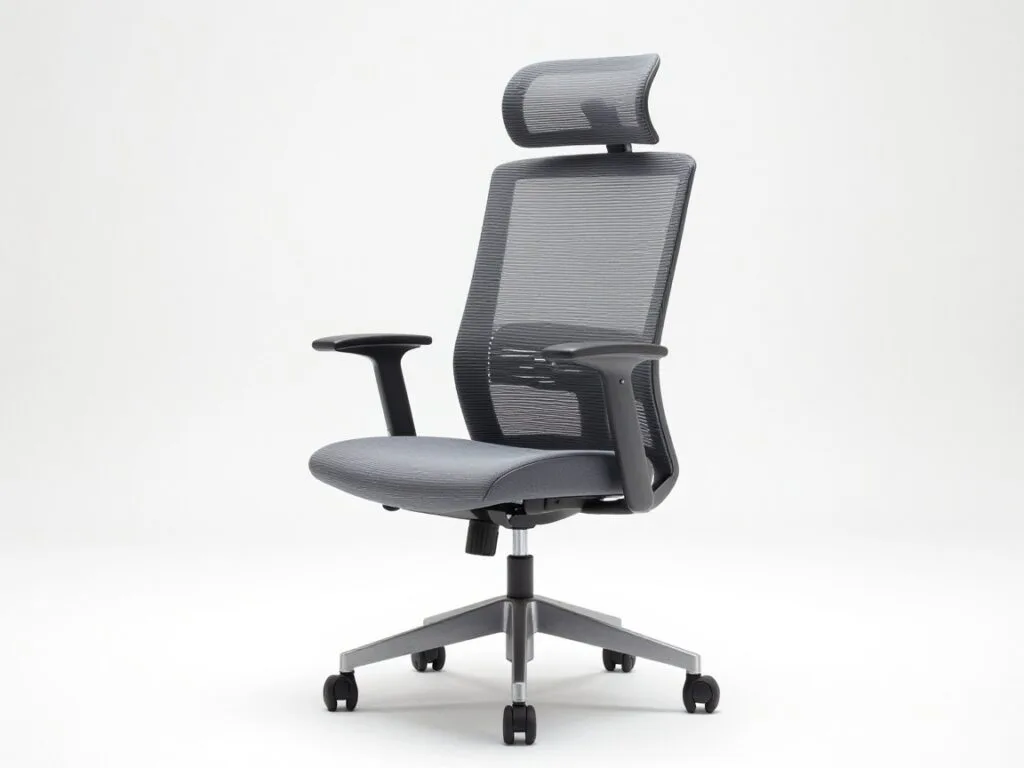 | Check Price | ||
 | Check Price | ||
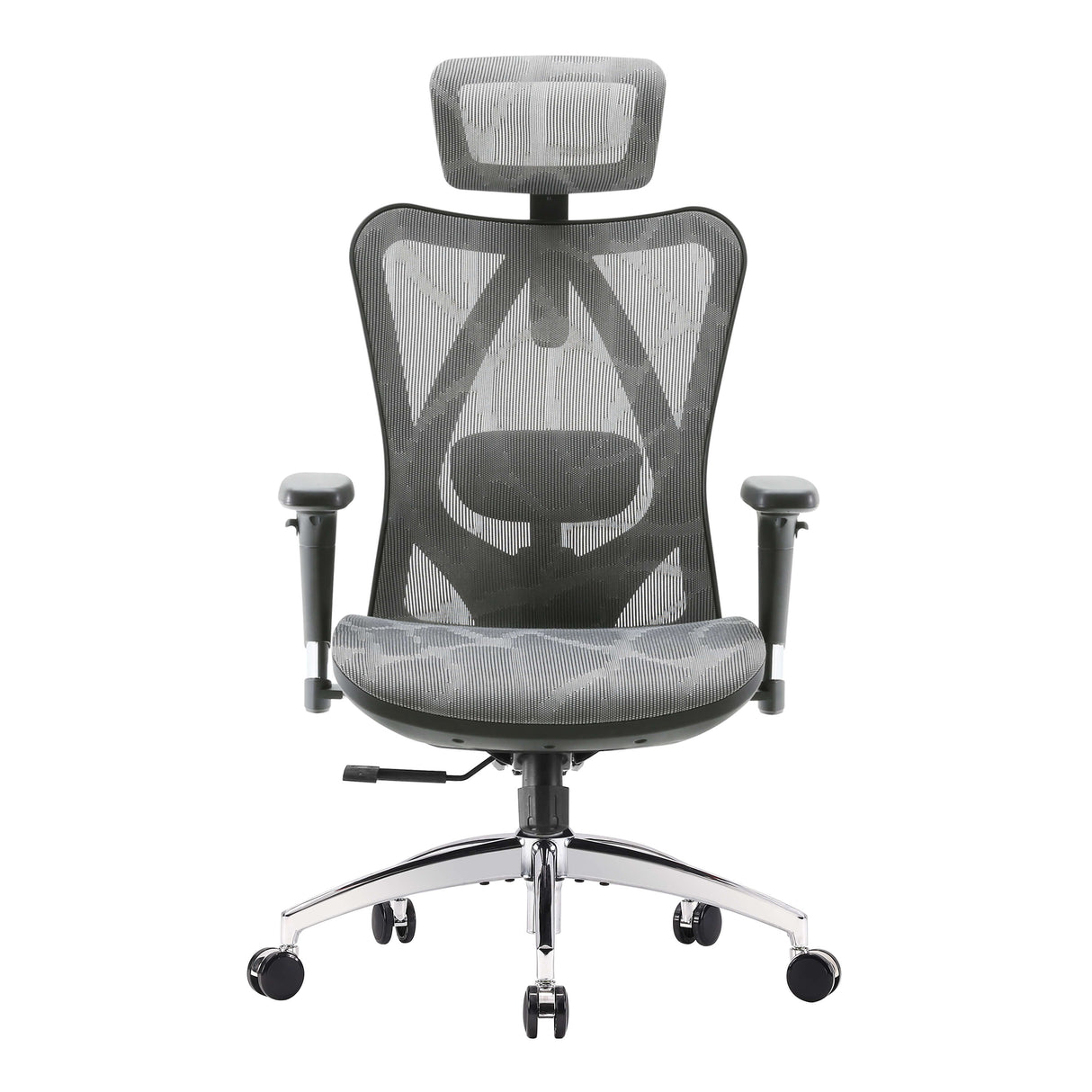 | Check Price | ||
 | Check Price |
1. Steelcase Series 1 — Best Overall
Steelcase Series 1
The Steelcase Series 1 brings the brand's office seating know-how to a chair most home workers can justify. Its weight-activated mechanism adjusts recline tension to your body…
The Steelcase Series 1 brings the brand’s office seating know-how to a chair most home workers can justify. Its weight-activated mechanism adjusts recline tension to your body automatically, the flexible back moves with you, and the optional lumbar support and armrests cover the adjustments that matter. It assembles in minutes with almost no tools.
The weight-activated mechanism is the feature that shapes daily use. Instead of hunting for a tension knob every time you lean back, the chair responds to your body weight, so reclining feels natural rather than negotiated. That matters because adjustments you have to fiddle with are adjustments you stop using: a chair that adapts on its own keeps supporting you through a long afternoon of shifting, leaning, and reaching, rather than only in the upright position you set at the start of the day. The flexible back works on the same principle, moving with you instead of holding one rigid shape while you move against it.
The limits are worth stating plainly. Seat depth is not adjustable, so if the distance from the backrest to the front edge of the seat does not suit your leg length, there is no slider to fix it — check that fit before ordering, and consider the Branch if seat depth adjustment is a priority. The base model also skips some adjustments found on pricier Steelcase chairs, and the mesh back feels firmer than padded rivals, which suits some sitters and surprises others. None of those points overturns the overall balance — adjustability, build quality, and ease of setup for most home workers — but they do mean the Series 1 is a considered choice, not a chair to buy blind.
Who it suits: most home workers who want a dependable, easy-to-set-up chair without stepping into the premium tier, and anyone who dislikes fiddling with recline tension.
Pros: Weight-activated recline needs no fiddling; flexible, supportive back; fast, near tool-free assembly; strong warranty backing.
Cons: Seat depth is not adjustable; the base model skips some adjustments found on pricier Steelcase chairs; mesh back feels firmer than padded rivals.
2. Branch Ergonomic Chair — Best for Home Offices
Branch built its Ergonomic Chair for remote workers: a mesh back, adjustable lumbar support, seat depth adjustment, and armrests that move in several directions. It looks clean in a home office and covers the adjustment checklist that cheaper chairs usually skip.
Seat depth adjustment is the Branch’s clearest advantage over the Series 1, and it is more important than it sounds. Seat depth decides whether your thighs are supported without the front edge pressing behind your knees; too deep a seat cuts off comfort at the back of the knee, too shallow a seat leaves thighs unsupported. Being able to slide the seat to your leg length turns a one-size chair into a chair that actually fits, which is why this chair suits a wider range of body types than its simple looks suggest. Combined with adjustable lumbar support and armrests that move in several directions, it covers the full adjustment checklist in a home-friendly package.
The trade-offs sit one step below the premium tier. Lumbar support is good but not as refined as premium chairs, so sitters who need very precise lumbar placement may still look upward. Armrests can feel loose over time, which is worth checking periodically, and there is no headrest option for those who recline often. For a home office chair used through a full workday, though, the balance is strong: the adjustments that affect fit most are all present, and the clean design sits comfortably in a living space as well as a dedicated office.
Who it suits: remote workers setting up a home office, sitters who need seat depth adjustment, and anyone who wants a full adjustment set in a clean, home-friendly design.
Pros: Full adjustment set including seat depth; breathable mesh back; clean, home-friendly design.
Cons: Lumbar support is good but not as refined as premium chairs; armrests can feel loose over time; no headrest option.
3. Herman Miller Aeron — Best Premium Investment
The Aeron is the chair other ergonomic chairs are measured against. Its pellicle mesh suspends you without pressure points, the tilt mechanism is smooth and precise, and it comes in three sizes so the fit is right rather than approximate. It is a long-term buy: offices run Aerons for a decade or more.
Three sizes are the Aeron’s defining advantage, and they change how you should shop for it. Most chairs ask one size to fit everyone, with adjustment doing the rest of the work. The Aeron instead starts from your size: small, medium, and large frames mean the seat width, depth, and back height begin close to your build before any adjustment is made. That is why sizing guidance matters so much here — buying the wrong size negates much of the benefit, while the right size makes the chair feel less like an adjustment project and more like a chair built for you.
The pellicle mesh is the second defining feature. Rather than foam that compresses under your weight, the mesh suspends you, spreading support without the pressure points a padded seat can create, and it stays cooler in a warm room. The tilt mechanism matches that quality: smooth and precise, it lets you recline without the backrest fighting you or dropping away. The honest caveats are tier and feel. This is the highest tier in our comparison, there is no headrest as standard, and the firm mesh feel divides opinion at first — sitters used to soft padding should expect an adjustment period before judging it.
Who it suits: all-day sitters who want the best fit and longest service life, people who run warm and value a breathable seat and back, and buyers planning to keep one chair for many years.
Pros: Best-in-class mesh support and fit in three sizes; superb tilt mechanism; proven long-term durability.
Cons: The highest tier in our comparison; no headrest as standard; the firm mesh feel divides opinion at first.
4. SIHOO M57 — Best Value Ergonomic Chair
The SIHOO M57 packs adjustable lumbar support, a headrest, and multi-direction armrests into a chair that costs far less than the premium names. The mesh back keeps you cool, and the seat is wide enough for most builds. It is the pick if you want real ergonomic adjustments without the premium outlay.
Value chairs are usually where the adjustment checklist first starts to thin out, so the M57 stands out by keeping it largely intact. Adjustable lumbar support, a headrest, and multi-direction armrests are the features that separate a genuinely ergonomic chair from a chair that merely looks the part, and having all three at this tier is the reason this chair earns its place. The breathable mesh back suits warm rooms and long sessions, and the wide seat accommodates most builds without the squeezed feeling a narrow budget seat can give.
The compromise, as with most value picks, is build quality: it is a step below Steelcase and Herman Miller, in materials and in the feel of the mechanisms over time. Assembly takes longer than the Series 1’s near tool-free setup, so set aside proper time and follow the instructions rather than rushing it. And the headrest suits average heights best, so very tall or very short sitters should check that detail before counting on it. None of that changes the core proposition — the key adjustments are here — but it explains the gap between this tier and the premium tier honestly.
Who it suits: buyers who want real ergonomic adjustments without the premium outlay, first-time ergonomic chair buyers, and home offices where the chair must work hard without a premium budget.
Pros: Headrest and adjustable lumbar included; breathable mesh; wide seat; strong adjustment set for its tier.
Cons: Build quality is a step below Steelcase and Herman Miller; the headrest suits average heights best; assembly takes longer.
5. Hbada Ergonomic Office Chair — Best Compact Pick
Hbada’s ergonomic chair suits smaller spaces and smaller frames: a compact footprint, flip-up armrests that let it slide under a desk, and adjustable lumbar support. It is a practical choice for apartments and shared workspaces where a full-size chair would dominate the room.
Small-space chairs fail in two ways: they either shrink so much that they stop supporting properly, or they stay full-size and eat the room. The Hbada avoids the first failure by keeping adjustable lumbar support — the single adjustment that matters most for lower-back comfort — while solving the second with a compact footprint and flip-up armrests. Flip-up arms are a small feature with an outsized effect in a tight room: slide the chair fully under the desk and the workspace is clear again, which matters in apartments, bedrooms, and shared desks where floor space is shared with everything else.
The limits follow from the compact brief. It is less suited to taller or larger users, who will find the seat and back proportions working against them, and it offers fewer adjustments than the chairs above. Seat padding is thinner, so all-day sitters should weigh that against the space saving. For occasional or moderate daily use in a small room, those are acceptable trade-offs. For a tall sitter working eight hours a day, a full-size chair with seat depth adjustment — the Branch, for example — is the better call even if it takes more floor space.
Who it suits: apartments, shared workspaces, and smaller frames; anyone whose desk space must be cleared away after work.
Pros: Compact size fits small rooms; flip-up armrests save space; adjustable lumbar support; easy to move.
Cons: Less suited to taller or larger users; fewer adjustments than the chairs above; seat padding is thinner.
Buying Guide: How to Choose the Best Ergonomic Office Chair
Start with fit, not brand
A chair that does not fit your body cannot support it, whatever the brand on the headrest. Check seat height and depth against your build before ordering, and remember that the Aeron’s three sizes exist precisely because one size does not fit all. If you are very short or very tall, sizing and seat depth matter more than any other feature. For the one-size chairs here, adjustment range has to do the work that sizing does on the Aeron — which is why the Branch’s seat depth adjustment and the SIHOO’s wide seat carry real weight in this comparison.
Lumbar support: position matters more than presence
Almost every chair in this comparison lists lumbar support, but support in the wrong place helps no one. Look for support you can position at the curve of your lower back, not at your mid-back or waist. The Aeron’s approach supports the base of the spine, while the Branch, SIHOO, and Hbada offer adjustable lumbar support you set yourself. Whichever chair you choose, set the lumbar against your lower back once seated, then re-check it after your first week — bodies settle into a chair, and the first setting is rarely the final one.
Seat height and seat depth: the two measurements to get right
Seat height should let your feet rest flat on the floor with hips slightly above knees. Seat depth should leave two to three fingers of space between the back of your knees and the seat edge: too deep, and the front edge presses behind the knees; too shallow, and your thighs go unsupported. Only the Branch and SIHOO in this lineup offer seat depth adjustment, so for the others, check the fixed depth against your leg length before ordering. A footrest can help shorter sitters whose feet do not reach the floor at the right seat height, but it is a workaround, not a substitute for a chair that fits.
Armrests: what the directions mean
Armrests are usually described by how many directions they move. Basic armrests adjust in height only. Multi-direction armrests — as on the Branch and SIHOO — move in several directions, letting you line your forearms up with your keyboard or angle them for different tasks. This matters more than it sounds: if your arms cannot rest at desk height with relaxed shoulders, your neck and shoulders carry the strain instead. Flip-up armrests, as on the Hbada, trade some of that adjustment for the ability to slide the chair under a desk, which is the right trade in a small room and the wrong one if arm support is your main need.
Recline and tilt: tension you can actually use
Recline is not just an angle; it is a mechanism. The Series 1’s weight-activated mechanism adjusts tension automatically, the Aeron’s tilt is smooth and precise, and both approaches beat a fixed-tension recline that suits some bodies and fights others. When you lean back, lumbar support should stay in contact with your back rather than dropping away — the moment most weaker chairs lose support and let you slump. Set the tension so the backrest supports you without snapping forward or falling away, and lock it only when you want a fixed working position.
Mesh or foam: breathability against softness
Mesh stays cooler and breathes better, which is why every chair in this lineup uses a mesh back of some kind. The Aeron’s pellicle mesh is the most developed version: suspension without pressure points, firm at first, cool over a long day. Foam feels softer at first and suits cooler rooms, but it holds heat and compresses over time. The Branch pairs a mesh back with a different seat feel, and the Hbada’s thinner padding shows the other side of the trade — less cushioning, but a lighter, more compact chair. In a warm room, favour mesh; if you run cold, softness may reasonably carry more weight.
Headrests: who actually needs one
Most people do not need a headrest when sitting upright to type. A headrest helps if you recline a lot, to read or to rest between tasks. In this lineup, only the SIHOO includes one as standard, the Series 1 offers it as an option, and the Aeron and Branch do not include one — a useful reminder not to treat a headrest as a proxy for ergonomic quality. If you recline often, weigh it seriously; if you mostly type upright, its absence should not decide the purchase.
Build quality, warranty, and long-term value
Build quality shows up in mechanisms that still lock firmly after years, armrests that do not loosen, and a frame that does not flex under daily use. Premium chairs justify part of their tier with longer cover and better support, and offices running Aerons for a decade or more are evidence of that durability rather than marketing. Value chairs like the SIHOO and Hbada make honest compromises here: strong adjustment sets, lighter build. A value chair is a sound buy if your use is moderate; it is a false economy if you sit all day and end up replacing it early, so weigh expected daily hours alongside the tier.
Assembly: what to expect
Assembly varies sharply in this lineup. The Series 1 assembles in minutes with almost no tools, which is a genuine advantage if you dislike flat-pack furniture. The SIHOO takes longer, and heavier, better-built chairs generally take longer simply because the parts are bigger. Whatever the chair, follow the instructions, check that every lever and adjustment locks firmly before your first long session, and keep the manual for the first month — most setup corrections happen in that window.
Gaming chairs versus ergonomic task chairs
The line has blurred, but the distinction still matters. Racing-style gaming chairs give you a high backrest, deep recline, and a bold look; ergonomic task chairs usually give you more fine-grained adjustment in a plainer shell. The bucket-seat shape of classic gaming chairs can lock the hips into one angle, which is the opposite of what a back wants over eight hours. If you play at a PC desk and also work there, adjustability matters more than the racing silhouette.
Setting your chair up once it arrives
Even the right chair feels wrong if it is set up for someone else. Sit with your feet flat on the floor and your knees roughly at right angles, hips slightly above knees. Set the armrests so your elbows sit level with your desk and close to your body, with shoulders relaxed. Place lumbar support against your lower back, and position your monitor so you are not tilting your head up — the top edge roughly at eye level is a good starting point. Unlock the backrest and set the tilt tension so it supports you without fighting you, and leave clearance behind your knees. Finally, no chair removes the effects of sitting for hours: change position regularly, stand and stretch between tasks, and treat movement as part of the setup, not an afterthought.
FAQ
Which ergonomic office chair is best overall?
The Steelcase Series 1: the right balance of adjustability, build quality, and ease of setup for most home workers, with a weight-activated recline mechanism and a flexible back.
Which chairs offer seat depth adjustment?
The Branch Ergonomic Chair and the SIHOO M57, per the article’s comparison table. The Branch is the strong alternative if seat depth adjustment matters to you, and it is the reason to choose it over the Series 1 for sitters whose leg length does not suit a fixed seat depth.
Which chair comes in multiple sizes?
The Herman Miller Aeron, in three sizes, so the fit is right rather than approximate. Use the maker’s sizing guide if you are much shorter or taller than average, since buying the wrong size negates much of the benefit.
Which chair suits a small room?
The Hbada Ergonomic Office Chair: a compact footprint with flip-up armrests that let it slide under a desk, suited to apartments and shared workspaces.
Which chair is best for value?
The SIHOO M57: adjustable lumbar support, a headrest, multi-direction armrests, a breathable mesh back, and a wide seat, without the premium outlay. Its build quality is a step below Steelcase and Herman Miller, which is the honest trade for the tier.
Mesh or cushioned office chair?
Mesh breathes better and keeps you cooler. Foam feels softer at first. The Aeron is full pellicle mesh, the Branch and SIHOO pair mesh backs with seats that feel different from pure mesh, and the Series 1 uses a mesh back that feels firmer than padded rivals. In a warm room, mesh is the safer choice.
Do I need a headrest?
Most people do not when sitting upright to type. A headrest helps if you recline a lot. The SIHOO includes one, the Series 1 offers one as an option, and the base Aeron has no headrest as standard.
Are ergonomic chairs worth it?
If you sit for many hours a day, a chair that adjusts to you is one of the best setup upgrades you can buy, felt every day. You do not need the most expensive model: the right fit and the right adjustments matter more than the tier. If you sit for only an hour or two at a time, a simpler chair may serve you just as well.
Do ergonomic chairs help with back pain?
A better-fitting chair can support a more comfortable sitting position, and good lumbar placement, seat depth, and armrest height all help. But a chair does not treat back pain, and no chair can compensate for sitting still for hours — regular movement and posture changes matter as much as the chair. Persistent or severe pain warrants medical advice.
Conclusion
For most home workers, the Steelcase Series 1 is the right balance of adjustability, build quality, and ease of setup. The Branch chair is a strong alternative if seat depth adjustment matters to you, and the Aeron is worth it if you plan to sit in it for years and want the best fit. On a tighter tier, the SIHOO M57 gives you the key adjustments, and Hbada is the pick for small spaces. Whatever you buy, set it up properly: feet flat, knees at a right angle, and lumbar support sitting at your lower back — even the best chair fails if it is adjusted wrong.
Affiliate Disclosure: This article contains Amazon affiliate links. As an Amazon Associate, Smart Tech & Gadget Finds earns from qualifying purchases at no extra cost to you. #ad


